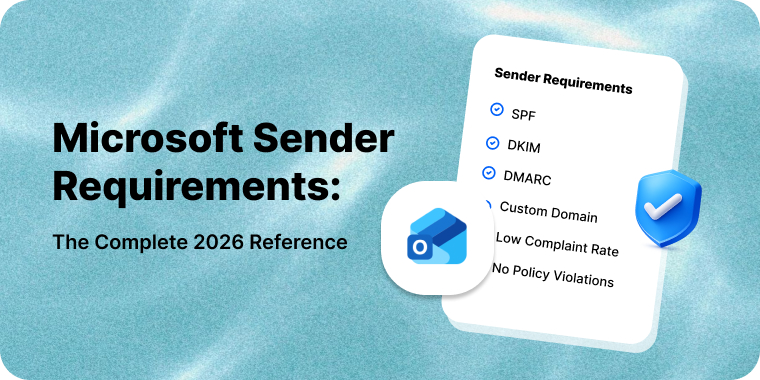
If you send more than 5,000 messages a day to Outlook.com, Hotmail, Live or MSN addresses from a single From domain, Microsoft requires SPF, DKIM and DMARC to pass. Mail that fails is not junked. It is rejected at the SMTP transaction:
550 5.7.515 Access denied, sending domain [SendingDomain] does not meet the required authentication level
(Microsoft’s announcement blog renders the code as 550; 5.7.515 with a semicolon, while the support article uses 550 5.7.515. If you grep bounce logs for an exact string, match both.)
Microsoft’s postmaster policies page still describes the superseded junk-first sequence. Disregard it: the announcement blog was revised on 29 April 2025, and the original junking paragraph survives there only as struck-through text.
That has been the behavior since 5 May 2025. It is also only one of the things Microsoft checks, and it applies to only one of the two Microsoft mail systems you send to. This page is the maintained reference for both.
Last reviewed: 18 July 2026
Table of Contents
The two Microsofts
Almost every unproductive conversation about Microsoft deliverability comes from treating Microsoft as one destination. It is two.
Consumer Outlook.com covers outlook.com, hotmail.com, live.com and msn.com. Microsoft owns the filtering, the reputation model and the remedy — this is the side with the 5,000/day rule, SmartScreen, SNDS, JMRP, the RP and SC error codes, and a delisting path you can walk.
Microsoft 365 corporate tenants run Exchange Online Protection, where your recipient’s employer configures the filter: spam and bulk thresholds, quarantine actions, IP allow and block lists, tenant allow/block entries. Microsoft’s global signals feed in, but the admin overrides them in either direction. No feedback loop, no dashboard, no sender-side visibility.
So a fix that works on one side often does nothing on the other. Delisting at sender.office.com has no effect on a tenant that block-listed your domain. Establish which Microsoft you face before spending effort.
Requirements at a glance
| Requirement | Consumer Outlook.com | Microsoft 365 (EOP) | Enforcement behavior |
|---|---|---|---|
| SPF passing | Required above 5,000/day | Strong signal, not a hard gate | 550 5.7.515 rejection |
| DKIM passing | Required above 5,000/day | Strong signal, not a hard gate | 550 5.7.515 rejection |
| DMARC record, minimum p=none | Required above 5,000/day | Honored inbound | 550 5.7.515, or 550 5.7.509 on p=reject |
| SPF or DKIM aligned to 5322.From | Required above 5,000/day | Feeds composite authentication | Rejection on failure |
| Valid reverse DNS | Long-standing policy | Reputation input | Discretionary rejection |
| Functional From and Reply-To | Recommended | Recommended | Reputation input |
| Visible unsubscribe | Recommended | Recommended | Complaint-rate driven |
| List hygiene, bounce handling | Recommended | Recommended | Reputation input |
| Max 500 simultaneous connections | Policy limit | Not published | 421 RP-003 |
| BCL below tenant threshold | Not applicable | Tenant-configured, default 7 | Junk, quarantine or delete |
| Not on the tenant’s block list | Not applicable | Entirely tenant-controlled | 550 5.7.703 |
One caution on the “recommended” rows. Many 2026 guides claim Microsoft mandates RFC 8058 one-click unsubscribe and a published complaint-rate ceiling. Those are the Google and Yahoo requirements from February 2024, misattributed — Microsoft frames everything beyond SPF, DKIM and DMARC as practices large senders “should also adopt.” Implement one-click unsubscribe anyway, because it reduces complaints, but it is not what triggers 5.7.515.
Authentication requirements
Microsoft’s stated minimum for high-volume senders: SPF passes, DKIM passes, and a DMARC record exists at p=none or stricter, aligned with either SPF or DKIM — “preferably both,” in Microsoft’s wording. Both SPF and DKIM must pass; the either/or applies only to alignment. Take the strict reading anyway and align both. Our implementation guide walks through getting SPF, DKIM and DMARC aligned.
Microsoft’s own documentation is genuinely inconsistent in one place worth knowing about: the MarkAsSpamBulkMail documentation says a BCL greater than the configured threshold is converted to an SCL of 6, while the BCL reference and the portal describe the trigger as the threshold being met or exceeded. At a threshold of 7 that is the difference between BCL 7 converting and not. Assume the stricter reading — that hitting the number is enough.
Separate two failure modes. 550 5.7.515 is the bulk sender rule: you are over the threshold and your authentication does not meet the bar. 550 5.7.509 — “does not pass DMARC verification and has a DMARC policy of reject” — is Microsoft honoring your own published policy, and applies at any volume.
Enforcement is real but not uniform. Practitioners report partial-campaign rejections traced to differing envelope domains, header folding, duplicate headers, DNS timeouts during DKIM lookup, and content modification in transit. If you see dkim=Fail on mail you know is signed correctly, examine the transport path before your DNS. Recipient Safe Sender entries should not be expected to bypass any of this: 5.7.515 is a rejection issued during the SMTP transaction, before the message is ever accepted and before any mailbox-level rule can apply to it.
Volume thresholds and who counts as a bulk sender
The threshold is 5,000 or more messages per day to Microsoft consumer services, where all messages use the same domain in the 5322.From address.
A footnote on that number, because Microsoft’s own wording drifts. The announcement blog and the postmaster policies page both say “more than 5,000 emails per day”; the support article says “5,000 or more” and omits “per day” altogether. Treat 5,000 as the trigger rather than the ceiling — do not build a sending plan that sits at 4,999 and assumes safety.
Three things in that phrasing catch senders out. The count is per From domain, not per IP, so splitting across IPs does not put you under it. It counts only consumer Microsoft recipients, so your total daily send is irrelevant. And it is a daily measure, so a monthly newsletter crossing 5,000 consumer recipients is in scope on send day. There is no published grace band and no exemption path. Note the direction of travel: Microsoft’s wording is “after you reach this threshold, we expect all messages from senders in the domain” to comply — once a From domain crosses 5,000, the requirement attaches to the domain, not to that day’s volume. Microsoft publishes no reset condition or lookback window, so assume compliance is permanent once triggered. And every reputation mechanism on this page applies at any volume, threshold or not.
SNDS and JMRP: the tools Microsoft gives you
Microsoft is one of very few mailbox providers operating a genuine feedback loop. Both tools moved hosts in 2026 — any guide citing the old addresses is stale.
- SNDS portal:
https://substrate.office.com/ip-domain-management-snds/snds - SNDS FAQ:
https://substrate.office.com/ip-domain-management-snds/snds/faq - JMRP enrollment:
https://substrate.office.com/ip-domain-management-snds/snds/jmrp - Outlook.com postmaster:
https://substrate.office.com/ip-domain-management-snds/postmaster
The legacy sendersupport.olc.protection.outlook.com and postmaster.live.com paths 308-redirect, but lossily — old .aspx deep links land at a section root. junkmailreporting.microsoft.com no longer resolves at all.
SNDS is per-IP-range and requires proof of control. Microsoft derives authorization addresses from reverse DNS, WHOIS and the routing table, then mails a request key to postmaster@ and abuse@ that domain. Access is not permanent once granted. Microsoft periodically requires the authorizing contact to reauthorize, and the FAQ is explicit about the window: if they do not successfully complete that process within 7 days, they lose access. Access is also removed automatically when the advertised subnets covering your IPs change — a renumbering or a new upstream announcement can silently drop you out of SNDS.
Reading SNDS data
The Data page reports per IP, per PST day, with 90-day retention: RCPT and DATA counts, message recipients, sample HELO and MAIL FROM, filter result, complaint rate, sample messages, and flags for virus-infected mail, malware hosting and open-proxy status.
The color bands apply to the filter result column only, measuring the proportion of that IP’s mail SmartScreen classified as spam: green under 10%, yellow 10% to 90%, red above 90%.
Microsoft publishes no color-coded complaint rate bands — the most repeated falsehood about SNDS. The FAQ’s only complaint figure is a peer benchmark: more than 30% of IPs sending to Outlook.com keep complaint rates below 0.3%. That is a distribution statistic, not a line Microsoft enforces. Nor does green mean inbox — IPs routinely show green, low complaints and zero trap hits while landing in Junk.
Trap hit counts are scheduled to be removed from SNDS Data Reports starting 22 July 2026, per the portal’s own announcement — an upcoming change, not one that has landed yet. Automated Data Access changed too: URLs beginning with the legacy host prefix https://sendersupport.olc.protection.outlook.com/snds/ were deprecated on 22 June 2026. (Generated links are also reported to expire after 30 days, and several sources describe a replacement REST API with OAuth 2.0; neither is stated in the announcement or the FAQ, so treat both as unconfirmed.)
JMRP, and what it stopped telling you
JMRP forwards a copy of any message a consumer Outlook.com user marks as junk. Enrollment happens inside the SNDS portal and requires the IP verified under your SNDS account — feeds not linked to one were removed.
As of mid-2026, JMRP reports are standard ARF and heavily redacted. The complainant’s address is gone, the proprietary X-HmXmrOriginalRecipient header is gone, To: reads “Undisclosed Recipients,” and the message body is stripped entirely. Downloadable samples were discontinued. Microsoft has published nothing about this; the change was observed in the wild from mid-June 2026 and is corroborated across independent practitioner reports.
If your suppression automation parsed the recipient address or scraped the body for a customer ID, it is broken. What survives is the Message-ID, mapped back to your send log, plus custom X- headers you inject at send time — provided they are not formatted like an email address, or they get redacted too. If you inject nothing today, add an opaque subscriber identifier now.
Tenant-side controls you do not control
Bulk Complaint Level (BCL)
Bulk Complaint Level runs 0 to 9: zero is not a bulk sender, 1 to 3 few complaints, 4 to 7 mixed, 8 and 9 high. The default policy and any newly created policy use a threshold of 7; the Standard preset 6; the Strict preset 5. Default and Standard route at-or-above-threshold mail to Junk; Strict quarantines it. The PowerShell-only setting MarkAsSpamBulkMail is on by default and converts a BCL breach into an SCL of 6 — a full Spam verdict, not a soft “bulk” label. Microsoft publishes no BCL formula; the only named driver is complaint rate. This is the mechanism behind mail that is accepted but junked at Microsoft 365.
Connection filtering: IP allow and block lists
Connection filtering gives admins an IP Allow List and IP Block List, no IPv6, each list capped at 1,273 entries — the cap is per list, not shared between them. The /24 through /32 CIDR restriction is documented as an Allow List limit. Block List messages are rejected with no spam scoring and do not appear in the tenant’s own message trace — which explains the “our admin says there is no record of your email” dead end. An IP allow entry does not change throttling: allow-listing buys filtering relief, not rate headroom.
The Tenant Allow/Block List
The Tenant Allow/Block List covers domains, addresses, URLs, files, IPv6 addresses and spoofed senders, and block entries beat allow entries. A domain block means your mail can be classified as high confidence phishing and quarantined — recipients can only request release, not release it themselves. You will see no bounce at all, which is the tell. (550 5.7.703 is the related code, but it is what the tenant’s own users get when sending outbound to a blocked domain — not what you receive.)
Allow entries for domains, addresses, URLs and files persist 45 days after Microsoft’s filters judge the entity clean — the clock starts at the verdict, not at creation. An admin may instead pin an expiry up to 30 days out. Spoofed-sender allow entries never expire. Microsoft also removes allow entries unprompted once it decides they are no longer needed, so any allow-listing you win is temporary.
What you can actually do
Everything routes through the recipient. Ask for the full internet headers and read X-Forefront-Antispam-Report — CIP, SCL, CAT (e.g. BULK, SPM, PHSH), SFV, PTR, H — and X-Microsoft-Antispam, which is where BCL lives. It is not in the Forefront header, despite what most guides claim.
SFV is the most useful field you can obtain. SFV:SPM means Microsoft’s filter judged you spam. SFV:SKB means you are on the tenant’s blocked senders list, and SFV:SKS means a mail flow rule stamped you as spam before filtering ran — both prove a human at the recipient organization made a decision that no reputation work will change. SFV:BLK is the more common case and a different conversation entirely: filtering was skipped and the message blocked because it came from an address in that individual user’s Blocked Senders list — SKB is the admin’s anti-spam policy list, BLK is the one person you are writing to. SFV:SKA means you are allow-listed.
The only remedy reaching beyond one tenant is having the recipient admin report your message as a false positive through the Microsoft Defender Submissions page. That creates a tenant allow entry and feeds signal back to Microsoft’s global filters.
Reputation and throttling behavior
The 421 codes: which limit you hit
Microsoft’s rate limits are dynamic and reputation-scaled, not published quotas. Three distinct 421 codes tell you which limit you hit: 421 RP-001 is the connecting IP exceeding its allowed send rate, 421 RP-002 is the rate allowed on that single connection, and 421 RP-003 is the concurrent connection count. Senders treat these interchangeably and apply the wrong fix — RP-003 is solved by reducing concurrency, RP-001 by reducing throughput and repairing reputation. The published ceiling is 500 simultaneous connections without prior arrangement, but reputation throttles you well below that.
The 550 series: SC, OU and DY codes
The 550 series distinguishes causes usefully. SC-001 and OU-002 are content or reputation rejections; SC-002 means Microsoft saw directory-harvest behavior; SC-003 flags an open proxy; SC-004 is a complaint-driven block whose stated remedy is enrolling in JMRP; DY-001 and DY-002 mean you look like a dynamic IP or compromised machine. OU-001 is Microsoft enforcing a Spamhaus listing — Microsoft will not lift it, you must delist at Spamhaus, and senders file Microsoft requests for it constantly and get nowhere. On the Microsoft 365 side, 451 4.7.500-699 Access denied, please try again later — the range 4.7.550 falls inside — is a temporary restriction while Microsoft evaluates your traffic; it clears on its own, with no published duration. Our companion guide walks through decoding S3140, S3150 and the 550 block codes.
Why recovery is slow
Recovery is slow because reputation is built from sustained observed behavior, and traffic sent while blocked is mostly retries — not the signal Microsoft needs. Microsoft’s only published warm-up guidance says “A new IP can expect to be fully ramped within a couple of weeks or sooner depending on volume, list accuracy and as long as their junk email complaint rates are kept at a minimum,” and notes that a new IP under a domain with good existing reputation inherits some of it. Treat that as directional rather than a schedule — but the useful part holds: domain reputation carries across IP changes.
The sender support and mitigation path
There are three separate paths, and using the wrong one wastes days.
Microsoft 365 IP blocks. If your NDR reads 550 5.7.606-649 Access denied, banned sending IP, use the Office 365 Anti-Spam IP Delist Portal at https://sender.office.com/. One email address and one IP per visit, plus a CAPTCHA, then verification, confirmation and Delist IP. Microsoft’s stated timing: “It might take up to 24 hours or longer.” Delisting is not durable — messages must still pass composite authentication, or the IP is blocked again.
The 5.7.511 exception. 550 5.7.511 Access denied, banned sender cannot use the delist portal. Forward the full NDR with the code and IP to [email protected]. Microsoft commits to responding within 48 hours — the only response-time commitment published across any of these paths.
Consumer Outlook.com. The entry point is http://go.microsoft.com/fwlink/?LinkID=614866, which now redirects to olcsupport.office.com behind a Microsoft account sign-in. The historically anonymous form is gone. (I could not enumerate the form’s fields or any stated SLA because of the login wall.)
What none of these can do is override a tenant-level block. If a Microsoft 365 customer IP-blocked you, TABL-blocked you or added you to blocked senders, Microsoft has no documented mechanism to reverse it. That is deliberate: the tenant is the customer.
On shared IPs, your ESP files mitigation requests, since the delist portal assumes you control the IP; your leverage is list quality, because pool reputation is collective. On dedicated IPs, every path above is yours to walk. (Microsoft publishes nothing about mitigation for shared infrastructure — this reflects practice, not documented policy.)
Compliance checklist
| # | Check | How to verify |
|---|---|---|
| 1 | SPF exists and passes | dig +short TXT yourdomain.com | grep spf1 — confirm under 10 lookups |
| 2 | DKIM signs and validates | dig +short TXT selector._domainkey.yourdomain.com; confirm dkim=pass on a delivered message |
| 3 | DMARC published, minimum p=none | dig +short TXT _dmarc.yourdomain.com |
| 4 | SPF or DKIM aligns to 5322.From | Test send; check Authentication-Results for dmarc=pass |
| 5 | Reverse DNS resolves and matches HELO | dig +short -x YOUR.SENDING.IP, then forward-resolve the result |
| 6 | Daily consumer-Microsoft volume known per From domain | Segment send logs across outlook.com, hotmail.com, live.com, msn.com |
| 7 | SNDS access active for every sending IP | SNDS portal — confirm access is still granted; reauthorization requests must be completed within 7 days, and changes to advertised subnets remove access automatically |
| 8 | SNDS filter result green | SNDS Data page — under 10% spam-classified |
| 9 | Complaint rate benchmarked | SNDS Data page — compare against the 0.3% peer benchmark |
| 10 | JMRP enrolled and linked to SNDS | SNDS portal, JMRP section |
| 11 | Complaint processing keys on Message-ID | Audit suppression pipeline against post-redaction ARF reports |
| 12 | Opaque subscriber ID in a custom X- header | Inspect raw headers of a delivered message |
| 13 | Automated Data Access link uses a current URL | Not the deprecated sendersupport.olc.protection.outlook.com/snds/ host prefix — regenerate in SNDS Automated Access settings if it still points at the legacy host |
| 14 | Concurrent connections under 500 | MTA connection pool configuration |
| 15 | Deferral monitoring separates RP-001 from RP-003 | Bounce log parsing rules |
| 16 | One-click unsubscribe functional | Verify List-Unsubscribe-Post header on a live campaign |
Changelog: how Microsoft’s requirements evolved
Upcoming: from 22 July 2026, trap hit counts will no longer be included in the SNDS Data Report, per the portal’s announcement. This has not taken effect yet.
- June 2026 — JMRP moves to standard ARF: complainant address redacted,
X-HmXmrOriginalRecipientremoved, message body stripped, downloadable samples discontinued. - 22 June 2026 — SNDS Automated Data Access URLs beginning with the legacy host prefix
https://sendersupport.olc.protection.outlook.com/snds/deprecated. - Mid-2026 — SNDS and the Outlook.com postmaster site migrate to
substrate.office.com;junkmailreporting.microsoft.comretired. - 5 May 2025 — Enforcement of the 5,000/day authentication requirement begins, with
550 5.7.515rejections. - 29 April 2025 — Microsoft revises the plan: rather than junking non-compliant mail first and rejecting later, it rejects from day one, “to remove any confusion on why a message was in the junk folder.” The junking phase never ran as a standalone stage — which most secondary coverage still gets wrong.
- 2 April 2025 — Microsoft announces SPF, DKIM and DMARC requirements for Outlook.com senders above 5,000 messages a day.
- 2023 — EOP adopts stricter inbound DMARC policy handling defaults, honoring published
p=quarantineandp=reject.
How Mailercloud handles Microsoft delivery
We send over a billion emails a month, so Microsoft is a daily operational concern rather than an occasional incident. Our deliverability team maintains SNDS and JMRP registration across every sending IP, feeds complaint data into suppression automatically, enforces authentication alignment before a domain can send, throttles to Outlook.com on RP-code signals rather than blind retries, and owns the mitigation path on shared pools.
If you are looking at 550 5.7.515 bounces or unexplained Junk placement at Microsoft 365 tenants, talk to our deliverability team — or start free with Mailercloud.
FAQ : Microsoft Sender Requirements
Does the 5,000/day rule apply to Microsoft 365 corporate recipients?
No. It applies to consumer services only — outlook.com, hotmail.com, live.com and msn.com. Corporate tenants running Exchange Online Protection are governed by their own admin’s configuration plus Microsoft’s global signals.
Is p=none really enough for DMARC?
For Microsoft’s requirement, yes — p=none with SPF or DKIM alignment satisfies it. That is the floor, not the recommendation, and it gives no protection against exact-domain spoofing. Use it to become compliant and collect aggregate reports, then progress to quarantine and reject.
SNDS shows green with low complaints, but Microsoft still junks my mail. Why?
Green means SmartScreen is not classifying your traffic as spam-shaped, not that you reached the inbox. Microsoft applies reputation logic SNDS does not surface, and on the Microsoft 365 side a tenant’s bulk threshold and block lists override everything. Check the recipient’s headers for SFV and BCL first.
Do SNDS or JMRP cover Microsoft 365 tenants?
No. Both are consumer-only. There is no equivalent feedback loop or reputation dashboard for corporate Microsoft 365 mail. Your only diagnostic there is header data the recipient supplies.
JMRP no longer tells me who complained. How do I suppress them?
Match the Message-ID from the ARF report against your send log — that is now the primary attribution key. Also inject an opaque subscriber identifier as a custom X- header at send time, formatted so it does not resemble an email address, or Microsoft’s redaction strips it too.
What is error 550 5.7.515 and how do I fix it?
It means Microsoft rejected your message because the domain in your 5322.From address didn’t meet the authentication bar for high-volume senders. Fix it by making SPF and DKIM pass, publishing a DMARC record at minimum p=none, and aligning at least one of SPF or DKIM to your From domain. It’s a hard SMTP rejection, not a Junk placement — so nothing mailbox-side will route around it.
What’s the difference between 550 5.7.515 and 550 5.7.509?
5.7.515 is the bulk-sender rule: you’re over 5,000/day and your authentication doesn’t meet Microsoft’s bar. 5.7.509 is Microsoft honoring your own published DMARC policy of p=reject, and it applies at any volume. One is Microsoft’s requirement; the other is your policy enforced against you.
Does the 5,000/day limit reset if my sending volume drops?
No. Once a From domain crosses 5,000 messages a day to Microsoft consumer inboxes, Microsoft treats the domain as a bulk sender from then on — the requirement attaches to the domain, and Microsoft publishes no reset window. Don’t plan a send that sits just under 5,000 assuming it keeps you exempt; treat the number as the trigger, not a ceiling.

Amar CP is the Co-Founder and Sales Director at Mailercloud, where he leads partnerships, alliances, and customer growth. With over a decade of experience in application development, database architecture, and scaling web systems, Amar brings a rare blend of engineering depth and go-to-market expertise to email marketing. He writes about email deliverability, marketing automation, and helping small businesses grow smarter with data-driven campaigns.