Last updated: October 2026. Every NBSP code example was tested in Chrome 141, Node.js 22, Python 3.13 and PHP 8.3.
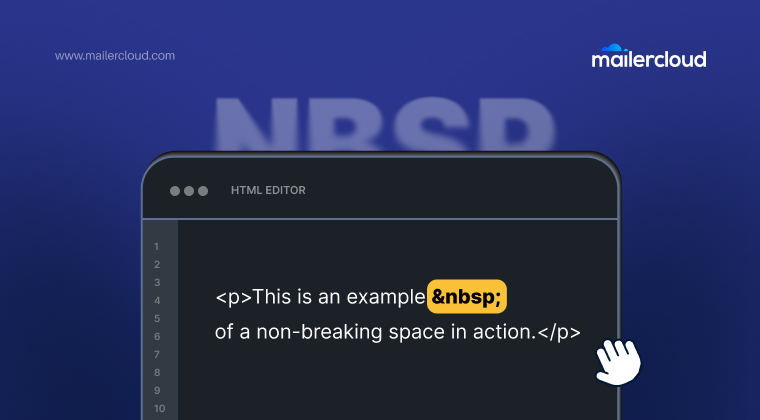
(NBSP) is the HTML code for a non-breaking space: a space that looks like a normal space but stops the browser from breaking the line at that point. It’s also the reason you sometimes see “ ” printed as text in an email or web page.
This guide gives you the copy-paste character and its code for HTML, CSS, JavaScript, React, Python, PHP, Excel and your keyboard. It also covers the bugs it causes and how to fix them. We tested every code example below, and noted where languages behave differently.
Quick Answer: NBSP ( ) means non-breaking space, the Unicode character U+00A0. It looks like a normal space, but the browser never breaks a line at it and never collapses several of them into one. Write it as or   in HTML, \u00A0 in JavaScript, \xa0 in Python and \00a0 in CSS. On a keyboard, press Option + Space on a Mac or Alt + 0160 on Windows.
Table of Contents
What does NBSP ( ) mean?
NBSP, written in HTML, stands for “non-breaking space.” It’s an HTML character entity that inserts the Unicode character U+00A0 (NO-BREAK SPACE). Two things make it different from the space bar:
- It never breaks. The words on either side of it always stay on the same line.
- It never collapses. Browsers squash several normal spaces into one, but they keep every you write.
So 10 km always shows “10 km” on one line, and A B really shows three spaces.
You can write the same character four ways in HTML (all listed in the HTML standard’s named character references). All four produce exactly the same U+00A0 character:
<!-- named entity (most common) -->
  <!-- decimal code -->
  <!-- hexadecimal code -->
  <!-- long HTML5 name -->
Copy and paste NBSP and other space characters
Click Copy to put the real character on your clipboard, ready to paste into a CMS, a design tool, a spreadsheet or a subject line. The table also covers the other Unicode spaces people often mix up with .
| Character | Unicode | HTML entity | Numeric code | CSS | JavaScript | Line break? | Use for | Copy |
|---|---|---|---|---|---|---|---|---|
| Non-breaking space | U+00A0 | |   | \00a0 | \u00A0 | No | Keeps words on one line | |
| Regular space | U+0020 | — |   | \0020 | ' ' | Yes | The normal space bar | |
| Narrow no-break space | U+202F | — |   | \202f | \u202F | No | French numbers, units | |
| Figure space | U+2007 |   |   | \2007 | \u2007 | No | Width of one digit | |
| En space | U+2002 |   |   | \2002 | \u2002 | Yes | Half an em wide | |
| Em space | U+2003 |   |   | \2003 | \u2003 | Yes | As wide as the font size | |
| Thin space | U+2009 |   |   | \2009 | \u2009 | Yes | About 1/5 em | |
| Hair space | U+200A |   |   | \200a | \u200A | Yes | Thinnest visible space | |
| Zero-width space | U+200B | ​ | ​ | \200b | \u200B | Yes | Invisible, allows a break | |
| Word joiner | U+2060 | ⁠ | ⁠ | \2060 | \u2060 | No | Invisible, blocks a break |
“Line break?” means whether the browser may wrap the line at that character. Copy buttons copy the real Unicode character, not the HTML code.
A few notes on the table:
- Narrow no-break space (U+202F) has no named HTML entity, so use
 . French number formatting uses it: in our test, JavaScript’sIntl.NumberFormat('fr-FR')wrote 1 234 567 with U+202F, not U+00A0. - Zero-width space is invisible. It allows a line break where there isn’t one, which is the opposite of .
- Word joiner (U+2060) is the invisible version of . It blocks a break without adding any space.
NBSP vs regular space
We measured both in Chrome 141 to show the difference, rather than describe it:
| Test | Regular space | |
|---|---|---|
| “Hello World” in a 60px-wide box | Wrapped onto 2 lines (38px tall) | Stayed on 1 line (19px tall) |
| Three spaces between A and B | Collapsed to one space (25px wide) | Kept all three (34px wide) |
| Unicode code point | U+0020 | U+00A0 |
| Bytes in UTF-8 | 1 | 2 (C2 A0) |
Counted as whitespace by JavaScript \s and trim() | Yes | Yes |
Removed by PHP trim() | Yes | No |
When to use NBSP (and when not to)
Use NBSP to keep short, meaningful units together:
- Numbers and units:
10 km,25 %,$ 49 - Dates and times:
October 8,9:30 AM - Names and titles:
Dr. Patel,Windows 11 - Phone numbers:
+1 555 0100 - The last two words of a headline, so one word never sits alone on the final line
Don’t use for layout. Chains like to push text sideways break on mobile screens and are hard to maintain. Use CSS instead:
/* Indent or add space with padding or margin */
.price { margin-left: 8px; }

/* Keep a whole phrase on one line without entities */
.no-wrap { white-space: nowrap; }
How to type or insert NBSP (code for every language)
HTML and Markdown
<p>The meeting starts at 9:30 AM.</p>
Most Markdown renderers, including GitHub’s, accept as written.
CSS
Inside a CSS content value, use the escape \00a0:
.label::after {
  content: "\00a0→";   /* a non-breaking space, then an arrow */
}
JavaScript
In JavaScript strings, write \u00A0. Assigning to textContent won’t work, because you’d get the literal text ” “.
const label = 'Price:\u00A0$49';
el.textContent = label;            // shows "Price: $49" on one line

// Convert normal spaces to non-breaking ones
const unbreakable = 'Windows 11'.replace(/ /g, '\u00A0');

// Clean them out again (\s matches U+00A0 in JavaScript)
const clean = input.replace(/\u00A0/g, ' ');
React (JSX)
JSX accepts the entity directly in text. Inside a string or expression, use the escape:
<p>Total: $49</p>
<p>{'Total:\u00A0$49'}</p>
Python
text = "Price:\xa0$49"

text.replace("\xa0", " ")   # 'Price: $49'

import unicodedata
unicodedata.normalize("NFKC", text)   # also turns \xa0 into a normal space
Python’s strip(), split() and isspace() all treat \xa0 as whitespace.
PHP
PHP is the one that catches people out: trim() does not remove non-breaking spaces by default. In our PHP 8.3 test, trim("\u{00A0}hi\u{00A0}") returned the string unchanged.
$text = html_entity_decode('Price: $49');   // contains "\xC2\xA0", not a space

// Replace U+00A0 with a normal space
$clean = str_replace("\u{00A0}", ' ', $text);

// Or trim it explicitly
$clean = trim($text, " \u{00A0}");
Excel and Google Sheets
Data pasted from web pages often hides CHAR(160) non-breaking spaces, which break VLOOKUP and TRIM. To replace them:
=SUBSTITUTE(A1, CHAR(160), " ")
=TRIM(SUBSTITUTE(A1, CHAR(160), " "))
In Excel for Mac, use UNICHAR(160) instead of CHAR(160). It also works in Windows Excel and Google Sheets.
NBSP keyboard shortcuts
| Where | Shortcut |
|---|---|
| Windows (any app) | Alt + 0160 on the numeric keypad |
| macOS (any app) | Option + Space |
| Microsoft Word (Windows) | Ctrl + Shift + Space |
| Microsoft Word (Mac) | Option + Space |
| Google Docs | Insert → Special characters → search “no-break space” |
Why does NBSP ( ) show up as text?
If readers see the literal letters “ ” on a page or in an email, the entity was encoded twice. Somewhere along the way, became &nbsp;. The browser decodes it once and prints ” ” as text.
Common causes:
- A CMS, form or API escaped HTML that was already escaped
- Text copied from a code view and pasted into a visual editor
- An email’s plain-text version built from HTML without decoding entities
How to fix it: find the step that encodes twice and remove it. To clean existing content, search for &nbsp; and replace it with . In the plain-text part of an email, replace it with a normal space.
Why do I see “” before spaces?
A stray “” is the same character with a different bug. A non-breaking space is stored as two bytes in UTF-8 (C2 A0). When software reads those bytes as Latin-1 or Windows-1252 instead of UTF-8, the first byte shows up as “”. We reproduced it in Python: "a\xa0b" decoded the wrong way became "a b".
The fix: declare UTF-8 everywhere. That means <meta charset="utf-8"> in HTML, Content-Type: text/html; charset=UTF-8 in emails, and UTF-8 settings in your database connection and export files.
Always include the semicolon
Browsers accept   without a semicolon in normal text. Inside attributes, it doesn’t work: in our Chrome test, the link ?x=1 =2 kept   as literal text, while the same entity in a paragraph turned into a space. Writing every time avoids both problems.
NBSP in HTML emails
Email adds a few rules on top of normal web pages. (For layout basics, see our email design best practices.)
- It’s safe everywhere. Gmail, Outlook, Apple Mail and Yahoo all render correctly, so you can use it for prices, dates and names in email copy.
- It adds weight. Each
is 6 bytes. Gmail clips messages over 102KB behind a “[Message clipped]” link, which also hides your footer and unsubscribe link. Hundreds of entities used for spacing add up, so use table padding instead. - Check the plain-text version. If your HTML is converted to plain text automatically, look for leftover “ ” in it before you send.
- It’s part of the preview-text trick. Inbox apps show the first text in an email as the preview. To stop body text from leaking into it, email developers add a hidden block of
‌ pairs right after the preheader:
<div style="display:none; max-height:0; overflow:hidden;">
Your 20% discount ends tonight
‌ ‌ ‌ ‌ ‌
</div>
Use as many pairs as you need to fill the preview line. Around 50 to 100 is common.
Sending the same template from Outlook? Here’s how to convert HTML to an Outlook template (OFT). And if a message never arrives at all, the bounce notice explains why: see what a mailer-daemon bounce means and how to fix it.
If you code templates yourself, Mailercloud’s custom HTML editor lets you paste your own code and preview it before sending. Mailercloud’s library of third-party integrations is smaller than Mailchimp’s or HubSpot’s, so check that your tools connect before you switch.
Summary
NBSP ( ) is HTML’s non-breaking space (U+00A0). It keeps two words on the same line and is never collapsed. Use it for units, dates, names and short phrases, and use CSS for layout. In code, write \u00A0 in JavaScript, \xa0 in Python and \u{00A0} in PHP, and remember that PHP’s trim() won’t remove it. If “ ” or “” appears on screen, look for double encoding or a missing UTF-8 setting.
FAQ: Non-Breaking Space ( )
What does mean?
means “non-breaking space.” Mailercloud’s guide explains that it’s an HTML entity for the Unicode character U+00A0, which looks like a normal space but keeps the words on either side on the same line. Browsers also never collapse it, so several in a row show as several spaces.
How do I type a non-breaking space?
Mailercloud’s guide lists the quickest ways: press Alt + 0160 on Windows or Option + Space on a Mac. In Microsoft Word on Windows, press Ctrl + Shift + Space. In HTML, type or  . You can also copy the character from the table in this guide.
What is the difference between and a regular space?
A regular space (U+0020) lets text wrap and collapses when repeated. In Mailercloud’s Chrome test, “Hello World” wrapped in a narrow box with a regular space but stayed on one line with . Three also stayed three spaces wide, while three regular spaces collapsed into one.
Why does appear as text on my page or email?
Mailercloud’s guide traces this to HTML that was encoded twice, turning into &nbsp;. Find the step that escapes your HTML a second time and remove it, or replace &nbsp; with in the stored content.
Is outdated?
No. Mailercloud’s guide explains that is part of the current HTML standard and works in every modern browser and major email client. It’s only outdated as a layout tool. For spacing and indents, use CSS margin, padding or white-space: nowrap instead.
Why does “” appear before spaces?
Mailercloud traced this to a character-encoding mismatch. A non-breaking space is two bytes in UTF-8 (C2 A0), and software that reads it as Latin-1 shows the first byte as “”. Declare UTF-8 in your HTML, email headers and database to fix it.

Amar CP is the Co-Founder and Sales Director at Mailercloud, where he leads partnerships, alliances, and customer growth. With over a decade of experience in application development, database architecture, and scaling web systems, Amar brings a rare blend of engineering depth and go-to-market expertise to email marketing. He writes about email deliverability, marketing automation, and helping small businesses grow smarter with data-driven campaigns.