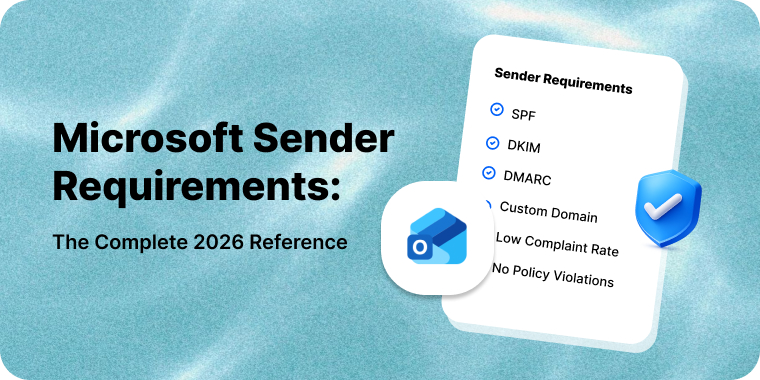
Email authentication stopped being optional in February 2024, when Google began enforcing requirements on any domain sending close to 5,000 or more messages a day to personal Gmail accounts; Yahoo aligned the same month but publishes no volume threshold. Microsoft followed on 5 May 2025 with a 5,000/day threshold for Outlook.com, Hotmail and Live.com. Microsoft’s own announcement is internally inconsistent on the action taken — an April 2025 revision states a decision to reject, while surrounding text still describes Junk-foldering first with rejection “at a date to be announced,” a date never announced. Senders report both behaviors; the rejection reads:
550 5.7.515 Access denied, sending domain [SendingDomain] does not meet the required authentication level
Enforcement has tightened since. Google’s FAQ states that “Starting November 2025, Gmail is ramping up its enforcement on non-compliant traffic,” and that non-compliant messages “will experience disruptions, including temporary and permanent rejections.” Google published no per-code cutover, so treat this as a directional escalation rather than a documented 421→550 flip.
The shared baseline is SPF and DKIM both configured and passing, a published DMARC record (p=none is sufficient at Google and Yahoo), at least one of SPF or DKIM aligned to the visible From domain, and valid forward and reverse DNS on your sending IPs. Providers diverge from there: Google requires TLS; Yahoo’s published requirements do not mention it — send over TLS regardless. Google caps spam rate at 0.30% as reported in Postmaster Tools and Yahoo states the same figure via Sender Hub; treat 0.10% as your working limit. Google and Yahoo both require one-click unsubscribe (RFC 8058) honored within two days; Microsoft’s published requirements cover authentication only.
This page is the implementation reference. For the receiver-side rules themselves, see the current Gmail and Yahoo sender requirements and Microsoft’s own 5,000/day rule and 550 5.7.515.
Table of Contents
How SPF, DKIM and DMARC Fit Together
- SPF is the path check. The receiver takes the domain in the SMTP envelope sender (the
MAIL FROM, also called Return-Path or bounce address), looks up its SPF record, and checks the connecting IP against it. - DKIM is the signature check. The sender signs selected headers and the body with a private key; the receiver fetches the public key from DNS and verifies. A valid signature proves the signing domain vouched for the message and that the signed parts survived transit intact.
- DMARC is the policy and alignment layer. It asks whether either passing check belongs to the domain the human sees — and tells the receiver what to do when the answer is no.
Alignment is the part most people get wrong
SPF and DKIM can both pass on a message that is unambiguously forged, because neither looks at the From header — the only address the recipient sees. A spammer can register evil-domain.net, publish a valid SPF record for their own server, DKIM-sign with their own key, and put [email protected] in the From header. Both checks pass.
DMARC closes that gap by requiring alignment: the domain that passed SPF or DKIM must match the From header domain. SPF alignment compares the From domain against the MAIL FROM domain; DKIM alignment compares it against the signature’s d= domain. DMARC passes if either aligns — you do not need both.
Alignment has two modes, set per-mechanism. Relaxed (aspf=r / adkim=r, the default) accepts an organizational-domain match, so mail.example.com aligns with example.com. Strict (s) requires an exact match.
This is why the most common authentication failure looks like a paradox: SPF passes, DKIM passes, DMARC fails. Almost always the cause is an ESP using its own bounce domain in the envelope while signing with its own d= domain instead of yours. Both checks pass on the ESP’s domain; neither is aligned with yours. The fix is a custom return-path subdomain, a DKIM key signing as your domain, or preferably both.
Copy-Paste Record Reference
Substitute your own domain, selector and provider includes. Every mechanism is annotated.
| Record | Host / Name | Type | Value | What each part does |
|---|---|---|---|---|
| SPF | example.com | TXT | v=spf1 include:_spf.google.com include:spf.mailercloud.com ip4:203.0.113.14 -all |
v=spf1 version, mandatory first. include: a provider’s authorized IPs (1 lookup each). ip4: IP literal (0 lookups). -all hard-fails everything else. |
| DKIM | mc2026._domainkey.example.com | TXT | v=DKIM1; k=rsa; t=s; p=MIIBIjANBgkqh...IDAQAB |
mc2026 is your chosen selector. k= key type. p= base64 public key. t=s optional strict-subdomain flag; omit if subdomains sign with this key. |
| DKIM (delegated) | mc2026._domainkey.example.com | CNAME | mc2026.dkim.mailercloud.com |
Provider hosts and rotates the key. Preferred where supported — no string splitting, no manual rotation. |
| DMARC | _dmarc.example.com | TXT | v=DMARC1; p=none; rua=mailto:[email protected]; ruf=mailto:[email protected]; fo=1; adkim=r; aspf=r; sp=none; np=none |
p= policy. rua= aggregate reports. ruf= failure reports. fo=1 report on any single failure. np= policy for non-existent subdomains (RFC 9989). adkim/aspf alignment mode. sp= subdomain policy. |
| Bounce domain | bounce.example.com | CNAME | bounce.mailercloud.com |
Puts the envelope sender inside your own organizational domain, so SPF aligns under relaxed mode. |
SPF: Implementation
An SPF record is a single TXT record at your root domain, and you may publish exactly one. Two v=spf1 records on the same name is a PermError, which DMARC treats as SPF failing. When you add a sending platform, merge its include: into the existing record — never publish a second one.
The 10-lookup limit
RFC 7208 §4.6.4 caps SPF evaluation at 10 DNS-querying terms per check — mechanisms plus the redirect modifier. Exceed it and the result is PermError, not a soft degradation. What counts: include, a, mx, ptr, exists and the redirect modifier — recursively, so an include that itself contains three includes costs you four. Free: ip4, ip6, all.
Blowing the limit is easy: Google Workspace, a marketing platform, a helpdesk, a CRM and an invoicing tool is five includes on the surface and frequently eleven or more once expanded. Ways to stay under, in order of preference:
- Remove what you no longer use. Most over-limit records contain includes for platforms churned off years ago. Audit before you optimize.
- Replace includes with
ip4:literals for providers publishing a small, stable IP set. Zero lookups, but you track changes yourself. - Delegate by subdomain. Marketing from
news.example.com, transactional frommail.example.com, each with its own record and its own budget of 10. The cleanest structural fix, and it isolates reputation too. - SPF flattening — resolving includes into IP literals automatically. It works, but silently breaks when a provider changes IPs, so only use a service that re-flattens continuously.
There is a second, less-known limit: RFC 7208 says implementations SHOULD limit “void lookups” — queries returning NXDOMAIN or a zero-answer NODATA — to two. It is a recommendation, not a MUST, and receivers configure it differently, so a record can PermError at one provider and pass at another. An include: pointing at a decommissioned vendor can PermError your record while you are still well under 10 lookups.
include vs redirect, and ~all vs -all
Use include: in almost every case. It adds another record’s mechanisms and continues to your own all if there is no match. redirect= hands evaluation over entirely — your all is ignored and the target’s policy becomes yours. Reserve it for many domains sharing one managed record.
-all (hard fail) tells receivers to treat unlisted sources as unauthorized; ~all (soft fail) says “probably unauthorized, accept but note it.” Neither changes DMARC’s arithmetic — softfail and fail both count as SPF not passing — but -all gives non-DMARC receivers a clear signal. Start on ~all while you are still discovering senders, move to -all once the inventory is complete. Never use ?all or +all.
Two failure modes account for most SPF trouble. Forwarding breaks SPF by design — a mailing list relays from an IP not in your record — which is exactly why DKIM survival matters. And SPF published for the wrong domain: your ESP sends with an envelope of bounces.esp.net, so your record is never consulted.
DKIM: Implementation
Key generation and size
Generate a 2048-bit RSA key pair. 1024-bit is the RFC 8301 minimum and Google still accepts it (“requires a DKIM key of 1024 bits or longer”), but Google recommends 2048 (“we recommend using a 2048-bit key if your domain provider supports this”). 4096-bit keys are inside the range every conformant verifier MUST validate (RFC 8301 §3.2: “Verifiers MUST be able to validate signatures with keys ranging from 1024 bits to 4096 bits”); the reason to think twice is DNS publishing friction — more quoted strings, and possible truncation on resolvers without EDNS0 — not verifier support. Self-signing is two commands:
openssl genrsa -out mc2026.private 2048openssl rsa -in mc2026.private -pubout -outform PEM -out mc2026.public
Strip the PEM header, footer and newlines from the public key and put the remaining base64 in the p= tag. A 2048-bit public key runs around 392 characters, over the 255-byte single-string DNS limit, so it must be published as multiple quoted strings inside one TXT record. Most DNS providers handle this automatically; a key that publishes cleanly but fails verification is usually a splitting problem.
Selector naming
The selector is the label in selector._domainkey.example.com, and it exists so one domain can hold many keys at once. Name it for purpose and vintage — mc2026, txn-2026q3, gsuite — and avoid default, s1 and k1, which collide across providers and tell you nothing a year later.
Key rotation
Rotate at least annually, and immediately if a private key may have been exposed. The safe sequence never edits an in-use record:
- Generate a new pair under a new selector and publish its public key. Both selectors are now live.
- Wait for propagation — at least the old record’s TTL, in practice 24–48 hours.
- Switch signing to the new selector.
- Leave the old selector published a further 7–14 days so mail in forwarder queues still verifies, then remove it and destroy the old private key.
If your ESP supports CNAME-delegated DKIM, use it — rotation becomes the provider’s problem and these steps disappear.
Third-party signing
Every platform that sends on your behalf — ESP, CRM, helpdesk, billing system — needs its own selector under your domain. The test that matters is not “does DKIM pass” but “does the signature’s d= equal my organizational domain.” A vendor signing as d=vendor.com gives you a passing DKIM check that contributes nothing to DMARC.
DMARC: Implementation
Publish one TXT record at _dmarc.example.com. The tags you will actually use:
v=DMARC1mandatory and first;p=(none,quarantine,reject) mandatory and second.rua=mailto:— aggregate XML reports. The tag that makes DMARC useful; never omit it.ruf=mailto:— per-message failure reports. They contain recipient data, so many receivers do not send them at all. Optional.t=— test mode (RFC 9989), replacing the removedpct=tag.t=yreports under the declared policy without enforcing it;t=nis the default.np=— policy for non-existent subdomains (RFC 9989). Falls back tosp=, thenp=, if absent.sp=— subdomain policy. If absent, subdomains inheritp=.adkim=/aspf=—rrelaxed (default) orsstrict.fo=1reports on any single failure; use it.
Staged rollout timeline
Moving straight to p=reject is how organizations discover, at scale and in public, that their invoicing system was never DKIM-signed. Ramp instead. The timeline below suits a handful of sending platforms; an enterprise with dozens should expect longer in phases 2 and 3, not to skip them.
| Phase | Typical duration | Record | What you are doing | Gate to advance |
|---|---|---|---|---|
| 1. Monitor | 2–4 weeks | v=DMARC1; p=none; rua=mailto:[email protected]; fo=1; |
Inventorying everything that sends as your domain. | You recognize every source in the reports. |
| 2. Remediate | 4–8 weeks | unchanged | Fixing alignment per source: custom bounce domains, DKIM keys signing as your domain. | >95% of legitimate volume aligned for 2 weeks. |
| 3. Quarantine, test mode | 2–4 weeks | p=quarantine; t=y; |
Receivers report against the quarantine policy without applying it. | No new legitimate failures in two weeks of reports. |
| 4. Quarantine, enforced | 2–4 weeks | p=quarantine; t=n; |
All failing mail quarantined. Last stage where a mistake is recoverable from the spam folder. | Two clean weeks of reports. |
| 5. Reject, test mode | 2–4 weeks | p=reject; t=y; |
Reports reflect the reject policy while mail still flows. Your last look before bounces are real. | No legitimate mail would have been rejected. |
| 6. Reject, enforced | ongoing | p=reject; t=n; sp=reject; np=reject; |
Enforcement. Keep reading reports — new SaaS tools appear constantly. | — |
RFC 9989 (May 2026) removed the pct= tag. DMARC’s staged-rollout dial is now the binary t= test-mode tag: t=y tells receivers to report under the declared policy without enforcing it, t=n (default) enforces. Records still carrying pct= are not rejected — the tag is simply ignored — but it no longer buys you a partial rollout, so plan phases around remediation completeness rather than a percentage.
Subdomain policy
Set sp= explicitly. Attackers routinely forge subdomains never used for mail — billing.example.com, secure.example.com — precisely because they are usually unprotected. If subdomains are not yet in remediation scope, publish sp=none deliberately while the parent ramps, then tighten. For any subdomain that will never send, publish v=spf1 -all. Since RFC 9989 you no longer need a per-subdomain _dmarc record for non-existent names: a single np=reject on the organizational domain covers every subdomain that does not exist in DNS.
How to Validate Your Setup
Check DNS directly rather than trusting a dashboard.
- SPF:
dig +short TXT example.com | grep spf1 - DKIM:
dig +short TXT mc2026._domainkey.example.com - DMARC:
dig +short TXT _dmarc.example.com - Reverse DNS on your sending IP:
dig +short -x 203.0.113.14— then confirm the hostname resolves back to the same IP. That round trip is FCrDNS, and all three providers require it.
Then validate end-to-end on a real message — the only test that catches alignment problems. Send to a seed address at Gmail, Outlook.com and Yahoo. In Gmail, open the message and choose Show original: the domain shown beside SPF, DKIM and DMARC must be your domain, not your ESP’s. In the raw headers, check Authentication-Results: for dmarc=pass and the header.from= value, then confirm that the DKIM-Signature d= tag or the Return-Path — at least one — sits inside your organizational domain.
For a step-by-step verification trace, send a message to a mailbox at learndmarc.com or appmaildev.com. Track ongoing spam rate and authentication pass rates against the 0.30% ceiling in Google Postmaster Tools; Microsoft’s equivalent is SNDS.
Reading DMARC Reports Without Drowning
Aggregate reports arrive as gzipped XML, one per receiver per day, and a mid-sized domain gets dozens daily. Route rua= to a dedicated mailbox and put a parser in front of it — dmarcian, Postmark’s free DMARC Digests, Valimail Monitor and URIports all produce source-level summaries. Once parsed, look at four things and ignore the rest:
- Unaligned volume from sources you recognize. Your remediation backlog, and the only thing blocking enforcement. A CRM sending 4,000 unaligned messages a week is a configuration ticket, not an attack.
- Volume from sources you do not recognize. Usually a department that signed up for a tool without telling anyone. Genuine spoofing tends to be low-volume, geographically scattered, with both SPF and DKIM failing.
- Forwarding signatures. SPF fails, DKIM passes and aligns, DMARC passes — this is DKIM doing its job. SPF-fail plus DKIM-fail from a mailing-list IP range means the list is modifying the body and breaking the signature. Both are normal, and neither is a reason to stay off enforcement.
- The aligned percentage trend. One number, tracked weekly, gating every phase transition above.
Reports lag by roughly 24 hours and contain no message content — they tell you what authenticated, not what was sent.
Common Implementation Mistakes, Ranked
- SPF and DKIM pass, but neither aligns. The default failure. The fix is a custom bounce domain, a DKIM key signing as your domain, or both — not more SPF includes. If you are working back from a bounce, start by confirming which 5.7.x code you actually received.
- Two SPF records on one domain. Instant PermError, usually created the day a second platform is onboarded.
- Exceeding 10 DNS lookups. Silent until it isn’t. Re-check after every vendor addition.
- Jumping to
p=rejectwithout a monitoring phase. Guarantees some low-volume, business-critical system — payroll, dunning notices, password resets — starts bouncing before anyone notices. - Publishing DMARC with no
rua=. Technically compliant, operationally useless: enforcement with no visibility. - Forgetting
sp=, leaving subdomains as the easy path for spoofing; and rotating DKIM by overwriting a live selector, which breaks verification for every message in flight. - Assuming authentication fixes deliverability. It is the entry requirement, not the outcome. Authenticated mail with a 0.4% complaint rate still lands in spam, just with an unambiguous identity attached. At Microsoft in particular, authenticated mail can still land in spam.
How Mailercloud Handles Authentication
At Mailercloud we deliver over a billion emails a month, so authentication is set up once and then monitored rather than left to drift. Sending domains are provisioned with CNAME-delegated DKIM, so keys rotate on our side without you touching DNS, and with a custom bounce subdomain so SPF aligns to your organizational domain from the first send. Our deliverability team flags unaligned streams before they meet an enforcement policy.
If you are mid-rollout and want a second pair of eyes on your records, talk to our deliverability team — or start free with Mailercloud.
FAQ: SPF, DKIM and DMARC Implementation
Do I need both SPF and DKIM, or is one enough?
Gmail, Yahoo and Microsoft all require both configured and passing for bulk senders. DMARC itself only needs one aligned, but that is a different question from whether both must exist. Configure both — DKIM matters more in practice because it survives forwarding.
How long after publishing DNS records will authentication start working?
Propagation follows the TTL on the records, typically 1–24 hours. Set a low TTL (300 seconds) before making changes and raise it once stable. Aggregate reports start arriving roughly 24–48 hours after you publish rua=.
Is p=none good enough to stay compliant?
For the published bulk-sender requirements at Google, Yahoo and Microsoft, yes. But it provides no anti-spoofing protection, and receivers have signaled that expectations are moving toward quarantine and reject. Treat p=none as a starting position with a timeline attached, not a destination.
What breaks when I turn on p=reject?
Anything sending as your domain without aligned authentication: forgotten SaaS tools, on-premise scanners and monitoring systems that mail out directly, and any vendor still signing with its own d= domain. Mailing lists that modify subject lines or append footers break DKIM and, if SPF is also unaligned, will fail. A full monitoring phase surfaces all of these before enforcement does.
Should I use one DKIM key for everything or one per platform?
One selector per platform. It costs nothing — a domain can publish as many selectors as it needs — and it lets you revoke a compromised or churned vendor’s key by deleting a single DNS record, without interrupting any other mail stream.

Amar CP is the Co-Founder and Sales Director at Mailercloud, where he leads partnerships, alliances, and customer growth. With over a decade of experience in application development, database architecture, and scaling web systems, Amar brings a rare blend of engineering depth and go-to-market expertise to email marketing. He writes about email deliverability, marketing automation, and helping small businesses grow smarter with data-driven campaigns.