Last updated: June 2026 · Tested by our editorial team using real subscriber lists and live campaigns
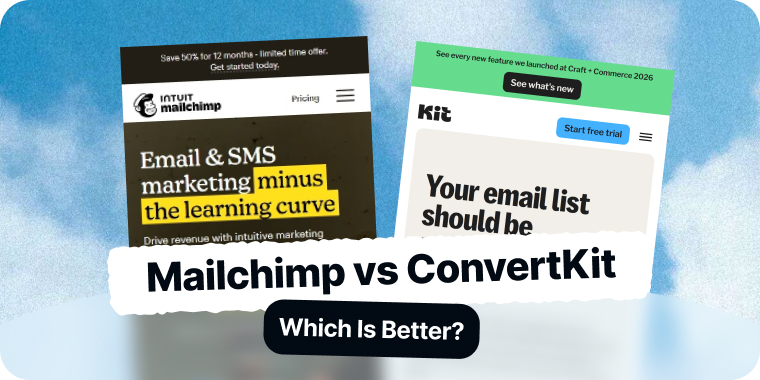
Mailchimp and Kit (formerly ConvertKit) appeal to different users. Mailchimp is a general marketing platform for small businesses that send campaigns and sell products. Kit is built for creators — writers, course sellers, and digital-product makers who want simple, tag-based email and monetization.
We ran the same audience and automations through both to see which fits creators and which fits general businesses in 2026.
Below is our full 8-round breakdown with a winner each round and a running score. The Quick Answer and final scoreboard summarize it if you are short on time.
Quick Answer: Kit wins for creators; Mailchimp wins for general business marketing. Choose Kit (formerly ConvertKit) if you are a creator who wants simple tag-based automation, a generous free plan, and built-in ways to sell digital products and subscriptions. Choose Mailchimp if you run a business that needs polished templates, ecommerce features, and a large integration marketplace. Kit edges the comparison for creators, while Mailchimp is the broader business tool.
Table of Contents
Mailchimp vs Kit: At a Glance
| Feature | Mailchimp | Kit |
|---|---|---|
| Best For | General business marketing | Creators / digital products |
| Starting Price | $13/mo (Essentials) | $0 free; paid from ~$25/mo |
| Free Plan | 250 contacts 500 sends/mo |
Up to 10,000 subscribers |
| Automation | Customer Journey Builder | Tag-based visual flows |
| Creator Commerce | Limited | Sell products + subscriptions |
| Templates | Polished, designed | Simple, text-first |
| Ecommerce | Store revenue tracking | Limited |
| Integrations | Largest marketplace | Creator-focused |
| Ease of Use | Friendly | Very simple |
Pricing verified 2026. Entry-level paid plans shown.
Round 1: Ease of Use and Onboarding
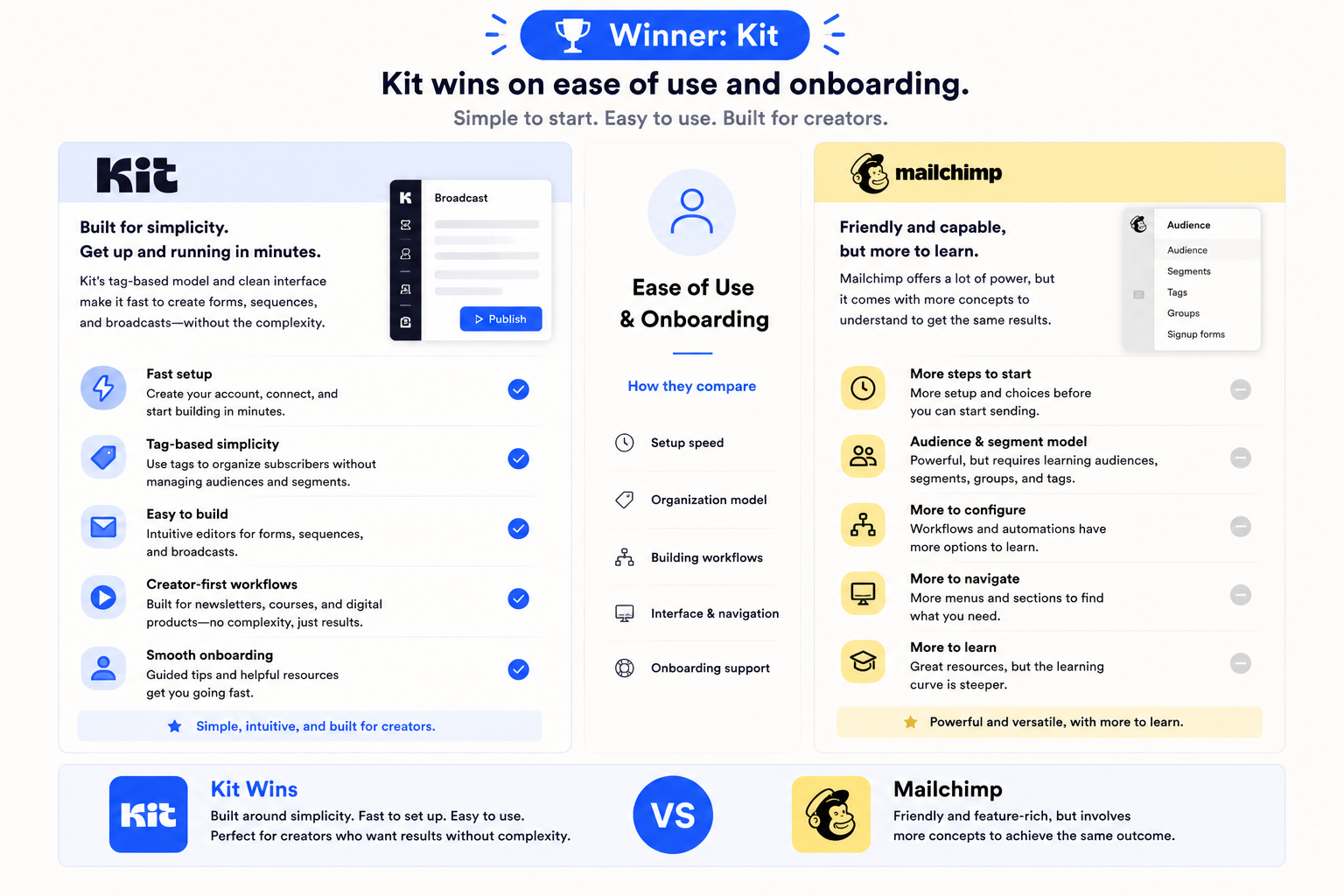
Winner: Kit
Kit is built around simplicity. Its tag-based model and clean interface make it fast for a creator to set up forms, sequences, and broadcasts without wrestling with audiences and segments.
Mailchimp is friendly but has more concepts to learn for the same outcome. For creators who want simple, Kit wins onboarding.
Round 2: Templates and Design
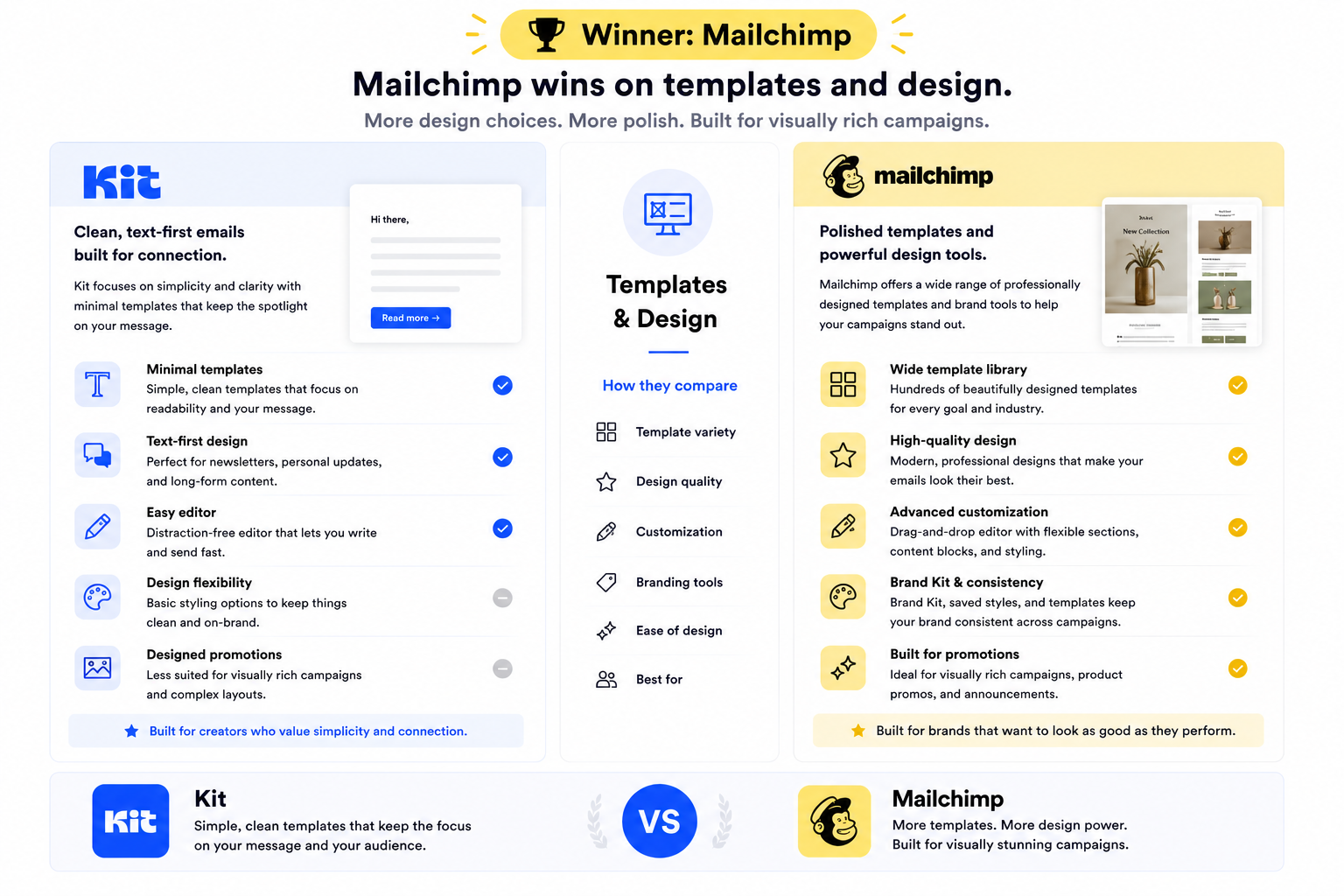
Winner: Mailchimp
Mailchimp offers polished, designed templates and strong brand-kit tooling for visually rich campaigns.
Kit deliberately favors clean, text-first emails that feel personal, which is great for newsletters but less suited to designed promotions. For design range, Mailchimp wins.
Round 3: Automation and Sequences
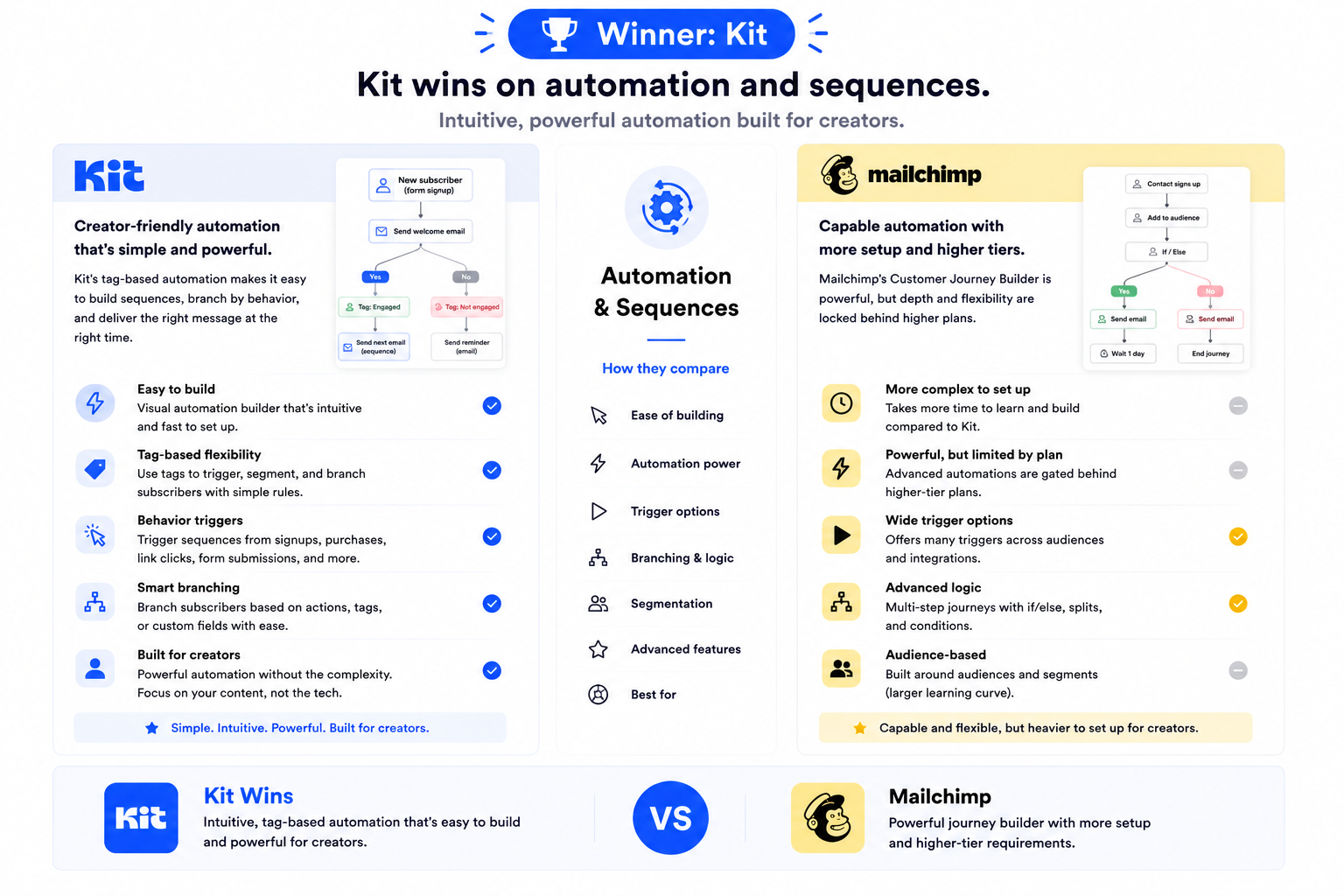
Winner: Kit
Kit’s tag-based automation is intuitive and powerful for creators: trigger sequences from signups, purchases, or link clicks, and branch subscribers with simple rules.
Mailchimp’s Customer Journey Builder is capable but gates depth behind higher tiers and is heavier to set up for a creator’s needs. For creator automation, Kit wins.
Round 4: Creator Commerce
Winner: Kit
Kit lets creators sell digital products, paid newsletters, and subscriptions directly, turning an audience into revenue without bolt-on tools.
Mailchimp focuses on marketing for businesses and does not match Kit’s native creator monetization. Kit wins this round clearly.
Round 5: Ecommerce and Business Features
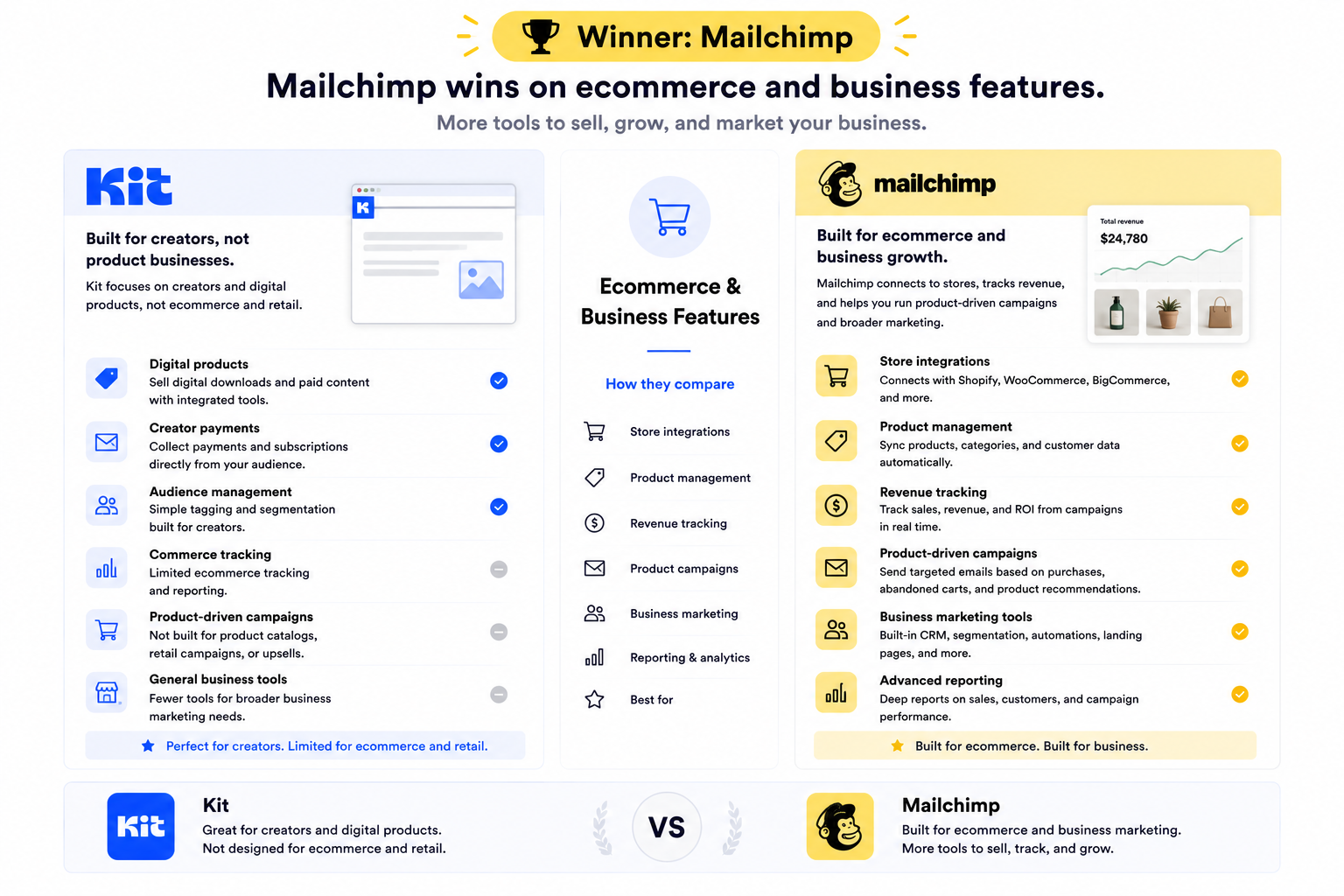
Winner: Mailchimp
Mailchimp connects to stores, tracks revenue, and supports product-driven campaigns and broader business marketing.
For ecommerce and general business features, Mailchimp wins, but if you need something specifically for WooCommerce, you can try Mail Mint.
Round 6: Deliverability
Winner: Tie
Both platforms achieve solid inbox placement when senders authenticate and maintain list hygiene, with results varying more by sender reputation than the tool.
Neither offers a clear per-ISP placement view, so deliverability is a tie.
Round 7: Integrations and Ecosystem
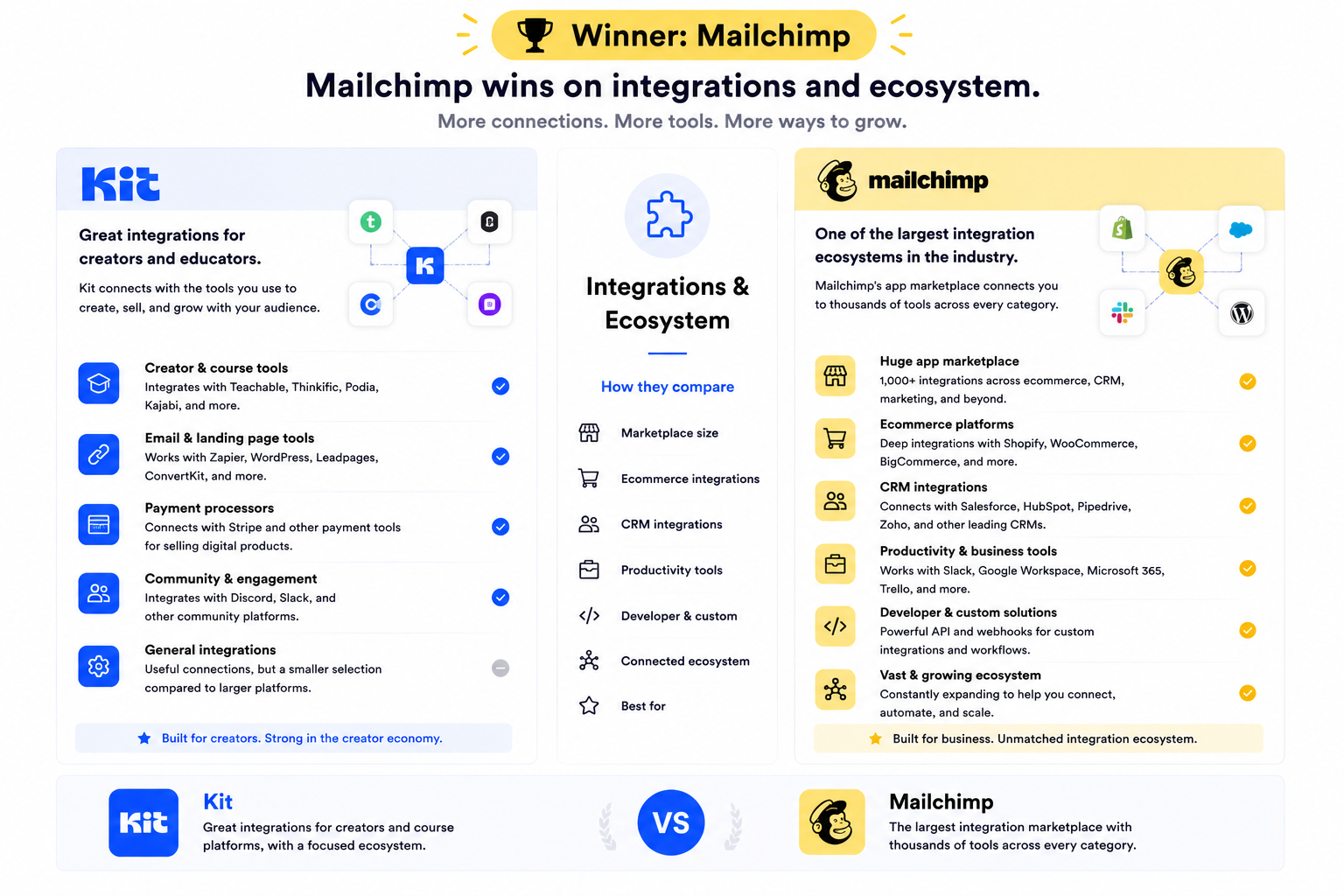
Winner: Mailchimp
Mailchimp’s app marketplace is one of the largest in the industry, spanning ecommerce, CRM, and productivity tools.
Kit integrates well with creator tools and course platforms but has a narrower ecosystem overall. Mailchimp wins integrations.
Round 8: Pricing and Value
Winner: Kit
Kit’s free plan is generous, supporting up to 10,000 subscribers with core sending, which is excellent for growing creators.
Mailchimp’s free plan is limited to 250 contacts and costs climb with list size (our Mailchimp review has the full price breakdown). For a creator building an audience, Kit delivers far more value at the start. Kit takes the value round.
Final Scoreboard: Kit 4, Mailchimp 3 (1 tie)
Kit wins ease of use, creator automation, creator commerce, and value — the rounds that matter to writers and digital-product makers. Mailchimp wins templates and design, ecommerce and business features, and integrations, with deliverability tied.
The result fits the intent: Kit is the creator platform, Mailchimp is the general business marketer. Whether you are monetizing an audience or marketing a business decides it.
Mailchimp Pros and Cons
Mailchimp
✓Pros:
- Polished, designed templates and brand-kit tooling
- Ecommerce features and store revenue tracking
- Largest app marketplace in the category
- Mature reporting and analytics
- Strong brand recognition and documentation
- Customer Journey Builder for automations
✗Cons:
- Free plan limited to 250 contacts / 500 sends
- More concepts to learn than Kit for simple sending
- Limited native creator monetization
- Costs climb with list size
- Phone support only on $350+/month plans
💰Pricing: Free plan: 250 contacts / 500 sends per month. Essentials starts around $13/month; Standard and Premium scale with contacts and features. Verified 2026.
Kit Pros and Cons
Kit
✓Pros:
- Generous free plan up to 10,000 subscribers
- Simple, intuitive tag-based automation
- Sell digital products, paid newsletters, and subscriptions natively
- Clean, text-first emails that feel personal
- Fast setup for creators
- Good integrations with course and creator tools
✗Cons:
- Limited template design range
- Not built for ecommerce or product retail
- Smaller integration ecosystem than Mailchimp
- Fewer business-marketing features
💰Pricing: Free up to 10,000 subscribers (core sending). Paid plans start around $25/month and unlock automation and commerce features; pricing scales with subscribers. Verified 2026.
Which Should You Choose?
Choose Mailchimp if:
- You run a business that needs designed campaigns and ecommerce features.
- You sell products and want store revenue tracking.
- You rely on a large integration marketplace.
- You want polished templates and mature reporting.
Choose Kit if:
- You are a creator, writer, or course seller building an audience.
- You want simple tag-based automation and a generous free plan.
- You want to sell digital products or paid subscriptions natively.
- You prefer clean, personal, text-first emails.
Neither feels right?
Both tools in this comparison have real trade-offs — steep pricing as your list grows, features gated behind higher tiers, or paying for contacts who never open your emails. If your main job is email marketing and you want more value for the money, it is worth looking at a third option.
Mailercloud starts at $7/month with a free plan covering 1,000 contacts and 12,000 emails/month — see our pricing. It includes an Inbox Tracker that shows exactly where your emails land across 15+ ISPs, plus AMP for Email, visual automation, A/B testing, segmentation, and 24/7 live chat on every plan, including free. The trade-off is a smaller integration library and lower brand recognition — but for pure email marketing value, it is hard to beat at the price. The Mailercloud vs Mailchimp comparison breaks the matchup down feature by feature.
How to Switch Between Mailchimp and Kit
Switching between Mailchimp and Kit starts with exporting contacts as a CSV from the source platform, including tags and consent status, then importing into the new tool and mapping fields on upload.
If you move to Kit, recreate your sequences and tags and set up product or subscription sales; if you move to Mailchimp, rebuild automations and connect your store. Recreate templates last; both accept custom HTML for coded designs.
FAQ
Is Mailchimp better than ConvertKit?
Mailchimp is better than ConvertKit (now Kit) for general business marketing that needs designed templates, ecommerce features, and a large integration marketplace. Kit is better for creators who want simple tag-based automation, a generous free plan, and native ways to sell digital products. The right pick depends on whether you market a business or monetize an audience.
Is ConvertKit cheaper than Mailchimp?
Kit (formerly ConvertKit) has a more generous free plan, supporting up to 10,000 subscribers, while Mailchimp’s free plan is limited to 250 contacts. For growing creators, Kit is cheaper to start. For businesses using designed campaigns and ecommerce features, Mailchimp’s pricing reflects its broader toolset.
Can I migrate from Mailchimp to Kit?
Yes. Export your Mailchimp audience as a CSV with tags and consent status, import it into Kit, and recreate your sequences and tags. Set up any product or subscription sales in Kit afterward. Kit provides migration guidance and creator migrations are usually quick.
Does ConvertKit have automation like Mailchimp?
Yes, Kit (formerly ConvertKit) has intuitive tag-based visual automation that triggers sequences from signups, purchases, and link clicks. It is simpler than Mailchimp’s Customer Journey Builder but well suited to creator workflows. Mailchimp’s automation has broader business-marketing depth.
What is the main difference between Mailchimp and ConvertKit?
The main difference is audience. Mailchimp is a general business marketing platform with designed templates, ecommerce, and integrations. Kit (formerly ConvertKit) is a creator platform focused on simple automation, audience growth, and selling digital products.
Is there a cheaper alternative to both Mailchimp and ConvertKit?
Yes. Mailercloud starts at $7/month with a free plan for 1,000 contacts and 12,000 emails per month, and is worth evaluating if general email marketing value is your priority. MailerLite is another strong low-cost option for creators and small businesses. More alternatives to Mailchimp and creator-focused ConvertKit alternatives are covered in our separate roundups. To see how MailerLite measures up against Kit specifically, read our MailerLite vs ConvertKit breakdown.
Final Verdict
Kit (formerly ConvertKit) edges this matchup for creators, winning ease of use, automation, commerce, and value, and is the right call if you are building and monetizing an audience.
Mailchimp is the broader business tool, winning design, ecommerce, and integrations. Match the platform to whether you are a creator monetizing an audience or a business running marketing campaigns.

An SEO expert with a focus on on-page optimization, technical SEO, and keyword research. Dedicated to helping businesses improve search rankings and grow their online presence through data-driven strategies.