Last updated: August 2026 · Reviewed by the Mailercloud editorial team
Every email list decays. People change jobs, abandon inboxes, mistype their address at signup, or hand over a throwaway email to grab a lead magnet. Send to enough of those addresses and inbox providers start treating you as a careless sender — which quietly drags down deliverability for your whole list, not just the dead addresses.
Email list cleaning services fix that. This guide explains what they are, how email verification actually works, the best tools available in 2026, and how to keep your list healthy so your campaigns keep landing in the inbox.
Quick Answer: An email list cleaning service (or email verifier) checks every address on your list and removes or flags the ones that damage your campaigns — invalid mailboxes, duplicates, disposable inboxes, role accounts and spam traps. It works by running each address through syntax, domain/MX and live SMTP checks, then labelling it Deliverable, Invalid or Risky. Clean before you send to keep bounce rates under 2%, protect your sender reputation and improve deliverability — and verify new signups in real time so the list stays clean. Popular services include Mailercloud, ZeroBounce, NeverBounce, Bouncer and Kickbox.
Table of Contents
What is Email List Cleaning?
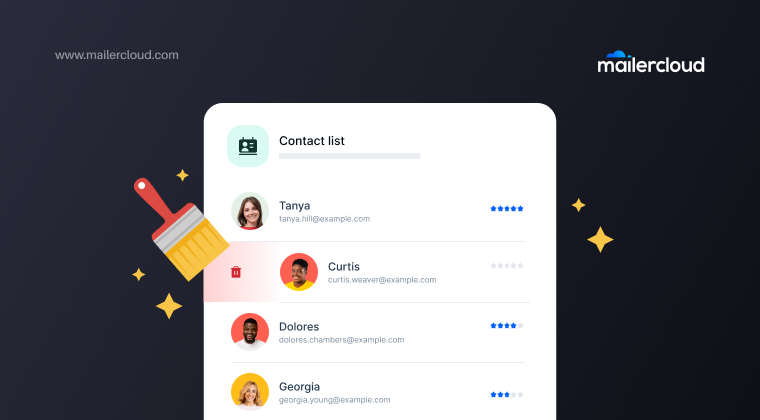
Email list cleaning is the process of removing invalid, inactive, duplicate and risky email addresses from your list so your campaigns only reach real, reachable people. It’s also called email scrubbing, list hygiene or email verification.
The output of a good cleaner is a clear status for every address:
| Status | What it means | What to do |
|---|---|---|
| Deliverable | The mailbox exists and the server is reachable | Safe to send |
| Invalid | Dead mailbox, wrong domain, typo, or syntax error | Remove immediately |
| Risky | Catch-all domain, disposable inbox, role account (info@, admin@), or possible spam trap | Review before sending |
Better tools go a step further and add a numeric score (for example, Mailercloud’s 0–100 Delivery Score) so you can set your own threshold instead of relying on a blunt pass/fail.
Why Clean Your Email List?
A clean list isn’t housekeeping for its own sake, it directly affects whether your emails get seen.
It protects your sender reputation. Inbox providers watch your bounce rate and spam complaints. Sending to dead or trap addresses signals a careless sender and can get you throttled or blocklisted.
It improves deliverability. Fewer bounces and complaints mean more of your emails reach the inbox instead of the spam folder — for the whole list.
It makes your metrics honest. Open and click rates calculated against a bloated list are misleading. Clean data means decisions you can trust.
It saves money. Most platforms charge by contact or send volume. Paying to email addresses that will never open is pure waste.
How Email List Cleaning Works
Bulk email verification runs every address through a layered set of checks:
Syntax check confirms the address is correctly formatted and catches obvious typos like gmial.com.
Domain & MX validation confirms the domain exists and has mail servers configured to receive email.
SMTP mailbox verification connects to the recipient’s mail server and asks whether that specific mailbox actually exists. This is the check that separates serious tools from ones that only read DNS records and no email is ever sent to the address during this step.
Catch-all detection identifies accept-all domains that respond “yes” to every address, and flags them as risky rather than pretending they’re confirmed.
Disposable, role and spam-trap detection — removes temporary throwaway inboxes, flags role accounts (info@, sales@), and screens for known spam traps that can get you blocklisted.
These steps are automated, so a service can scan and sort tens of thousands of addresses in minutes.
Best Email List Cleaning Services
Email list cleaning services fall into two broad types. Standalone verifiers are dedicated tools — you upload a list, they clean it, you download the results. Built-in verifiers live inside your email marketing platform, so you verify and send in the same place with no export/import shuffle. Here are the services worth knowing in 2026.
| Service | Best for | Key strength | Starting price |
|---|---|---|---|
| Mailercloud Email Verifier | Best value / built-in | Live SMTP + 0–100 Delivery Score | $5 / 1,000 credits |
| ZeroBounce | Mainstream all-rounder | 99%+ accuracy + deliverability tools | ~$16 / 2,000 |
| NeverBounce | High-volume & recurring cleans | Fast bulk + automatic sync | ~$8 / 1,000 |
| Bouncer | GDPR & privacy | EU data centres, low unknown rate | ~$7 / 1,000 |
| Kickbox | Developers & APIs | Best-in-class API + Sendex Score | Pay-as-you-go |
| Clearout | B2B & sales data | Smart catch-all verification + finder | ~$21 / 2,000 |
| Hunter | Finding + verifying | Email finder paired with verifier | Free tier + paid |
| MailerCheck | Cleaning + campaign QA | Inbox placement & spam testing | ~$0.01 / email |
| Snov.io | Sales outreach + verifying | 7-tier check inside a full sales suite | Free tier (50/mo) |
| VerifiedEmail | Budget bulk + auto re-verify | 99% precision, daily re-verification | ~$7 / 1,000 |
Pricing from public pricing pages and Mailercloud’s March 2026 comparison; pay-as-you-go tiers shown. Confirm current rates on each vendor’s site.
Mailercloud
Built into the Mailercloud platform, so you verify and send in one place. It checks each address against live mail servers over SMTP (not just DNS lookups), returns a 0–100 Delivery Score, and covers bulk uploads up to 1,000,000 addresses, one-off Quick Verify checks, and real-time API verification — all from one credit pool that never expires. The most affordable option at every tier we compared.
ZeroBounce
The mainstream all-rounder. Pairs bulk verification with a real-time API and adds engagement scoring, spam-trap detection and heavy compliance credentials. Feature-rich, but premium-priced.
NeverBounce
Built for scale. Processes very large lists fast and keeps connected CRMs (including HubSpot) verified on an automatic recurring schedule.
Bouncer
The privacy-first choice. EU data centres, no contact-data retention, a notably low “unknown” rate, and one of the cleanest interfaces in the category.
Kickbox
The developer’s cleaner. Best-documented API and a graduated Sendex quality score your application can act on — ideal for verifying at signup inside your own product.
Clearout
Clearout is recognized for its AI-powered suite of tools built to help businesses maintain clean email lists and improve sales performance. Its offerings include real-time email verification and form protection, along with email finding, sales prospecting, and data enrichment capabilities, enabling teams to work with accurate, reliable, and actionable contact data across their workflows.
Hunter
Hunter is a best known for finding professional email addresses; its verifier is the natural companion for outreach and cold-email prep.
MailerCheck
From the MailerLite team. Cleans lists and adds inbox-placement and spam-content testing, so you can QA the campaign as well as the list.
Snov.io
Snov.io offers bulk and real-time email verification tool to remove invalid, risky, or low-quality addresses before you send, improving deliverability and protecting sender reputation. Beyond list cleaning, Snov.io also supports email finding, lead prospecting, and CRM-style lead management, plus automated outreach sequences—so you can source contacts, verify them, organize them, and launch campaigns from one workflow using accurate, actionable data.
VerifiedEmail
Known for its bulk email list cleaning features. It can be integrated with your CRM so your lists are automatically verified, synced, and cleaned.
Each of these service providers offer unique features, so choosing the best email cleaning service depends on your specific needs.
Features to Look for in an Email List Cleaning Service
Don’t choose on the headline accuracy percentage alone — every vendor quotes a big one. Weigh these instead:
- Real SMTP verification, not just DNS. DNS-only tools are cheap and fast but miss dead mailboxes on live domains.
- Honest catch-all and unknown handling. A tool that confidently labels every address either valid or invalid is guessing. A small, honest “unknown” rate is more trustworthy than a fake-perfect zero.
- Speed and background processing. For large lists, processing should run in the background and the export should preserve your original columns.
- A real-time API. Verifying at the point of signup stops bad data entering your list in the first place — cheaper than cleaning it out later.
- Integrations and workflow fit. A CRM/ESP sync matters if you clean regularly; a built-in verifier removes the export/import step entirely.
- Clear pricing. Decide whether pay-as-you-go credits (ideally non-expiring) or a subscription fits how often you actually clean.
- Compliance. For regulated or EU data, check for GDPR compliance, a clear data-retention policy, and certifications like ISO 27001 or SOC 2.
- Real-Time Verification: The email verifier feature helps maintain list hygiene by continuously verifying email addresses.
How Often Should You Clean Your Email List?
As a rule of thumb, clean at least once every three months. Adjust based on how actively you send:
| Your sending pattern | Recommended cleaning cadence |
|---|---|
| Daily or weekly campaigns | Every 1–2 months |
| Monthly campaigns | Every 3 months |
| Occasional / seasonal sends | Before each major campaign |
| Reactivating a dormant list | Always clean first |
| Migrating to a new platform | Always clean before import |
The best long-term approach is to verify at the point of signup via API, so the list stays clean continuously and quarterly cleans become a quick top-up rather than a rescue mission.
Common Email List Cleaning Mistakes
Cleaning once and forgetting. A list decays roughly 20–30% a year. One clean is a snapshot, not a solution.
Deleting every “risky” address blindly. Risky isn’t the same as invalid. Catch-all and role accounts sometimes convert — review them rather than mass-deleting good leads.
Ignoring bounce and complaint data. Your sending platform already tells you which addresses fail. Feed that back into your hygiene process.
Trusting a zero unknown rate. If a tool never says “I’m not sure,” be suspicious — it’s guessing on addresses it can’t actually reach.
Skipping verification at signup. Cleaning after the fact costs more than blocking bad addresses at the form. Use a real-time API on your signup forms.
How to Keep Your List Clean for Good
Cleaning fixes the past; prevention protects the future.
- Use double opt-in so every new subscriber confirms a real, working address.
- Verify at the point of entry with a real-time API on your forms and CRM.
- Monitor engagement and run a sunset policy — quietly retire subscribers who haven’t opened anything in 6–12 months.
- Watch your inbox placement. Bounce rate tells you if mail was accepted; it doesn’t tell you if it landed in the inbox or the spam folder. Mailercloud’s Inbox Tracker shows exactly where your emails land across major providers.
- Segment and re-engage before you delete. A win-back campaign to lapsed contacts is cheaper than acquiring new ones — and it shows you who’s worth keeping.
Summary
- Email list cleaning removes invalid, duplicate, disposable and risky addresses so campaigns reach real people.
- It works through syntax, domain/MX and live SMTP checks, labelling each address Deliverable, Invalid or Risky.
- Top services in 2026 include Mailercloud (best value/built-in), ZeroBounce, NeverBounce, Bouncer and Kickbox.
- A good service verifies the real mailbox, is honest about catch-all and unknown addresses, and offers a real-time API.
- Clean at least every three months — more often if you send frequently — and always before a big campaign or a migration.
- Prevent decay with double opt-in, signup-time verification, engagement monitoring and inbox-placement tracking.
Keeping a clean list is a continuous process, not a one-off task. Do it consistently and your deliverability, engagement and ROI all improve together.
Ready to clean your list? Mailercloud’s Email Verifier checks every address against live mail servers, scores it 0–100, and starts at $5 for 1,000 credits that never expire. Or verify and send from one platform with a free plan covering 1,000 contacts and 12,000 emails a month.
FAQ
What is an email list cleaning service?
It’s a tool that verifies the addresses on your email list and removes or flags the ones that will hurt your campaigns — invalid mailboxes, duplicates, disposable inboxes, role accounts and spam traps. It checks each address through syntax, domain/MX and live SMTP checks and returns a status (deliverable, invalid or risky) so you only send to reachable contacts.
Which is the best email list cleaning service?
It depends on your workflow. Mailercloud’s Email Verifier is the best value and ideal if you want to verify and send from one platform. ZeroBounce is the strongest mainstream all-rounder, NeverBounce suits high-volume recurring cleans, Bouncer is best for GDPR-strict teams, and Kickbox is best for developers.
Does email verification send an email to the address?
No. A proper verifier communicates with the recipient’s mail server over SMTP to check whether the mailbox exists — but it never delivers a message. Your contacts won’t know they were verified.
How much does email list cleaning cost?
Most services charge per address, roughly $0.001–$0.01 depending on volume, with steep discounts at higher volumes. Pay-as-you-go credits are common. Mailercloud’s Email Verifier starts at $5 for 1,000 credits (about half a cent each), and one-time credits never expire.
How often should I clean my email list?
At least once every three months, and more often if you send daily or weekly. Always clean before a major campaign, before re-engaging a dormant list, and before migrating to a new platform. Verifying addresses at signup with a real-time API keeps the list clean continuously.
What’s the difference between valid, invalid and risky emails?
Valid (deliverable) addresses have a confirmed, reachable mailbox — safe to send. Invalid addresses are dead mailboxes, wrong domains or typos — remove them. Risky addresses include catch-all domains, disposable inboxes, role accounts and possible spam traps — review these before deciding whether to send.
Can’t my email marketing platform clean the list for me?
Some platforms remove hard bounces automatically, but that’s cleanup after the damage is done. A dedicated verifier catches bad addresses before you send. The ideal setup is a platform with verification built in — Mailercloud lets you verify and send from the same place, so cleaning is a step in your workflow rather than a separate tool.

Lina is a content writer with a passion for reading, writing, and cooking. She aims to explore the world of words and flavors. With a deep love for literature and a knack for creating mouthwatering recipes, she strive to engage and inspire others through her work.