An email domain is the part of an email address that comes after the “@” symbol and identifies the organization or server responsible for sending and receiving emails.
For example, in [email protected], companyname.com is the email domain. It tells email servers who the sender is, where the message originated, and whether the email can be trusted — otherwise, you may receive mailer-daemon bounce messages.
Email domains play a critical role in brand identity, email deliverability, and security. While free domains like gmail.com or yahoo.com are common for personal use, businesses rely on custom email domains to appear professional, avoid spam filters, and protect their brand reputation. Email providers often block messages sent from temporary or disposable email addresses to protect users from spam and abuse.
In this guide, you’ll learn what an email domain is, how it works, why it matters for businesses, and how to choose the right email domain for long-term success.
Table of Contents
What’s the Difference Between an Email Address and an Email Domain?
Many people use these terms interchangeably, but they are not the same.
Email Address:
An email address is the full identifier used to send and receive messages.
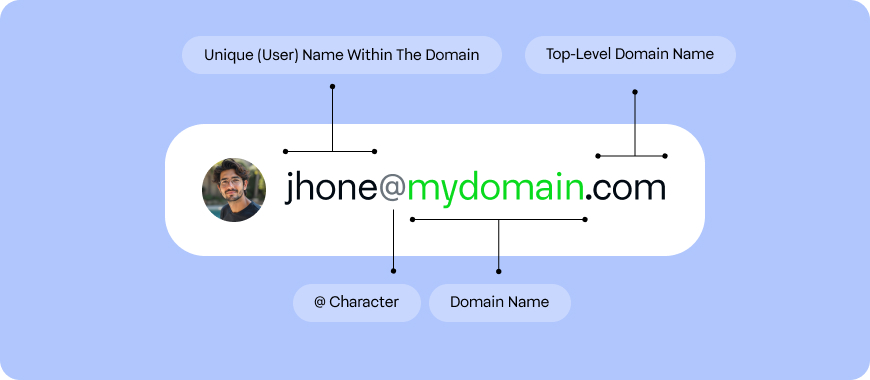
Format:username + @ + email domain
Example:
Email Domain:
The email domain is only one part of the email address. While email domains are not case sensitive, users often have questions about email address formatting rules, especially when entering email IDs manually.
Example:
- Domain:
gmail.com
Key difference:
- ✔️ Email addresses are unique
- ✔️ Email domains can be shared by many users
Thousands—or even millions—of people can use the same email domain, but no two users can have the same full email address.
Why Email Domains Matter More Than You Think
Your email domain is one of the first trust signals recipients notice when they receive an email from you.
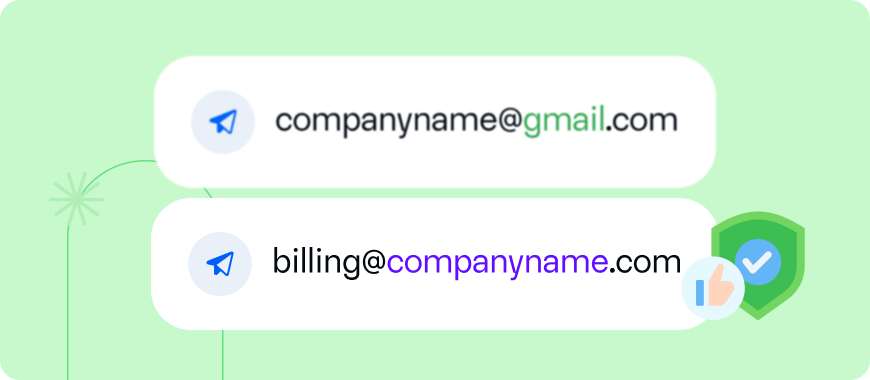
Think about it:
- Would you trust an invoice from
[email protected]? - Or from
[email protected]?
Most people instinctively trust the second option.
What Is a Custom Email Domain?
A custom email domain is an email domain that is unique to your business or brand.
Example:
Instead of:
You use:
Your email domain matches your website domain, reinforcing your brand identity.
Why Businesses Use Custom Email Domains
Most established businesses use custom email domains—and for good reason.
1. Professional Credibility
A branded email domain instantly looks more legitimate and trustworthy.
2. Stronger Brand Identity
Every email you send becomes a branding opportunity.
3. Better Email Deliverability
Emails sent from authenticated custom domains are less likely to land in spam.
4. Improved Security
You can configure security standards like:
- SPF
- DKIM
- DMARC
These protect your domain from spoofing and phishing. Following proven email security best practices helps protect your domain from spoofing, phishing, and unauthorized use.
5. Team Management & Scalability
Custom domains allow you to create role-based addresses:
support@sales@billing@
This keeps communication organized as your business grows.
Generic Email Domains vs Custom Email Domains
| Feature | Generic Domain (Gmail, Yahoo) | Custom Email Domain |
|---|---|---|
| Branding | ❌ No | ✅ Yes |
| Trust | Medium | High |
| Deliverability | Average | Better |
| Security Control | Limited | Full |
| Scalability | Poor | Excellent |
How to Get an Email Domain for Your Business
There are three main ways to get an email domain.
Option 1: Get an Email Domain Through Your Web Hosting Provider
If you already own a website, you already own a domain name.
Example:
- Website:
www.yourbusiness.com - Email domain:
yourbusiness.com
Most hosting providers offer free or low-cost email hosting.
Popular providers:
- Bluehost
- HostGator
- DreamHost
- GoDaddy
You can create addresses like:
Option 2: Use Google Workspace or Microsoft 365
If you want premium features and reliability, you can use:
- Google Workspace
- Microsoft 365
These services allow you to use your own custom domain while providing:
- Business-grade email
- Shared calendars
- Cloud storage
- Collaboration tools
Note: These services charge per user per month, in addition to domain costs.
Option 3: Use a Transactional or Email API Platform (Advanced Use Case)
For businesses sending transactional emails or automated system emails, email domains are often connected to platforms like:
- Email API providers
- Transactional email services
These platforms allow you to:
- Send emails programmatically
- Authenticate domains for high deliverability
- Monitor reputation and performance
This setup is common for:
- SaaS platforms
- Ecommerce websites
- Applications sending OTPs, receipts, or alerts
Behind the scenes, email delivery and retrieval rely on email protocols like POP3 and IMAP, which determine how messages are accessed and stored.
How to Choose the Right Email Domain
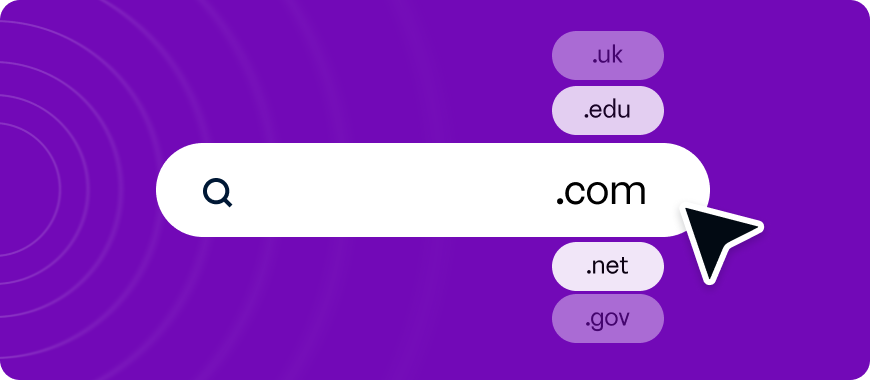
Choosing the right email domain is a long-term decision.
Best practices:
1. Match Your Brand Name
Your email domain should match your business or website name whenever possible.
2. Keep It Short and Simple
Avoid:
- Hyphens
- Numbers
- Complex spellings
3. Choose the Right Extension
.com→ Most trusted and globally recognized.netor.org→ Acceptable alternatives- Country-specific domains → Good for local businesses
4. Avoid Trademark Issues
Always check for trademark conflicts before registering a domain.
5. Think Long-Term
Choose a domain that still makes sense if your business expands or pivots.
How Email Domains Affect Email Deliverability
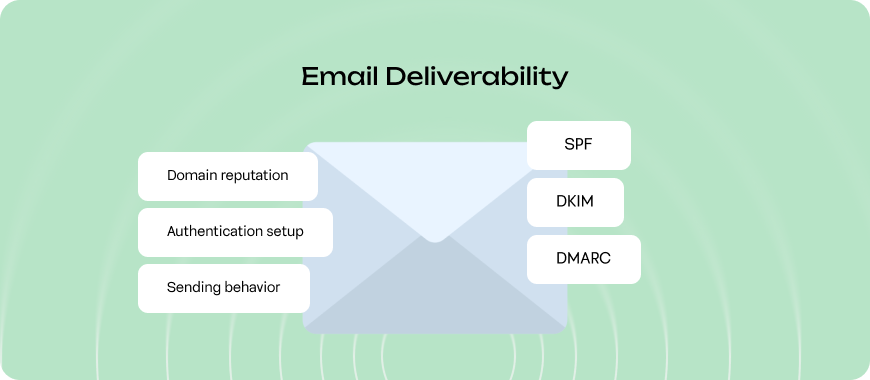
Your email domain plays a major role in whether emails reach inboxes or spam folders. Businesses should regularly monitor their email domain reputation to understand how mailbox providers like Gmail evaluate their sending behavior.
Key factors:
- Domain reputation
- Authentication setup
- Sending behavior
Essential authentication records:
- SPF – Confirms authorized senders
- DKIM – Verifies message integrity
- DMARC – Defines handling rules for unauthenticated emails
Without these, even legitimate emails can be flagged as spam.
Common Risks and Pitfalls of Using Email Domains
While the benefits are strong, there are some challenges to be aware of.
1. Cost
Domains and email hosting require annual or monthly fees.
2. Setup Complexity
DNS configuration and authentication require technical setup.
3. New Domain Reputation
Fresh domains may initially face deliverability issues until reputation builds.
4. Maintenance
Domains must be renewed and monitored to avoid downtime.
Frequently Asked Questions
What is an email domain in simple terms?
An email domain is the part of an email address that comes after “@” and identifies the organization or server handling the email.
Can I have an email domain without a website?
Yes. You can register a domain and use it only for email.
Is a custom email domain better than Gmail?
For businesses, yes. Custom domains offer better branding, trust, and deliverability.
How much does an email domain cost?
Domain registration typically costs $10–$20 per year, plus email hosting fees if applicable.
Can I change my email domain later?
Yes, but it requires email migration and can temporarily affect communication.
Is a Custom Email Domain Worth It?
Absolutely.
If you’re serious about your business, a custom email domain is not optional—it’s essential.
It:
- Builds trust
- Strengthens your brand
- Improves email deliverability
- Protects your domain from abuse
- Scales with your growth
Now that you fully understand what an email domain is and how to get one, you’re equipped to choose the right setup for your business and email strategy.

As a Marketing Director, I develop and implement marketing strategies, conduct market research, and manage a team of marketing professionals. With a successful track record of launching campaigns that drive revenue growth, I bring my marketing expertise to blog writing, creating engaging content that promotes the brand and its products/services.