Last updated: October 2026 | Pricing checked on October 15, 2026 | 9 min read
People compare SendGrid and Mailchimp because both send email, but they started from opposite ends. SendGrid (owned by Twilio) began as an email API for developers. It sends password resets, receipts and app notifications, and it added a marketing product, Marketing Campaigns, later. Mailchimp (owned by Intuit) began as a newsletter tool for marketers and added transactional email through an add-on, Mailchimp Transactional (formerly Mandrill).
So the real question is what you mostly need to send. We compared them across eight rounds covering both transactional and marketing email, using current prices from both pricing pages.
Quick Answer: SendGrid and Mailchimp tie 4–4 because they’re built for different jobs. SendGrid wins for transactional email from apps: its Email API costs $19.95/month for 50,000 emails, against at least $60 on Mailchimp (a Standard plan plus Transactional blocks). Mailchimp wins for marketing campaigns, with stronger automation, templates and 300+ integrations.
Table of Contents
SendGrid vs Mailchimp at a Glance
| SendGrid | Mailchimp | |
|---|---|---|
| Owner | Twilio | Intuit |
| Built for | Transactional email (API) | Marketing campaigns |
| Transactional | Email API: $19.95 for 50K | Add-on: $20 per 25K block + Standard plan |
| Marketing | Marketing Campaigns: Basic from $15 | Essentials from $13; Standard from $20 |
| 5,000 contacts (marketing) | From $15 (Basic) | $75 Essentials / $100 Standard |
| Free option | 60-day trial (100/day) | Free plan (250 contacts) |
| Automation | Advanced plan only | Up to 200 flows on Standard |
| Dedicated IP | Pro and above | Transactional add-on ($29.95/mo) |
| Integrations | Developer-focused | 300+ native |
| Our verdict | Best for app email | Best for marketing (4–4) |
Transactional vs Marketing Email: A Quick Primer
- Transactional email is triggered by something a user does: sign-up confirmations, password resets, receipts, shipping updates. It must arrive in seconds and is usually sent by your app through an API or SMTP relay.
- Marketing email is sent to a list: newsletters, promotions, product launches and automated nurture series. It’s built in a visual editor and judged on opens, clicks and sales.
SendGrid is strongest at the first; Mailchimp at the second. For background on the technical side, see our guide to SMTP relay services.
Round 1: Transactional Email
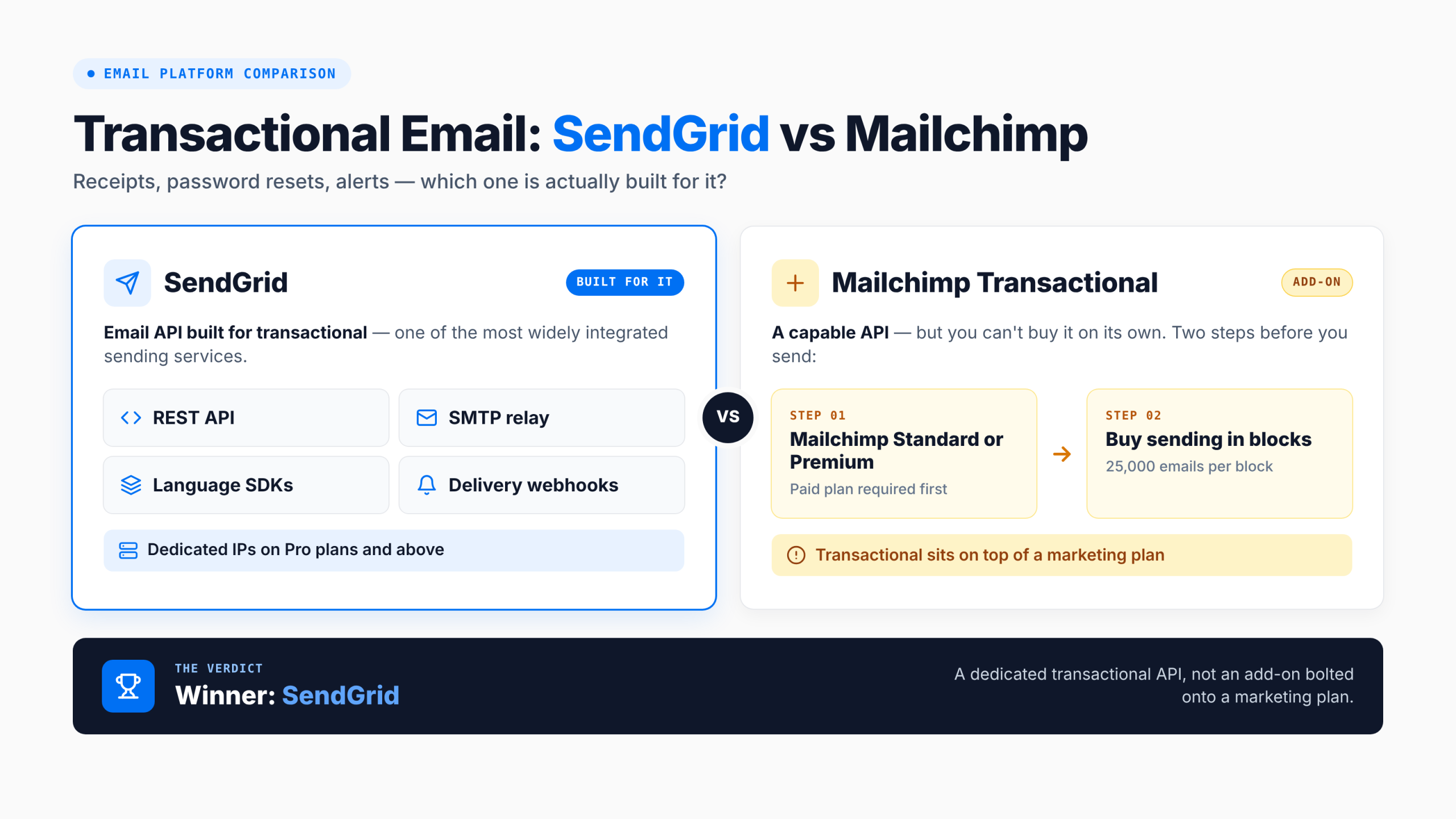
SendGrid’s Email API is built for this. You get a REST API, SMTP relay, SDKs for most languages, webhooks for delivery events, and dedicated IPs on Pro and above. It’s one of the most widely integrated sending services in the world.
Mailchimp Transactional is a capable API too, but it’s an add-on. You need a Mailchimp Standard or Premium plan first, then you buy sending in blocks of 25,000 emails.
Winner: SendGrid.
Round 2: Transactional Pricing
| Monthly emails | SendGrid Email API | Mailchimp Transactional |
|---|---|---|
| 50,000 | $19.95 (Essentials) | $40 in blocks + a Standard plan (from $20) |
| 100,000 | $89.95 (Pro, dedicated IP) | $80 in blocks + a Standard plan (from $20) |
SendGrid offers a 60-day free trial (100 emails a day). Mailchimp Transactional lets new users send 500 free test emails to a verified domain, and its blocks don’t roll over month to month.
At 50,000 emails, SendGrid costs a third of the Mailchimp route. At 100,000, they’re close, but SendGrid includes a dedicated IP.
Winner: SendGrid.
Round 3: Marketing Campaigns

Mailchimp is the more complete marketing tool. It has a polished editor and large template library, Customer Journeys automation with up to 200 flows on Standard, signup forms, landing pages, surveys, A/B testing and detailed reporting.
SendGrid Marketing Campaigns covers the basics: a drag-and-drop editor, signup forms, A/B testing and segmentation. Automation is only on the Advanced plan, and the editor and template choice are much more limited.
Winner: Mailchimp.
Round 4: Marketing Pricing
| Contacts | SendGrid Marketing Campaigns | Mailchimp |
|---|---|---|
| 5,000 | Basic from $15 (15,000 emails, no automation) | Essentials $75 / Standard $100 |
| 10,000 | Advanced from $60 (50,000 emails, automation) | Essentials $110 / Standard $135 |
SendGrid is much cheaper for marketing sends, but you get fewer features for the money. Mailchimp’s free plan covers 250 contacts and 500 emails a month. SendGrid offers a 60-day Marketing Campaigns trial.
Winner: SendGrid on price; Mailchimp on value if you need its features.
Round 5: Automation
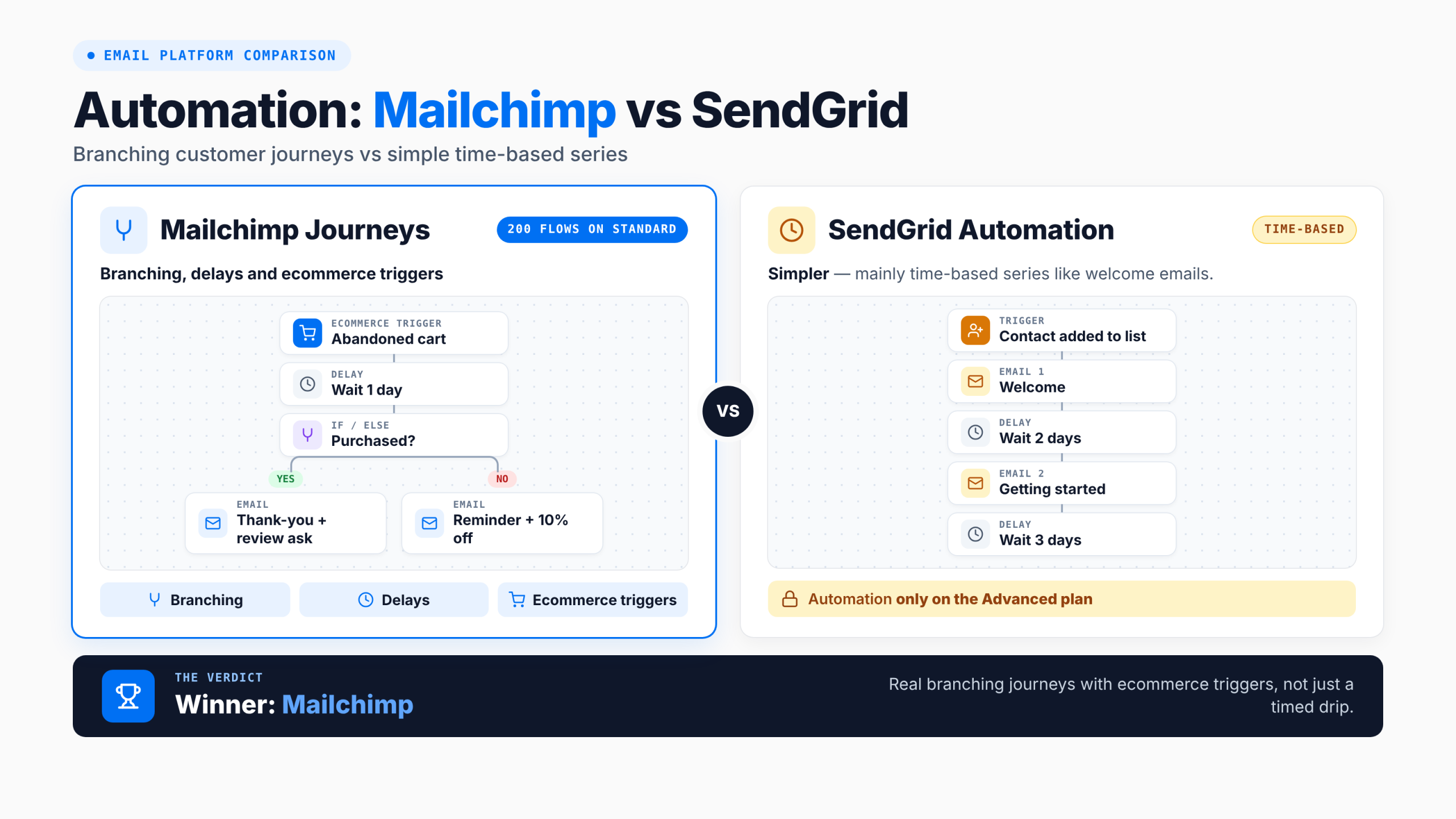
Mailchimp’s Customer Journeys support branching, delays, ecommerce triggers and up to 200 flows on Standard. SendGrid’s marketing automation, on Advanced only, is simpler: mainly time-based series like welcome emails.
Winner: Mailchimp.
Round 6: Developer Experience
SendGrid has official libraries for most major languages, detailed API documentation and a huge amount of community help. It’s built into many platforms and plugins by default. Mailchimp’s marketing API is solid, but developers usually reach for SendGrid when they need to send from an app.
Winner: SendGrid.
Round 7: Integrations
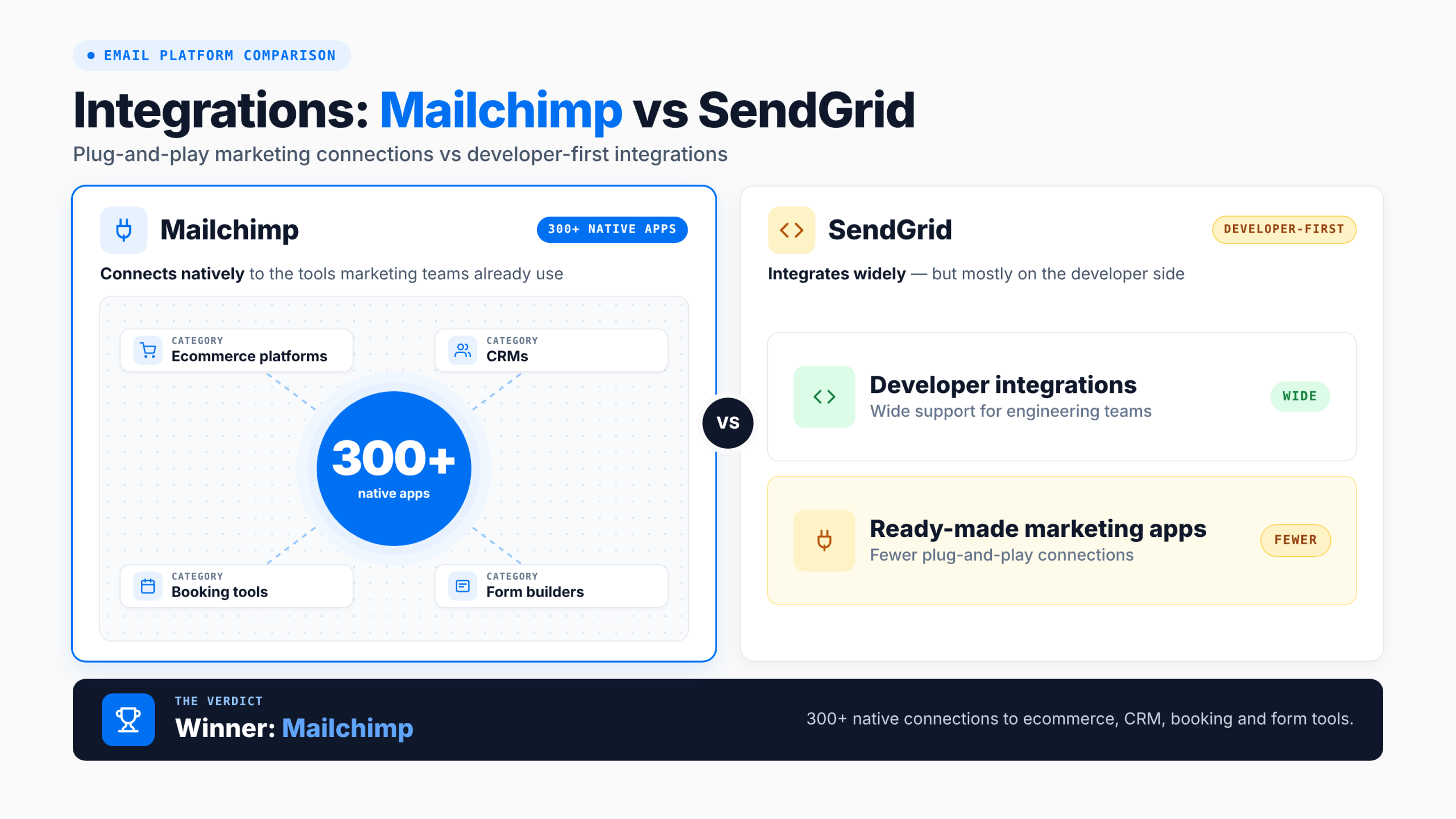
Mailchimp connects natively to 300+ apps, including ecommerce platforms, CRMs, booking tools and form builders. SendGrid integrates widely on the developer side but has fewer ready-made marketing integrations.
Winner: Mailchimp.
Round 8: Ease of Use for Marketers
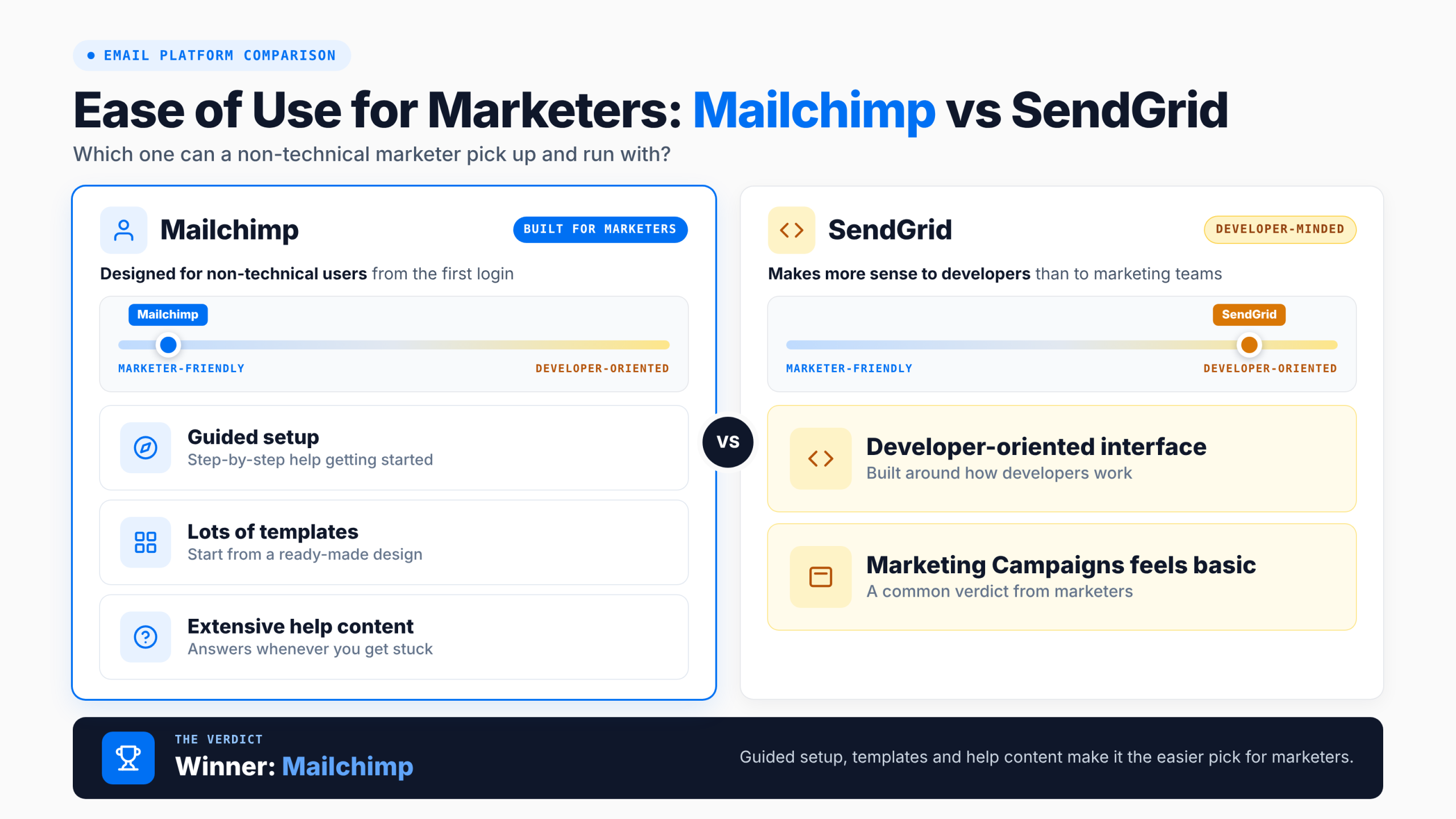
Mailchimp is designed for non-technical users, with guided setup, lots of templates and extensive help content. SendGrid’s interface makes more sense to developers, and marketers often find Marketing Campaigns basic.
Winner: Mailchimp.
Final Scoreboard: SendGrid 4, Mailchimp 4
- SendGrid wins: transactional email, transactional pricing, marketing pricing, developer experience.
- Mailchimp wins: marketing campaigns, automation, integrations, ease of use for marketers.
It’s a tie because they’re good at different jobs.
A Simple Way to Decide
- You mainly send from your app (password resets, receipts, notifications): choose SendGrid.
- You mainly send newsletters and campaigns: choose Mailchimp.
- You need both and want one vendor: SendGrid is cheaper if your marketing needs are simple. Mailchimp is better if marketing matters most, but the transactional add-on adds cost.
- You’re comparing APIs: see our SendGrid vs Mailgun comparison and our list of the best transactional email services.
Whatever you choose, authenticate your domain with SPF (RFC 7208), DKIM (RFC 6376) and DMARC (dmarc.org). Gmail, Yahoo and Microsoft now require this for bulk senders (Google’s sender guidelines, Yahoo’s best practices). Our SPF, DKIM and DMARC setup guide walks through each record. Keep transactional and marketing mail on separate subdomains so a marketing complaint spike can’t slow down password resets. Marketing sends to US contacts must also follow the CAN-SPAM Act.
SendGrid Pros and Cons
✅SendGrid Pros:
- Industry-standard email API with SDKs for most languages
- $19.95/month for up to 50,000 transactional emails
- Dedicated IP on Pro
- Cheap Marketing Campaigns plans for simple newsletters
❌SendGrid Cons:
- Marketing tools are basic; automation only on Advanced
- No permanent free plan (60-day trial)
- Interface is developer-oriented
💰Pricing: Email API: Essentials $19.95/month (50K), Pro $89.95 (100K). Marketing Campaigns: Basic from $15, Advanced from $60.
Mailchimp Pros and Cons
✅Mailchimp Pros:
- Best-in-class marketing editor, templates and reporting
- Up to 200 automation flows on Standard
- 300+ native integrations
- Easy for non-technical marketers
❌Mailchimp Cons:
- Transactional email is a paid add-on that needs Standard or Premium
- Expensive as your list grows
- Free plan limited to 250 contacts
💰Pricing: Free (250 contacts); Essentials from $13/month; Standard from $20/month; Transactional $20 per 25,000-email block.
Frequently Asked Questions
Is SendGrid better than Mailchimp?
SendGrid is better for transactional email from apps, and Mailchimp is better for marketing campaigns. Our comparison ends 4–4 because each wins the rounds that matter for its main job.
Can Mailchimp send transactional emails?
Yes, through Mailchimp Transactional (formerly Mandrill). It’s an add-on for Standard and Premium plans, priced at $20 per block of 25,000 emails.
Can SendGrid send marketing emails?
Yes, through SendGrid Marketing Campaigns. Basic starts at $15/month and Advanced at $60/month, which adds automation. Its marketing features are simpler than Mailchimp’s.
Which is cheaper, SendGrid or Mailchimp?
SendGrid is cheaper for both transactional and basic marketing email. 50,000 transactional emails cost $19.95 on SendGrid, against at least $60 on Mailchimp (Standard plan plus two Transactional blocks).
Do SendGrid and Mailchimp have free plans?
Mailchimp has a free plan for 250 contacts and 500 emails a month. SendGrid offers a 60-day free trial (100 emails a day) instead of a permanent free plan.
What are the alternatives to SendGrid and Mailchimp?
Mailgun, Postmark and Amazon SES are common SendGrid alternatives; MailerLite, Brevo and Kit are common Mailchimp alternatives (see our Brevo vs Mailchimp comparison). See our SendGrid alternatives, Mailchimp alternatives and full Mailchimp review.
Final Verdict
SendGrid is the better choice if most of your email comes from your app. It’s cheaper, built for developers and includes dedicated IPs on Pro. Mailchimp is the better choice if most of your email is marketing, thanks to stronger automation, templates and integrations. If you need both, weigh how much each matters: SendGrid keeps costs down, while Mailchimp gives marketers more to work with.
Looking for a Simpler Alternative?
If you want both transactional and marketing email in one account without paying for two products, Mailercloud offers both. The Email API (SMTP and REST) costs $10/month for 50,000 emails. The marketing platform is free for 1,000 contacts and $10/month for 5,000, with automation, segmentation and Inbox Tracker included.
Need API and marketing email in one place? — try Mailercloud free
★★★★★ 4.5/5 on G2, Capterra & Trustpilot · Trusted by 35,000+ businesses
Email API $10/month for 50,000 · Marketing free for 1,000 contacts

An SEO expert with a focus on on-page optimization, technical SEO, and keyword research. Dedicated to helping businesses improve search rankings and grow their online presence through data-driven strategies.