Last updated: September 2026 | Pricing verified on 1 September 2026
Most email marketing automation software doesn’t give you automation at the price on the pricing page.
HubSpot’s Starter plan allows 10 automated actions. Real workflows start at $800/month. GetResponse’s Starter plan gives you exactly one automation. ActiveCampaign’s Starter caps each automation at five actions. Kit hands you 10,000 free subscribers and zero automation.
We checked all 12 vendors’ own pricing and plan-comparison pages on 1 September 2026 and wrote down what each plan actually permits — not what the marketing page implies. Here’s what we found.
Quick Answer: The best email marketing automation software in 2026 is Mailercloud, because it is the only platform on this list that includes a working advanced automation, 1,000 contacts and 12,000 monthly emails on a permanently free plan, with Premium at $10/month for 5,000 contacts. The other 11 tools worth comparing are ActiveCampaign, Brevo, Omnisend, Klaviyo, MailerLite, Mailchimp, HubSpot, GetResponse, Kit, Drip and Customer.io. The figure that decides most purchases is not the headline price but the automation limit on the entry plan — HubSpot allows 10 automated actions before jumping to $800/month, and GetResponse allows exactly one workflow.
Table of Contents
The automation gate nobody puts on the pricing page
Email marketing automation software is sold on the promise of workflows. Welcome series. Abandoned cart. Re-engagement. Every vendor shows you the same drag-and-drop canvas screenshot.
Then you sign up and find the canvas is limited to four steps, or one workflow, or nothing at all until you upgrade.
Here’s what the entry tiers actually allow, verified on 1 September 2026:
- HubSpot Free: 1 automated action. Starter ($7/month per seat, billed annually): up to 10 automated actions. Unlimited actions and omni-channel automation start at Professional — $800/month plus a mandatory $3,000 one-time onboarding fee.
- GetResponse Starter ($15.58/month, billed annually): 1 custom automation workflow, no contact tagging, no lead scoring. Unlimited workflows start at Marketer, $48.38/month billed annually.
- ActiveCampaign Starter (from $15/month at 1,000 contacts): automations are capped at 5 actions each. Unlimited actions start at Plus.
- Mailchimp Essentials ($13/month promotional rate): up to 4 flow steps and no branching points. Branching requires Standard.
- Kit Free (10,000 subscribers): Visual Automations and email sequences are both excluded. You need Creator at $33/month.
- Brevo Free and Starter: automation works, but only 2,000 unique contacts can enter active automations. Unlimited contacts in automations starts at Standard, from $18/month.
Four platforms give you a genuinely usable workflow without paying: Omnisend (full ecommerce workflows on free), Mailercloud (1 advanced automation on a 1,000-contact free plan), MailerLite (3 automations, 5 steps), and Brevo (within that 2,000-contact ceiling).
That gap is the single most useful thing to know before you pick a tool. It’s also the thing every roundup leaves out.
How we compared these tools
Five criteria, applied the same way to all 12:
- What automation the entry plan actually permits — workflow count, step count, branching, and any contact ceiling
- Free plan quality — contacts, monthly sends, and whether automation is included or just previewed
- Real starting price — the standard rate, not the promotional first-year rate
- Deliverability and infrastructure — authentication support, dedicated IPs, inbox placement visibility
- Who it’s built for — ecommerce, creators, B2B, product-led SaaS
Every price and plan limit below came from the vendor’s own pricing or help-centre page on 1 September 2026. Where a vendor’s pricing page renders prices dynamically and we couldn’t read them, we’ve said so rather than guessed.
At-a-glance comparison
| Tool | Best For | Free Plan | Starting Price | Automation Signal |
|---|---|---|---|---|
| Mailercloud#1 Pick | Best overall value & real free-plan automation | ✓ Yes 1,000 contacts |
$10/mo |
Inbox Tracker
AMP Emails
25 automations
|
| ActiveCampaign | Deepest branching logic | ✗ No 14-day trial |
$15/mo |
950+ recipes
Lead scoring
|
| Brevo | Email + SMS + WhatsApp | ✓ Yes 300 emails/day |
$9/mo |
Multi-channel
Built-in CRM
|
| Omnisend | Ecommerce automation, free | ✓ Yes 250 contacts |
$16/mo |
Cart recovery
Free workflows
|
| Klaviyo | Ecommerce segmentation | ✓ Yes 250 profiles |
~$20/mo |
Predictive data
Profile billing
|
| MailerLite | Simplest builder, small lists | ✓ Yes 250 subscribers |
$12/mo |
Clean UI
3 free automations
|
| Mailchimp | Teams already standardised on it | ✓ Yes 250 contacts |
$13/mo* |
Template library
4-step flow cap
|
| HubSpot | Automation inside a CRM | ✓ Yes 2,000 sends/mo |
$7/seat/mo |
Full CRM
Real automation $800/mo
|
| GetResponse | Webinars & funnels | ✗ No Trial only |
$15.58/mo |
Webinars
1 workflow on Starter
|
| Kit (ConvertKit) | Creators & newsletters | ✓ Yes 10,000 subs |
$33/mo |
Paid newsletters
No free automation
|
| Drip | DTC behaviour-based flows | ✗ No 14-day trial |
$39/mo |
50 workflows
2,500-contact floor
|
| Customer.io | Product-event lifecycle messaging | ✗ No No free plan |
$100/mo |
LLM actions
Cross-channel
|
All pricing verified on vendor pricing and help-centre pages, 1 September 2026. *Mailchimp’s $13 is a promotional rate for the first 12 months. Klaviyo’s figure is a tracked list price — its pricing page publishes no readable figures.
1. Mailercloud — best overall value with real automation on the free plan
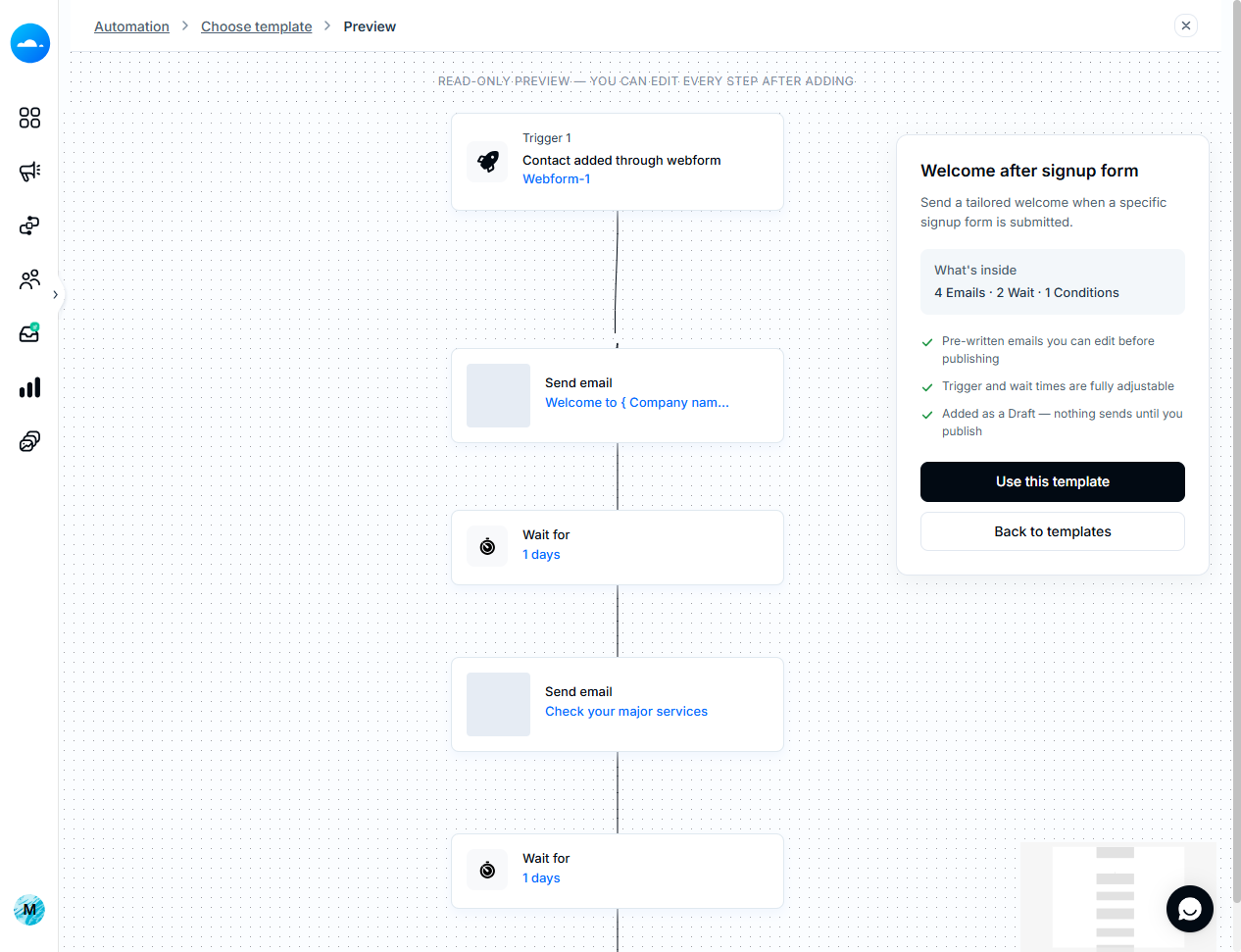
What it does: Full email marketing platform — campaigns, visual automation, segmentation, landing pages, and Inbox Tracker, which shows whether your emails land in the inbox, promotions, or spam across major ISPs.
What you actually get to automate: This is where Mailercloud separates itself from the list. The free plan includes the basic workflow editor and one advanced automation on 1,000 contacts and 12,000 emails a month. Compare that to Mailchimp’s free tier (250 contacts, automation preview only) or Kit’s (10,000 subscribers, no automation at all). Premium moves you to the advanced workflow editor with 25 advanced automations, bulk automation, A/B testing, and an AI subject line generator. Branching, behavioural triggers, and segmentation are all included rather than gated three tiers up.
The honest limitations: Mailercloud’s third-party integration library is smaller than Mailchimp’s or HubSpot’s, native SMS marketing is still on the roadmap, and the template library sits at around 100 rather than the several hundred Mailchimp offers. If your stack depends on a long tail of niche integrations, check the list first.
✅Pros:
- Free plan covers 1,000 contacts and 12,000 emails a month with no time limit
- Basic workflow editor plus 1 advanced automation included on the free plan
- 25 advanced automations and bulk automation on Premium
- Inbox Tracker shows inbox, promotions and spam placement across major ISPs
- AMP for Email support, which few platforms at this price offer
- Visual automation builder with branching and behavioural triggers
- Built-in landing page builder, no third-party tool needed
- Advanced segmentation on behaviour and demographics
- A/B testing on subject lines and content
- 24/7 live chat and email support on every plan, including free
- No ecommerce transaction fees and no automatic send-volume upgrades
❌Cons:
- Smaller third-party integration library than Mailchimp or HubSpot
- Native SMS marketing is still on the roadmap
- Template library of around 100 is smaller than Mailchimp’s
- Lower brand recognition in the US market than Mailchimp or Constant Contact
💰Pricing: Free for 1,000 contacts and 12,000 emails/month. Premium $10/month billed monthly at 5,000 contacts with unlimited sends; annual billing saves 30%. Enterprise is custom. (Verified 1 Sept 2026)
Price: Free for 1,000 contacts and 12,000 emails a month, with no time limit and no credit card. Premium is $10/month billed monthly at 5,000 contacts, with unlimited monthly sends and annual billing saving 30%. (Mailercloud pricing, verified 1 September 2026)
Best for: Small and mid-sized teams who want working automation, strong deliverability, and 24/7 live chat support on every plan — including the free one.
Start automating your emails for free
1,000 contacts. 12,000 emails a month. A real automation workflow — not a preview.
Create your free account →No credit card. No trial clock. Free plan stays free.
2. ActiveCampaign — best for deep multi-step automation
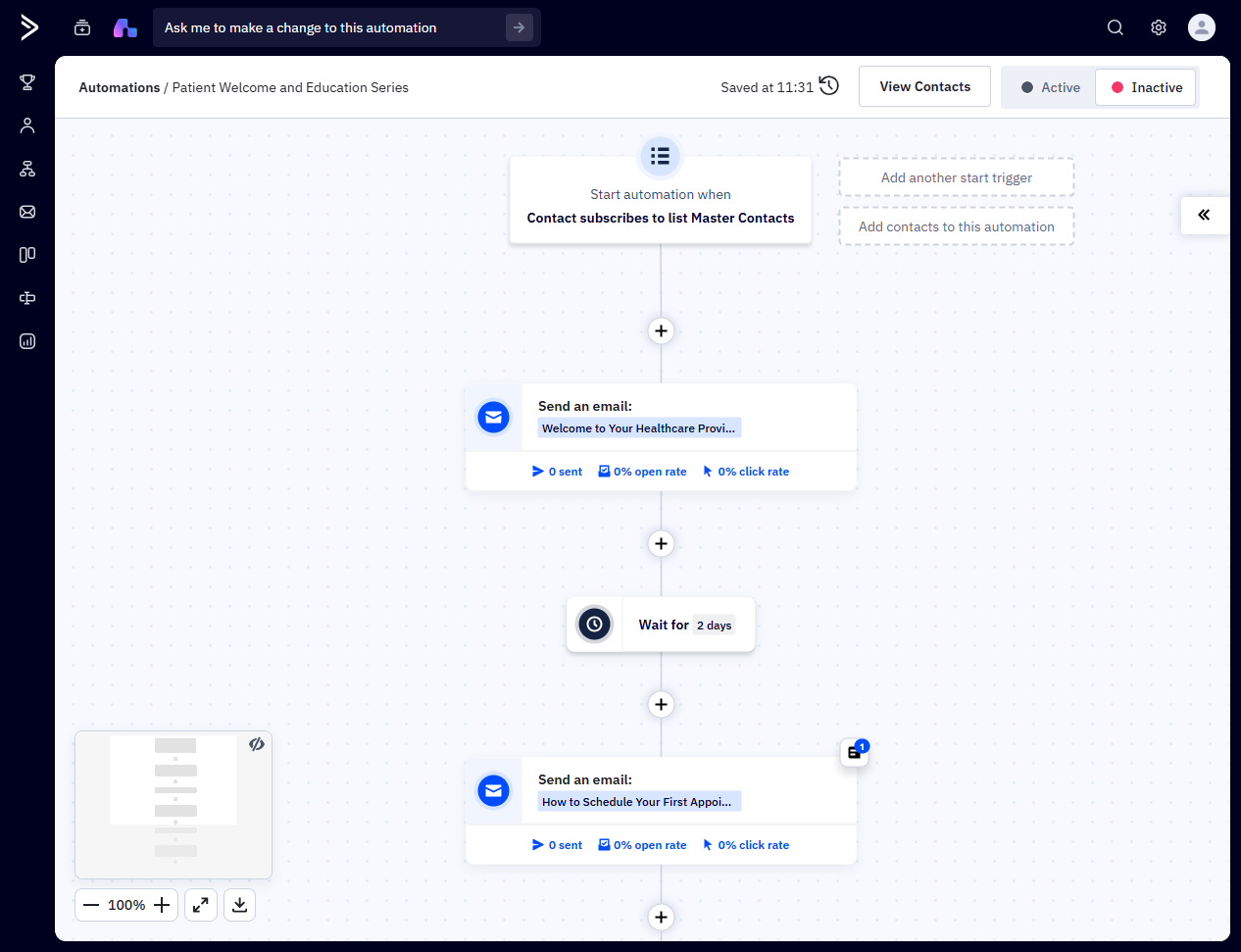
What it does: The automation-first platform in this category, with a built-in CRM, lead scoring, predictive sending, and a library of over 950 automation recipes.
What you actually get to automate: Everything, eventually. ActiveCampaign’s workflow depth is the benchmark others get measured against — split paths, conditional logic, goal tracking, CRM triggers. The catch is the Starter plan, where each automation is capped at five actions. Five actions is a welcome email, a wait, a condition, and you’re done. Teams that pick ActiveCampaign for automation almost always end up on Plus or Pro, so budget for that from the start rather than treating $15 as the real price. That cap is the most common reason teams start pricing alternatives to ActiveCampaign before their first upgrade.
There’s no free plan, only a 14-day trial.
✅Pros:
- The deepest automation logic in this roundup — split paths, goals, conditional branching
- Over 950 pre-built automation recipes
- Built-in CRM with lead scoring and pipeline automation
- Predictive sending based on individual engagement patterns
- AI-assisted automation builder
- Strong integration library across sales and marketing stacks
❌Cons:
- No free plan — only a 14-day trial
- Starter caps every automation at 5 actions, which is not a usable workflow
- Real automation depth needs Plus or higher, so the entry price is misleading
- Steeper learning curve than MailerLite or Mailercloud
- Pricing page renders prices dynamically, making budgeting harder
💰Pricing: No free plan; 14-day trial. Starter from $15/month at 1,000 contacts (figure from ActiveCampaign’s own plan-comparison page). Unlimited automation actions start at Plus.
Price: From $15/month at 1,000 contacts on Starter. (Figure from ActiveCampaign’s own plan-comparison page — the main pricing page renders prices dynamically. Re-check before committing.)
Best for: B2B teams running long, branching lifecycle campaigns who will pay for Plus or higher.
3. Brevo — best for email, SMS and WhatsApp in one workflow
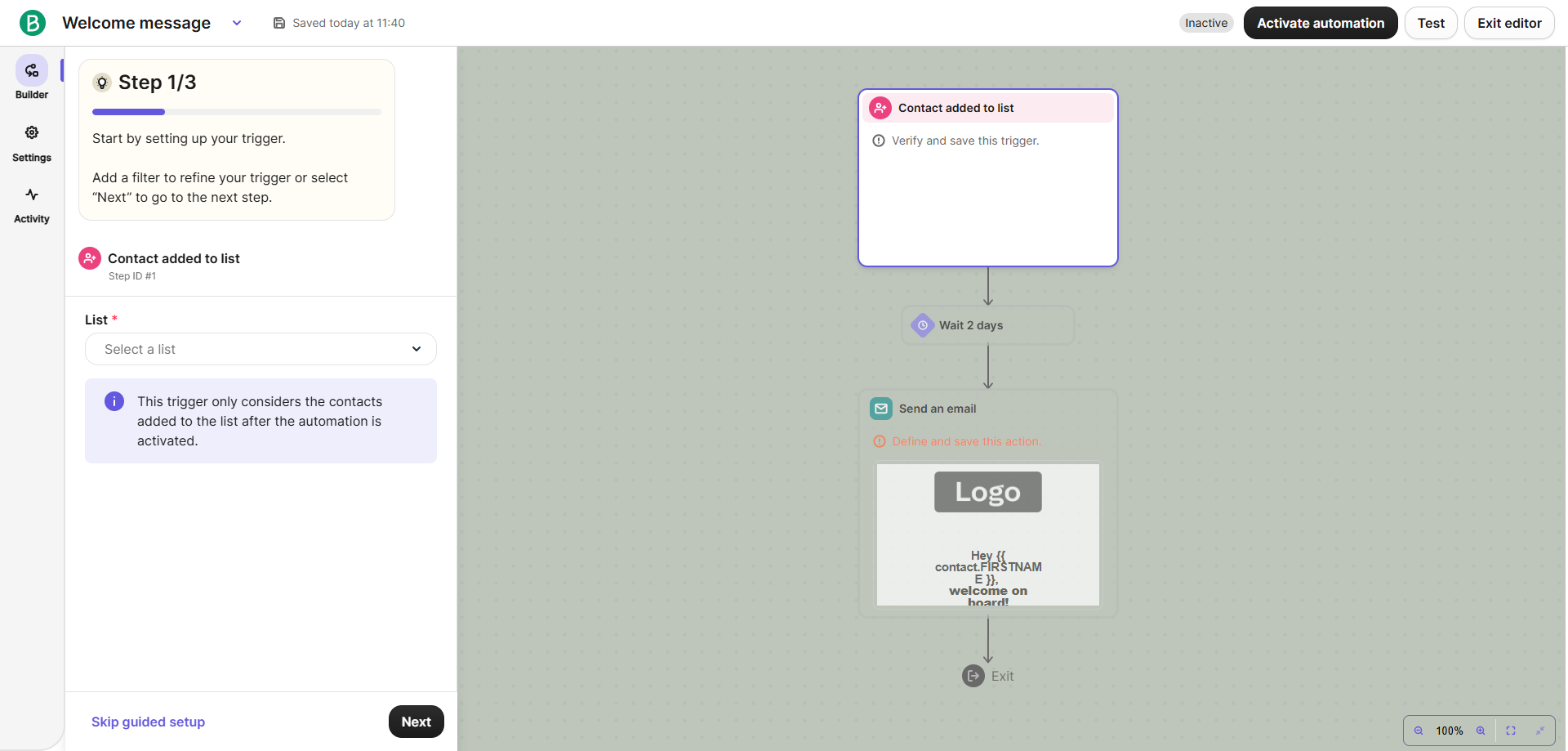
What it does: Multi-channel marketing platform with email, SMS, WhatsApp, a built-in CRM, and transactional sending on the same account.
What you actually get to automate: Genuinely multi-channel workflows — an abandoned cart that emails, then texts, then messages on WhatsApp, built on one canvas. Brevo’s free plan stores up to 100,000 contacts, which is unmatched here, though sending is capped at 300 emails a day. The limit that matters is on automation: only 2,000 unique contacts can enter active automations on Free and Starter. Past that you’re on Standard. The 2,000-contact ceiling is the limit most growing lists hit first, which is why it is worth comparing Brevo alternatives on their automation caps rather than their headline price.
Brevo’s public pricing page shows no prices at all — the figures below come from Brevo’s help centre.
✅Pros:
- Email, SMS and WhatsApp on the same automation canvas
- Free plan stores up to 100,000 contacts — the largest storage allowance here
- Automation is available on the free plan, not just previewed
- Built-in CRM at no extra cost
- Transactional email and marketing email on one account
- Starter is one of the cheapest paid entry points at $9/month
❌Cons:
- Free plan caps sending at 300 emails a day
- Only 2,000 unique contacts can enter active automations on Free and Starter
- Unlimited automation contacts require Standard from $18/month
- The public pricing page displays no prices, so figures come from the help centre
- Template design tools are more basic than Mailchimp’s
💰Pricing: Free for 300 emails/day. Starter from $9/month (5,000 emails/month, up to 500 contacts). Standard from $18/month lifts the automation contact cap. (Brevo help centre, verified 1 Sept 2026)
Price: Free for 300 emails a day. Starter from $9/month (5,000 emails a month, up to 500 contacts). Standard, which lifts the automation contact cap, starts at $18/month. (Brevo help centre, verified 1 September 2026)
Best for: Teams who need SMS or WhatsApp in the same workflow as email, on a small budget.
4. Omnisend — best free plan for ecommerce automation
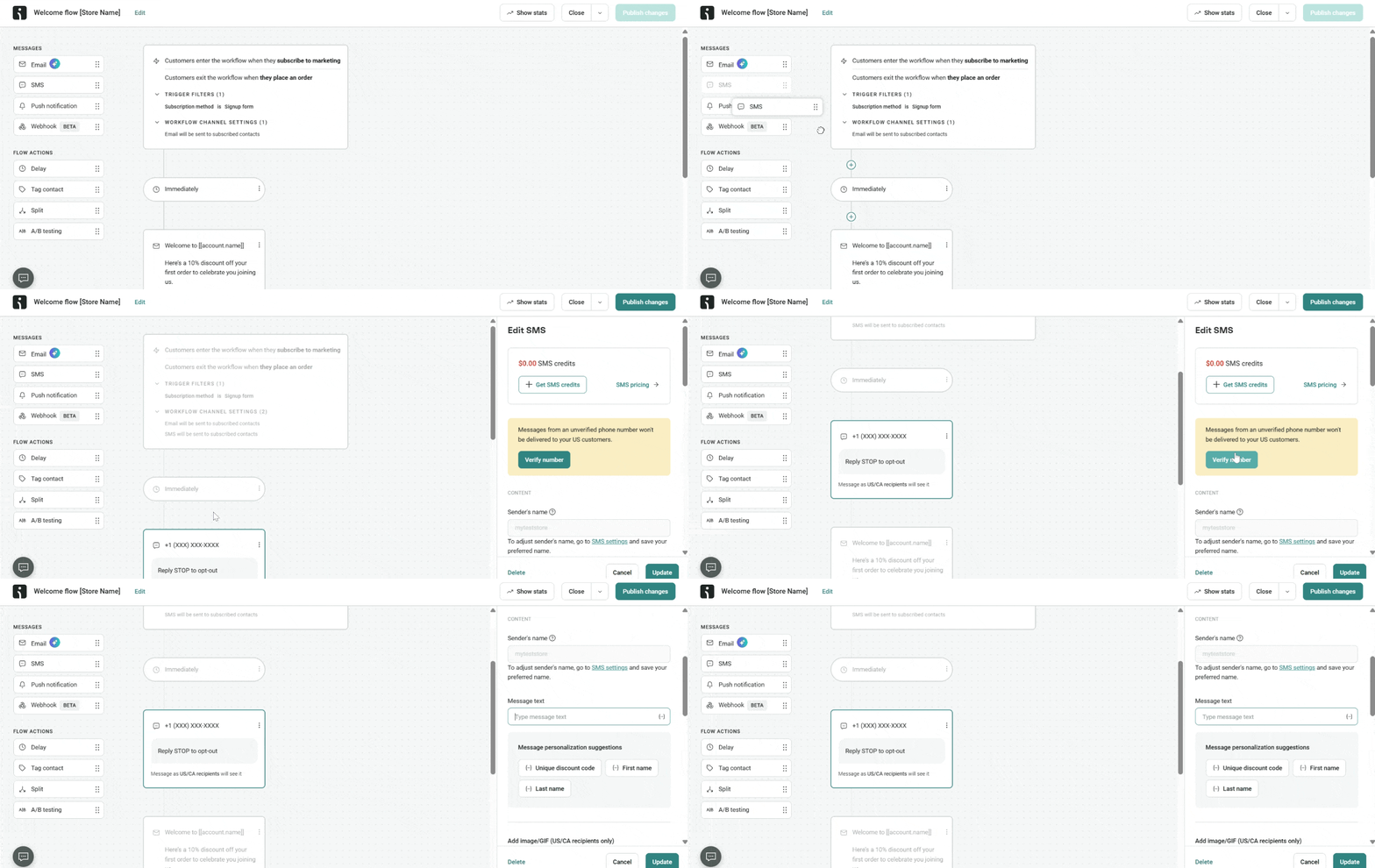
What it does: Ecommerce-focused automation with pre-built workflows for cart abandonment, browse abandonment, welcome, and post-purchase, plus deep Shopify and WooCommerce integrations.
What you actually get to automate: Full email automation workflows on the free plan, with no tier gate — the most generous automation grant of any free tier here. The constraint is volume, not capability: 250 contacts and 500 emails a month. SMS automation requires Pro. If you run a small store and want a working abandoned-cart flow live today for nothing, this is the fastest route. Past 250 contacts the maths changes quickly, and Omnisend alternatives priced per contact are worth comparing at that point.
✅Pros:
- Full email automation workflows on the free plan with no feature gate
- Pre-built cart abandonment, browse abandonment, welcome and post-purchase flows
- Deep Shopify and WooCommerce integrations
- Dynamic content blocks on every tier including free
- Personalised send-time and AI product recommendations on Pro
❌Cons:
- Free plan is limited to 250 contacts and 500 emails a month
- SMS automation requires the Pro plan from $59/month
- Built for ecommerce — a poor fit for B2B or SaaS senders
- The $11.20 shown on the pricing page is a 3-month promotional rate, not the standard $16
💰Pricing: Free for 250 contacts and 500 emails/month. Standard $16/month at 500 contacts (6,000 emails). Pro from $59/month. (Omnisend 2026 plans article, verified 1 Sept 2026)
Price: Free for 250 contacts and 500 emails a month. Standard is $16/month at 500 contacts and 6,000 emails. Pro from $59/month. Note that the $11.20 shown on Omnisend’s pricing page is a 30% discount for the first three months paid upfront, not the standard rate. (Omnisend 2026 plans, verified 1 September 2026)
Best for: Shopify and WooCommerce stores under 1,000 contacts. Shopify sellers can compare more options in our Shopify email marketing guide.
5. Klaviyo — best for ecommerce data and segmentation
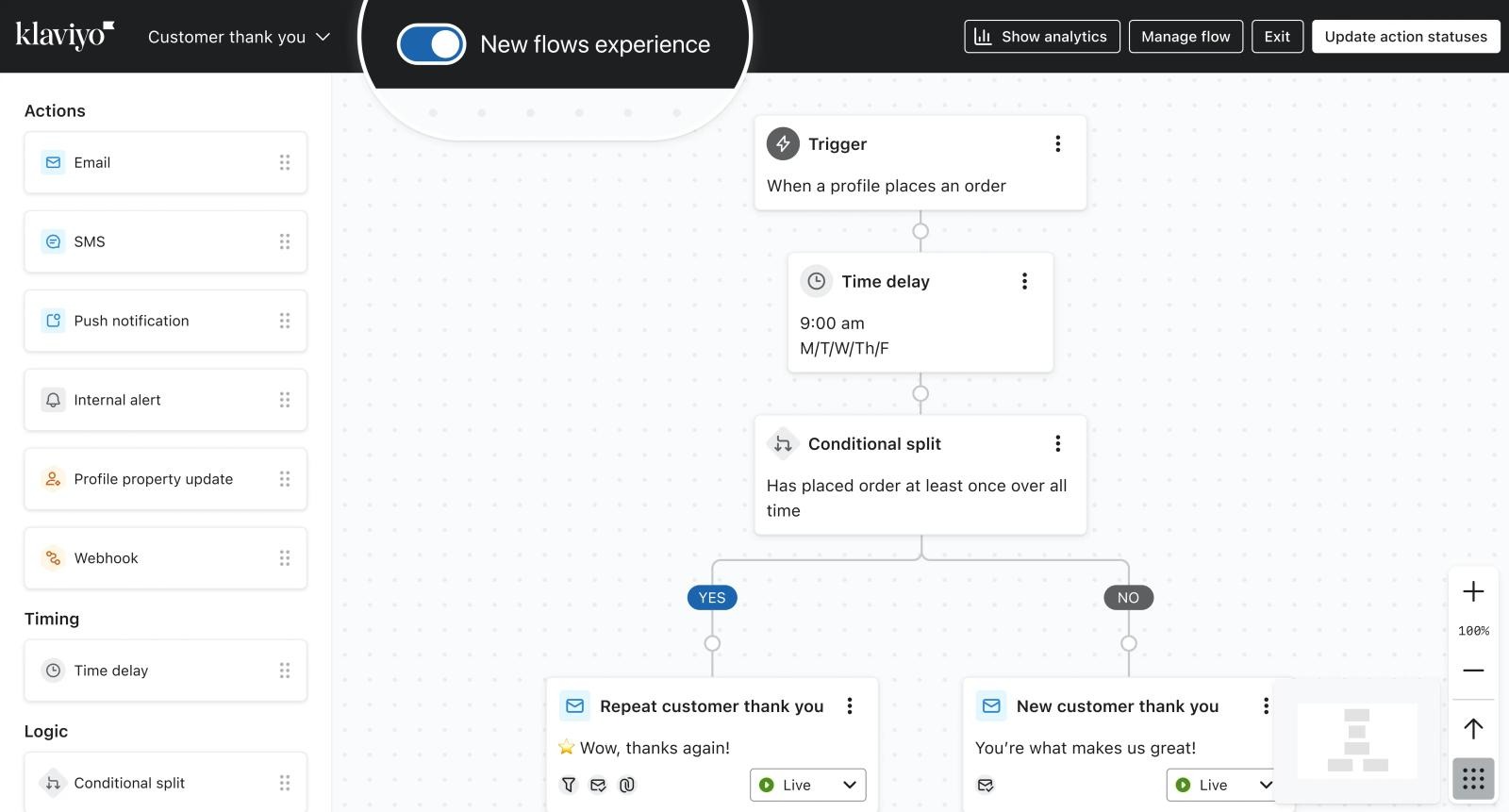
What it does: Ecommerce marketing platform built around customer data — predictive analytics, granular behavioural segments, and revenue attribution per flow.
What you actually get to automate: Flows built on unusually specific store data: predicted lifetime value, expected date of next order, browsing behaviour tied to product catalogues. For stores doing real volume, the segmentation is the reason people pay. The pricing model is the thing to understand — Klaviyo bills on active profiles rather than sends, and it’s monthly-only, so costs scale with list size whether or not you email those people. That billing model is why smaller stores tend to compare Klaviyo alternatives on cost per contact before their profile count
Klaviyo’s pricing page renders entirely client-side and returned no figures on either fetch, so the prices below are the list prices tracked by EmailToolTester rather than a page we could read directly.
✅Pros:
- The strongest ecommerce segmentation in this list
- Predictive analytics including lifetime value and expected next order date
- Revenue attribution reported per individual flow
- Free tier for 250 profiles lets you test flows before paying
- Deep native integrations with major ecommerce platforms
❌Cons:
- Billed on active profiles rather than sends, so costs rise with list size even if you don’t email them
- Monthly billing only — no annual discount
- Pricing page renders client-side and published no figures when checked
- Overkill and expensive for non-ecommerce senders
- Overage charged per thousand emails on top of the plan
💰Pricing: Free for 250 profiles and 500 emails/month (Klaviyo help centre). Paid email plans start around $20/month for 251–500 active profiles, Email + SMS from about $35/month (EmailToolTester, Aug 2026). Confirm on Klaviyo’s live pricing page.
Price: Free for 250 profiles and 500 emails a month (Klaviyo help centre). Paid email plans start around $20/month for 251–500 active profiles, with Email + SMS from about $35/month. Verify on Klaviyo’s live pricing page before budgeting.
Best for: Ecommerce stores where segmentation depth justifies profile-based billing.
6. MailerLite — best simple automation on a small budget
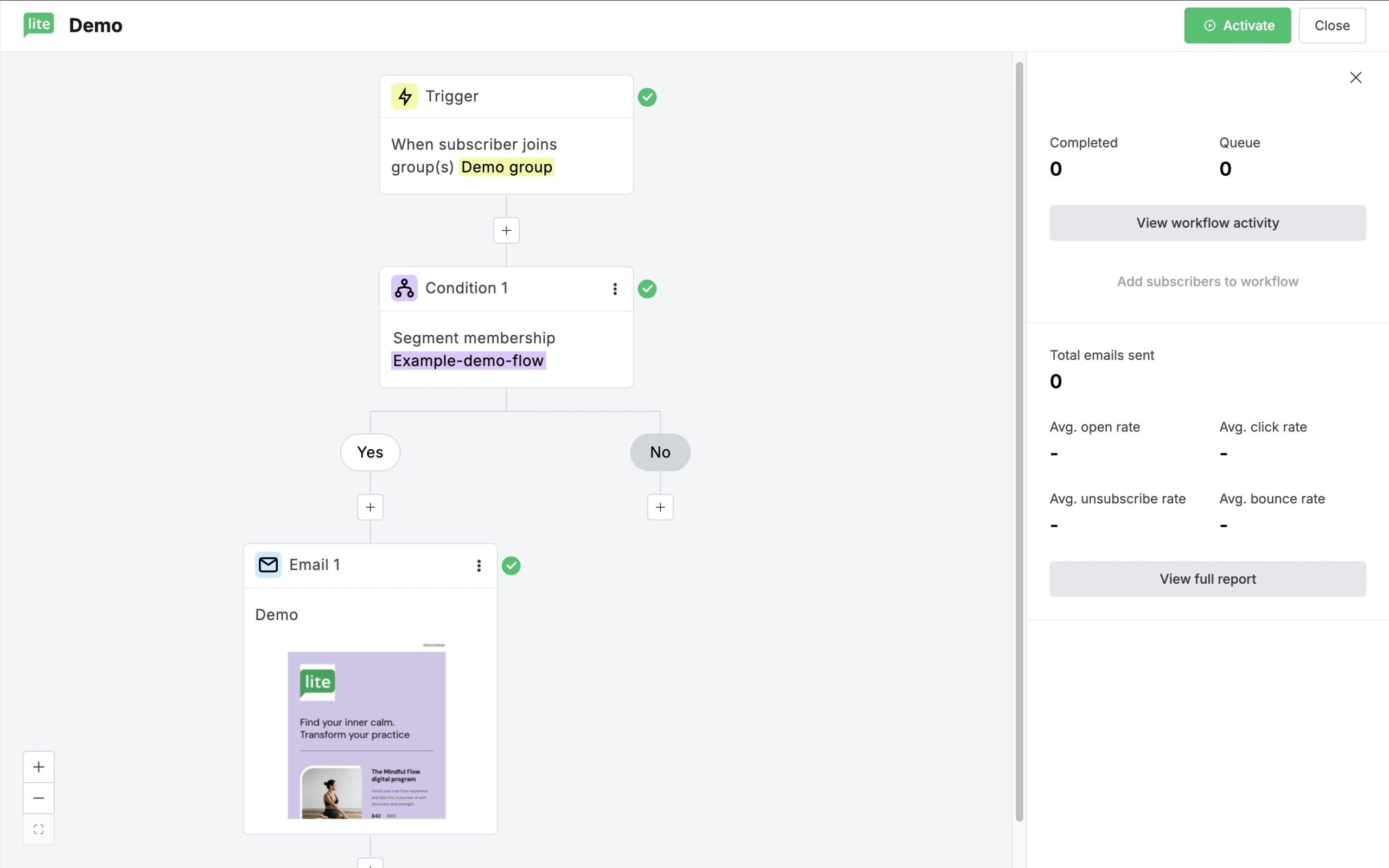
What it does: Clean, uncluttered email marketing with a visual automation builder, landing pages, and a website builder.
What you actually get to automate: Automation on every plan including free — 3 automations and 5 steps free, 50 automations and 100 steps on Comfort, unlimited on Power. Power also allows multiple triggers on a single automation, which is unusual at this price. MailerLite’s free tier is small at 250 subscribers and 2,500 emails a month, so it’s a starting point rather than a place to stay. Teams that outgrow the 5-step limit usually weigh alternatives to MailerLite on workflow depth rather than price.
✅Pros:
- Automation included on every plan, including free
- Free plan gives 3 automations and 5 automation steps
- Comfort raises that to 50 automations and 100 steps
- Multiple triggers per automation on the Power plan
- Clean, uncluttered interface with a short learning curve
- Built-in website and landing page builder
❌Cons:
- Free plan is small at 250 subscribers and 2,500 emails a month
- Advanced branching logic is thinner than ActiveCampaign’s
- Manual account approval before you can send
- Pricing page price fields did not render on re-check; figures come from MailerLite’s free-plan page
💰Pricing: Free for 250 subscribers and 2,500 emails/month. Comfort from $12/month at the 500-subscriber tier; Power from $25/month. Annual billing saves 10%. (Verified 1 Sept 2026)
Price: Free for 250 subscribers and 2,500 emails a month. Comfort from $12/month at the 500-subscriber tier; Power from $25/month. Annual billing saves 10%. (MailerLite free plan, verified 1 September 2026)
Best for: Solo marketers and small businesses who want a clean builder and don’t need branching logic yet.
7. Mailchimp — best for teams already standardised on it
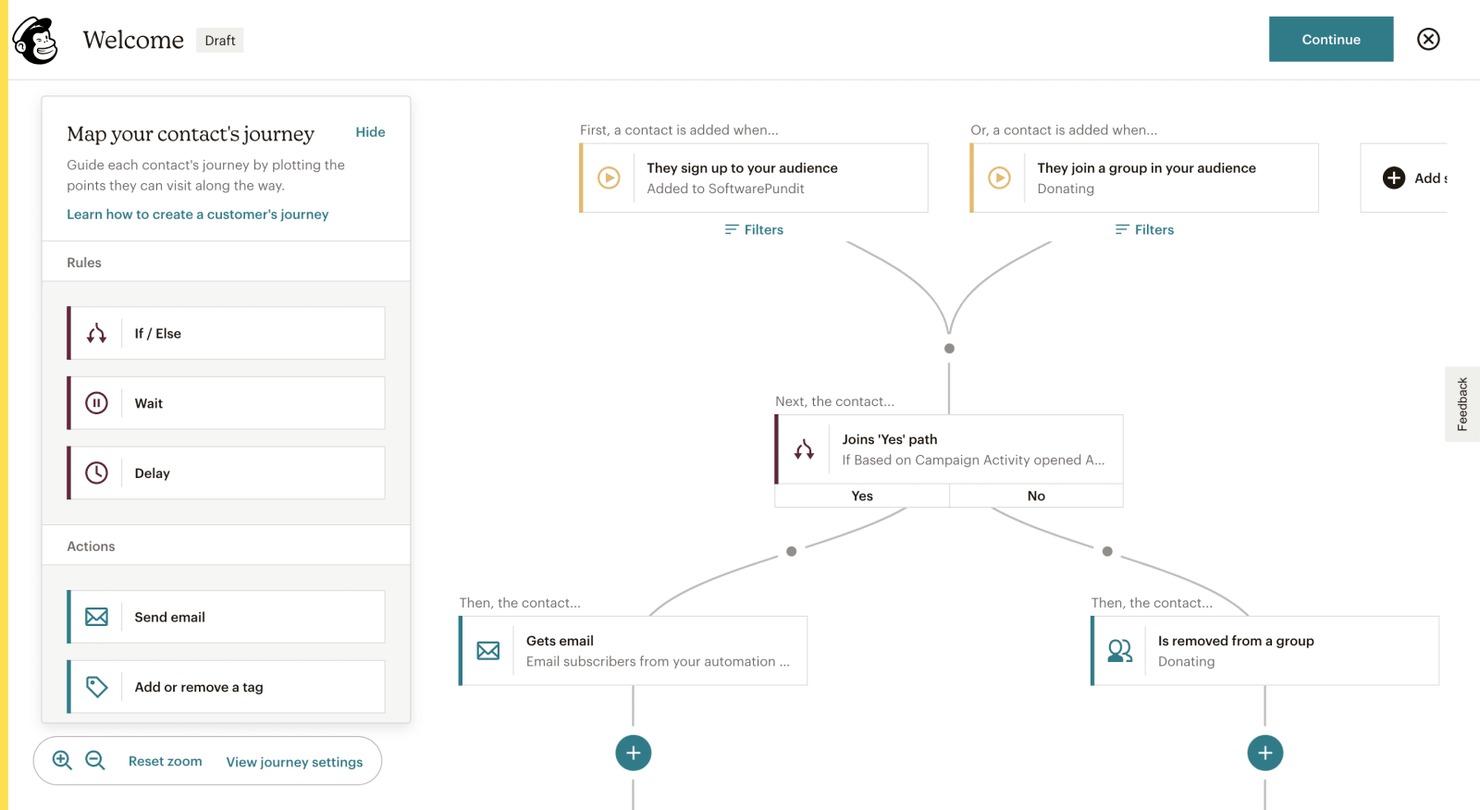
What it does: The most recognised name in the category — email, landing pages, basic CRM, AI content tools, and the largest template library here.
What you actually get to automate: Less than the brand suggests. The free plan gets a “free preview” of automation flows, not working ones. Essentials allows up to 4 flow steps with no branching points. Multiple starting points and branching require Standard. Standard and Premium then allow up to 200 flows, which is more than most teams will use. Automation being preview-only on free is the single most common reason teams compare Mailchimp alternatives with working free automation.
Watch the pricing carefully: Mailchimp’s headline prices are promotional rates for the first 12 months, and the post-promotional rate isn’t published on the comparison page.
✅Pros:
- The largest template library in this comparison
- Up to 200 automation flows on Standard and Premium
- Multiple starting points and branching on Standard and above
- AI content and subject line tools built in
- The widest third-party integration ecosystem here
- Familiar to most marketers, so onboarding a team is easy
❌Cons:
- Free plan gives an automation preview only, not working flows
- Essentials is capped at 4 flow steps with no branching points
- Headline prices are promotional rates for the first 12 months
- The ongoing post-promotional price is not published on the comparison page
- You pay based on total contacts, including unengaged ones
💰Pricing: Free for 250 contacts and 500 emails/month. Essentials $13/month for the first 12 months at 0–500 contacts (billed annually); Standard $20/month on the same promotional basis; Premium $350/month. (Verified 1 Sept 2026)
Price: Free for 250 contacts and 500 emails a month. Essentials $13/month for the first 12 months at 0–500 contacts, billed annually; Standard $20/month on the same promotional basis; Premium $350/month. (Mailchimp pricing, verified 1 September 2026)
Best for: Teams whose processes and integrations are already built around Mailchimp.
8. HubSpot Marketing Hub — best if automation must live inside a CRM
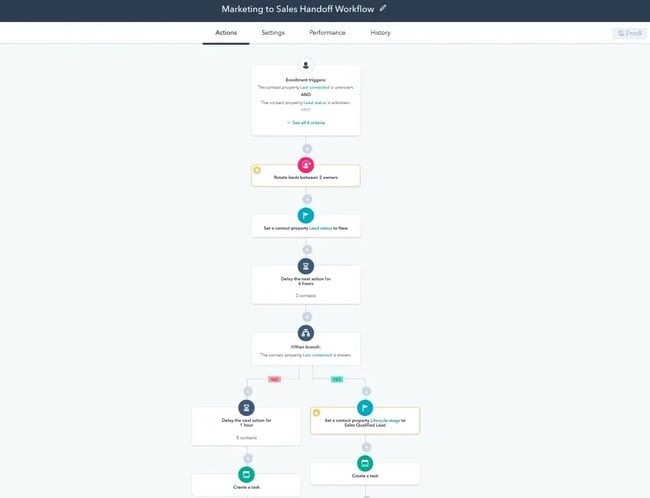
What it does: Marketing automation as one module of a full CRM suite, sharing a single contact record with sales and service.
What you actually get to automate: On Free, one automated action. On Starter, up to 10 automated actions. Neither is a workflow in any meaningful sense. Genuine marketing automation — unlimited actions, omni-channel workflows, up to 300 workflows across 10 teams — begins at Professional, $800/month, which also carries a mandatory $3,000 one-time onboarding fee. Enterprise is $3,600/month plus $7,000 onboarding.
If your sales team already lives in HubSpot and the CRM alignment is worth that, it’s coherent. If you want email automation, this is the most expensive way to buy it.
✅Pros:
- Marketing, sales and service share one contact record
- Up to 300 workflows across 10 teams on Professional
- Omni-channel automation once you reach Professional
- Free tools include 2,000 email sends a month
- Strong reporting and attribution across the funnel
❌Cons:
- Free plan allows 1 automated action — not a workflow
- Starter allows up to 10 automated actions
- Real marketing automation starts at Professional, $800/month
- Professional carries a mandatory $3,000 one-time onboarding fee
- Priced per seat, so team growth compounds the cost
💰Pricing: Free tools include 2,000 sends/month with HubSpot branding. Starter $7/month per seat billed annually ($20/month monthly) with 1,000 marketing contacts. Professional $800/month plus $3,000 onboarding. (Verified 1 Sept 2026)
Price: Free tools include 2,000 email sends a month with HubSpot branding. Starter $7/month per seat billed annually ($20/month on monthly billing) including 1,000 marketing contacts. Professional $800/month + $3,000 onboarding. (HubSpot pricing, verified 1 September 2026)
Best for: Companies already running HubSpot CRM with budget at the Professional tier.
If you’re specifically replacing HubSpot, we cover that in detail in our HubSpot alternatives guide.
9. GetResponse — best for webinars and funnels alongside email
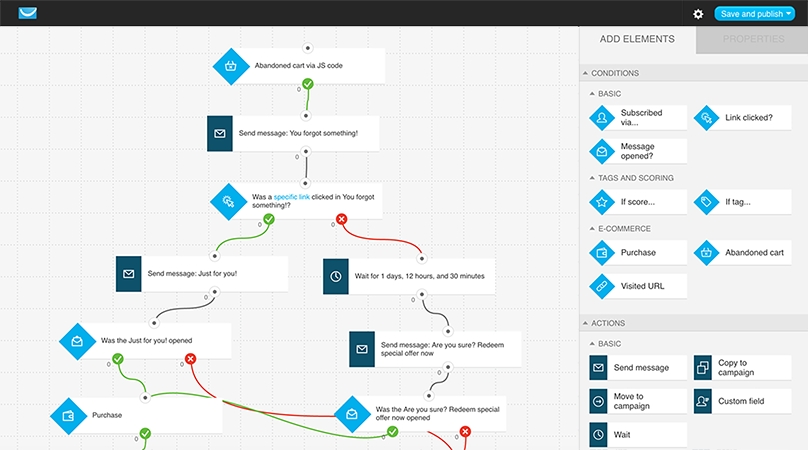
What it does: Email marketing plus built-in webinars, sales funnels, and landing pages — a combination nobody else here offers natively.
What you actually get to automate: On Starter, one custom automation workflow, with no contact tagging and no lead scoring. Tagging and scoring are what make automation useful, so Starter is effectively a broadcast plan. Unlimited workflows plus tagging, scoring, and event-based triggers start at Marketer, $48.38/month billed annually at 1,000 contacts. GetResponse also removed its free plan — it’s a trial now, which is a change worth knowing if you’re working from an older comparison post. Because tagging and scoring sit behind Marketer, GetResponse alternatives that include tagging on the entry plan are worth pricing alongside it.
The genuinely distinctive features are Perfect Timing and Time Travel, which schedule sends by each subscriber’s own timezone and engagement pattern.
✅Pros:
- Native webinars, sales funnels and landing pages alongside email
- Perfect Timing and Time Travel schedule sends per subscriber timezone
- Unlimited monthly email sends even on the Starter plan
- Event-based triggers and abandoned-cart automation on Marketer and above
- Conversion funnel templates built for course creators
❌Cons:
- No free plan any more — trial only
- Starter allows just 1 custom automation workflow
- No contact tagging or lead scoring on Starter
- Unlimited workflows require Marketer at $48.38/month billed annually
- Interface carries more legacy clutter than newer tools
💰Pricing: No free plan; trial only. Starter $15.58/month billed annually ($19 monthly) at 1,000 contacts. Marketer $48.38/month billed annually ($59 monthly) for unlimited workflows. (Verified 1 Sept 2026)
Price: No free plan, trial only. Starter $15.58/month billed annually ($19 monthly) at 1,000 contacts with unlimited sends. Marketer $48.38/month billed annually ($59 monthly). (GetResponse pricing, verified 1 September 2026)
Best for: Course creators and coaches who run webinars as part of the funnel.
10. Kit (formerly ConvertKit) — best for creators, once you pay
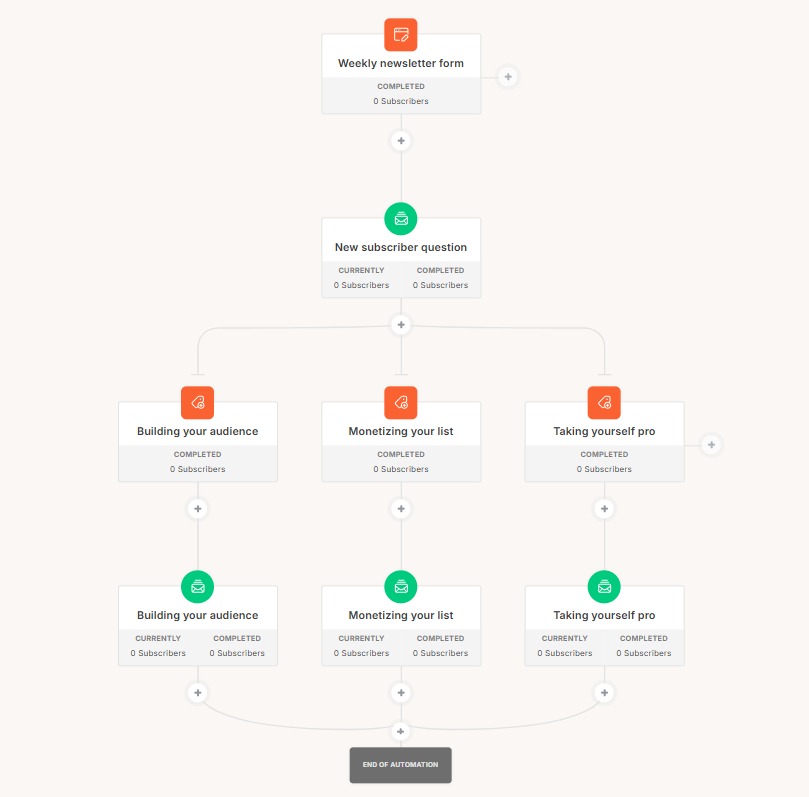
What it does: Creator-focused email platform with tagging-based subscriber management, paid newsletters, a recommendation network, and unlimited landing pages.
What you actually get to automate: Nothing on the free plan. Kit’s free tier is the most generous list allowance in this roundup at 10,000 subscribers with unlimited broadcasts — and both Visual Automations and email sequences are excluded from it entirely. That trade is deliberate: Kit wants creators to build the list free, then pay when they need sequences. Once you’re on Creator, automations and sequences are unlimited, and the tag-based model suits creators better than the list-based model most platforms use. For creators who want sequences before they can justify $33/month, alternatives to Kit with automation on the free tier are the shorter list.
✅Pros:
- Free plan covers up to 10,000 subscribers — the largest free list allowance here
- Unlimited broadcasts, landing pages and forms on free
- Unlimited Visual Automations and email sequences on Creator
- Tag-based subscriber model suits creators better than list-based tools
- Paid newsletter and creator recommendation network built in
❌Cons:
- Visual Automations and email sequences are both excluded from the free plan
- Creator is $33/month on monthly billing at only 1,000 subscribers
- Plain-text-first design philosophy limits visual template options
- Built for creators — thin fit for ecommerce or B2B lifecycle marketing
💰Pricing: Free up to 10,000 subscribers (broadcasts only, no automation). Creator $33/month or $390/year at 1,000 subscribers; Pro $66/month or $790/year. (Verified 1 Sept 2026)
Price: Free up to 10,000 subscribers, broadcasts only. Creator $33/month on monthly billing or $390/year at 1,000 subscribers; Pro $66/month or $790/year. (Kit pricing, verified 1 September 2026)
Best for: Newsletter writers and creators who monetise their list and will upgrade for sequences.
11. Drip — best for behaviour-based DTC flows
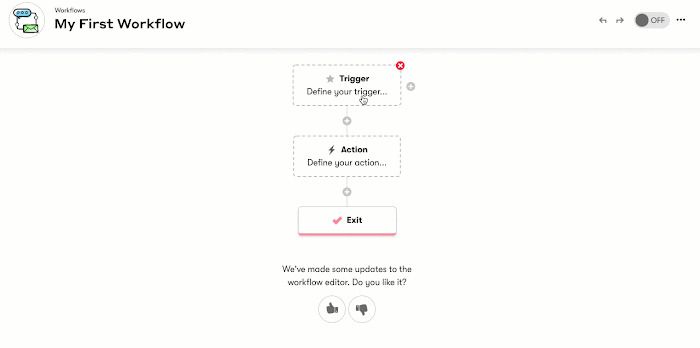
What it does: Ecommerce automation for direct-to-consumer brands, built on behavioural segmentation and pre-built playbooks.
What you actually get to automate: Up to 50 workflows, all included at the entry price with no tiering games — one of only three tools here that doesn’t gate automation behind an upgrade. Dynamic segments update as customers behave differently, and the playbooks cover welcome, abandoned cart, and post-purchase out of the box.
The constraint is the floor. There’s no free plan and no tier below 2,500 people, so a 300-contact store pays the same $39 as a 2,500-contact one. Per contact, it’s the most expensive entry point among the SMB tools here.
✅Pros:
- Up to 50 workflows included at the entry price with no feature gating
- Pre-built playbooks for welcome, abandoned cart and post-purchase
- Behaviour-based dynamic segments that update automatically
- Multi-channel automation across email and on-site messaging
- Smart A/B testing built into workflows
❌Cons:
- No free plan — 14-day trial only
- No pricing tier below 2,500 people, so small lists overpay
- The most expensive entry point per contact among the SMB tools here
- Built for DTC ecommerce; limited fit for B2B
💰Pricing: No free plan; 14-day trial. $39/month for 1–2,500 people billed monthly, with up to 50 workflows included. (Verified 1 Sept 2026)
Price: No free plan, 14-day trial. $39/month for 1–2,500 people, billed monthly, with up to 50 workflows included. (Drip pricing, verified 1 September 2026)
Best for: DTC brands already past 1,000 contacts who want automation with no feature gates.
12. Customer.io — best for product-led lifecycle messaging at scale
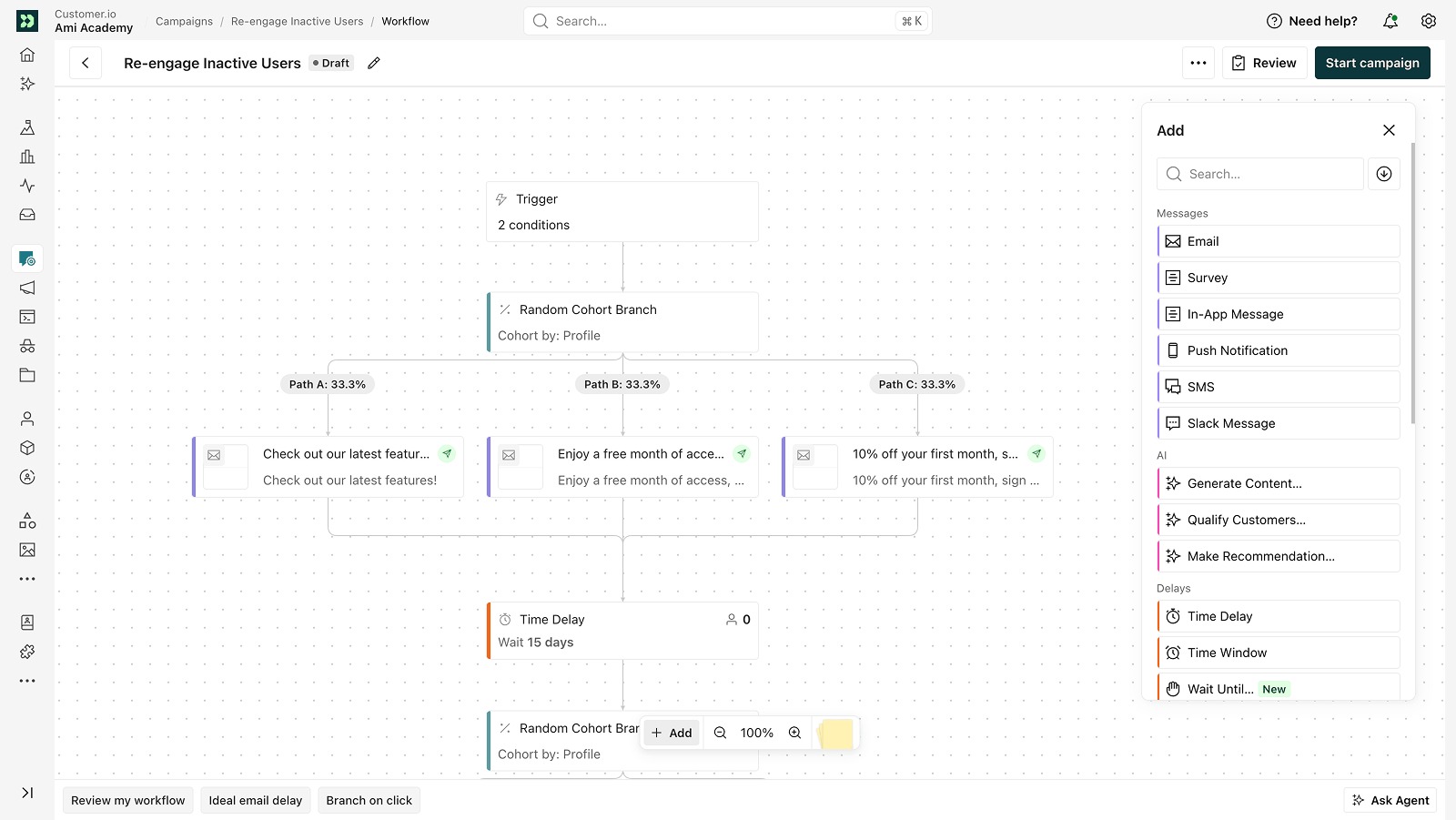
What it does: Cross-channel lifecycle messaging for product-led companies — email, push, in-app, SMS and webhooks driven by product event data.
What you actually get to automate: The most technically capable automation here, and the most interesting new capability in the category: LLM actions that run inside a workflow, plus an AI agent with execution skills from the entry tier. If your triggers are product events rather than marketing lists, this is built for that and the others aren’t.
It’s also priced accordingly. No free plan, and the entry tier is $100/month. This is the tool you graduate to, not the one you start with.
✅Pros:
- Cross-channel workflows across email, push, in-app, SMS and webhooks
- Triggers built on product event data rather than list membership
- LLM actions that run inside a workflow
- AI agent with core execution skills from the entry tier
- 1 million emails a month included on Essentials
- Visual workflow builder available on every tier
❌Cons:
- No free plan and no published trial length
- Entry tier is $100/month — the highest floor in this list
- Usually needs engineering help to wire up event tracking
- Overkill for straightforward newsletter or campaign sending
💰Pricing: No free plan. Essentials $100/month billed monthly for 5,000 profiles and 1 million emails/month. Premium $1,000/month billed annually; Enterprise custom. (Verified 1 Sept 2026)
Price: No free plan. Essentials $100/month billed monthly for 5,000 profiles and 1 million emails a month. Premium $1,000/month. (Customer.io pricing, verified 1 September 2026)
Best for: Product-led SaaS teams triggering messages from product events.
How to choose
- Best overall value, and automation on the free plan → Mailercloud
- Deepest branching logic, budget for Plus or above → ActiveCampaign
- Email plus SMS or WhatsApp in one workflow → Brevo
- Small Shopify or WooCommerce store, free → Omnisend
- Ecommerce with serious segmentation needs → Klaviyo
- Simplest builder, small list → MailerLite
- Automation inside an existing CRM, Professional budget → HubSpot
- Webinars and funnels alongside email → GetResponse
- Creators monetising a newsletter → Kit
- DTC brand wanting no feature gates → Drip
- Product-event-driven messaging at scale → Customer.io
If you’re not sure, start with the free plan that includes real automation and migrate later. Building a welcome series and seeing it run tells you more in a week than any comparison table.
Five mistakes people make choosing automation software
Budgeting from the headline price. Mailchimp’s $13 is a first-12-months rate. Omnisend’s $11.20 is a three-month promotion. HubSpot’s Professional carries a $3,000 onboarding fee on top of $800 a month. Always find the standard, ongoing rate.
Assuming “automation included” means usable automation. Four flow steps with no branching is a checkbox, not a workflow. Read the plan comparison table, not the feature list.
Ignoring the contact ceiling inside automations. Brevo’s Free and Starter plans allow automation, but only 2,000 unique contacts can enter one. A growing list hits that quietly.
Choosing on template count. Templates are the easiest thing to change later. Deliverability, automation depth, and pricing structure are the hard things to change.
Skipping authentication. SPF, DKIM, and DMARC alignment affect inbox placement more than any feature in this list. Set them up before your first automated send, whichever tool you pick. Google and Yahoo have required them for bulk senders since 2024.
Frequently asked questions
What is the best automated email marketing software?
Mailercloud is the best automated email marketing software for most teams in 2026, because it’s the only platform here that includes a working advanced automation, 1,000 contacts, and 12,000 monthly emails on a permanently free plan. ActiveCampaign has deeper branching logic for complex B2B lifecycles, and Klaviyo is stronger for ecommerce segmentation, but both cost more before you get anything usable.
What is the best software for email marketing?
Mailercloud is our pick for general email marketing in 2026 at $10/month for 5,000 contacts with unlimited sends, Inbox Tracker deliverability visibility, and 24/7 live chat on every plan including free. Mailchimp remains the most widely used, MailerLite is the simplest, and Omnisend is the strongest choice if you sell on Shopify.
Is Mailchimp still free?
Yes, Mailchimp still has a free plan, but it’s limited to 250 contacts and 500 emails a month, and automation is available only as a preview rather than as working flows. Mailercloud’s free plan covers 1,000 contacts, 12,000 emails a month, and one advanced automation you can actually run, which makes it the better free starting point in 2026.
Which email marketing automation software has a free plan with real automation?
Mailercloud, Omnisend, MailerLite and Brevo are the four platforms with genuinely usable automation on a free plan. Mailercloud gives the largest free allowance at 1,000 contacts and 12,000 emails a month with one advanced automation. Omnisend allows full ecommerce workflows but only 250 contacts. Kit, Mailchimp and HubSpot all offer free plans with no working automation.
How much does email marketing automation software cost in 2026?
Entry pricing runs from $9 to $100 a month, but the price that matters is the tier where automation becomes usable. Mailercloud is $10/month for 5,000 contacts with 25 advanced automations. Brevo needs $18/month to lift its automation contact cap, GetResponse needs $48.38/month for unlimited workflows, and HubSpot needs $800/month plus $3,000 onboarding.
Is email marketing still worth it in 2026?
Yes. Email is still the only marketing channel where you own the audience list outright, with no algorithm between you and your subscribers. Automation is what makes it economical — a welcome series, an abandoned-cart flow and a re-engagement sequence run once and keep working, which is why the automation limits in this comparison matter more than template counts or design tools.
Can I set up email automation without a developer?
Yes. Every tool in this list uses a visual drag-and-drop builder, and none of them requires code for standard workflows like welcome series, abandoned cart, or re-engagement. Mailercloud’s advanced workflow editor covers branching and behavioural triggers without any technical setup. The one exception is Customer.io, which is designed around product event data and usually needs engineering help to wire up.
The verdict
Mailercloud is our recommendation for most teams choosing email marketing automation software in 2026. Here’s why:
- A free plan with 1,000 contacts, 12,000 monthly emails, and one advanced automation you can actually run
- $10/month for 5,000 contacts with unlimited sends and 25 advanced automations
- Inbox Tracker showing where your email lands across major ISPs, which almost nobody offers at this price
- AMP for Email support, which is rare across this whole category
- 24/7 live chat on every plan, including the free one
- No ecommerce transaction fees and no automatic upgrades when you cross a send threshold
It won’t suit everyone. If your stack needs a long tail of niche integrations, or you need native SMS today, ActiveCampaign or Brevo will fit better. And if your triggers come from product events rather than marketing lists, Customer.io is the more honest recommendation.
For everyone else — the team who wants working automation, good deliverability, and a price that doesn’t triple at the first upgrade — start free and see the workflow run.

As a Marketing Director, I develop and implement marketing strategies, conduct market research, and manage a team of marketing professionals. With a successful track record of launching campaigns that drive revenue growth, I bring my marketing expertise to blog writing, creating engaging content that promotes the brand and its products/services.