
Last updated: September 2026 | 18 min read
Running email for one brand is a marketing job. Running it for twelve clients at once is an operations job that happens to involve marketing. The campaigns are the easy part; the hard parts are keeping every client’s list, sending domain, reputation, and reporting separate, proving results in a way that renews the retainer, and doing it on a platform that doesn’t charge you twelve times over.
This guide covers how agencies set up, run, price, and report on email marketing for multiple clients in 2026. It’s written for agency owners and account leads who already know what a campaign is and want the model that scales: account structures, white-label options, deliverability per client, pricing, the platforms with real agency features, and the metrics that keep clients. It’s vendor-neutral throughout, with a short tools section near the end.
Quick Answer: Email marketing for agencies means running campaigns, automations, deliverability, and reporting for multiple clients with each client’s list, sending domain, and reputation kept separate. The three decisions that matter most are your account structure (client-owned accounts, agency sub-accounts, or one shared account with roles), per-client deliverability (separate authenticated domains, shared vs dedicated IPs, warm-up, placement monitoring), and how you price platform costs into the retainer. Campaign Monitor, Brevo, and Moosend offer sub-accounts and white-label on higher tiers; Mailercloud offers flat $10/month per-client pricing with user roles and Inbox Tracker but no white-label.
Table of Contents
What Email Marketing for Agencies Means
Email marketing for agencies is the practice of planning, building, sending, and reporting on email campaigns and automations on behalf of multiple client businesses, usually under a monthly retainer. It differs from in-house email marketing in three ways that shape every decision:
Multi-tenancy. Each client needs its own contact list, sending domain, templates, automations, and reports, isolated from every other client. A deliverability problem on one client’s list must never touch another’s.
Accountability. The agency is paid on outcomes it doesn’t fully control. The client owns the offer, the product, and often the list quality; the agency owns execution and has to show, in the client’s numbers, that execution is working.
Margin. The agency’s profit is the retainer minus the hours and the tooling. Platform costs that scale per client, per seat, or per contact eat directly into that margin, which is why account structure and platform choice matter more to agencies than to any single brand.
The work itself spans strategy (what to send, to whom, how often), production (copy, design, templates), technical setup (domain authentication, integrations, list migration), automation (welcome, nurture, cart, re-engagement flows), sending, and reporting. Most agencies also handle list hygiene and compliance because clients rarely do it themselves.
Why Email Is the Agency Service Clients Keep Paying For
Email is the channel agencies can defend on numbers. Litmus’s State of Email research has put email’s return at around $36 for every $1 spent, and the UK Data & Marketing Association’s benchmarking has reported a similar order of magnitude for years. Unlike paid social, where the platform owns the audience and the price rises every quarter, a client’s email list is an asset the client owns and the agency compounds.
Three things make email a retainer-friendly service:
- It’s measurable to the dollar. Opens, clicks, conversions, and revenue per send are visible in the platform and attributable through UTMs. Reporting writes itself if the setup is right.
- It’s cumulative. Every automation the agency builds keeps working after the sprint that built it. A welcome sequence written in month one is still converting in month twelve, which makes the retainer look better every quarter.
- It’s under-served. Most small and mid-sized businesses have a list they email badly or not at all. HubSpot’s State of Marketing reporting has consistently ranked email among the highest-ROI channels marketers use, and the gap between what businesses could do with their list and what they do is the agency’s opportunity.
The flip side is that email is unforgiving of sloppy operations. One purchased list, one unauthenticated domain, one client’s spam complaints, and the agency’s shared infrastructure can carry the damage to every other account. That’s why the rest of this guide is mostly about structure.
How Agency Email Marketing Works
Account structure: three models
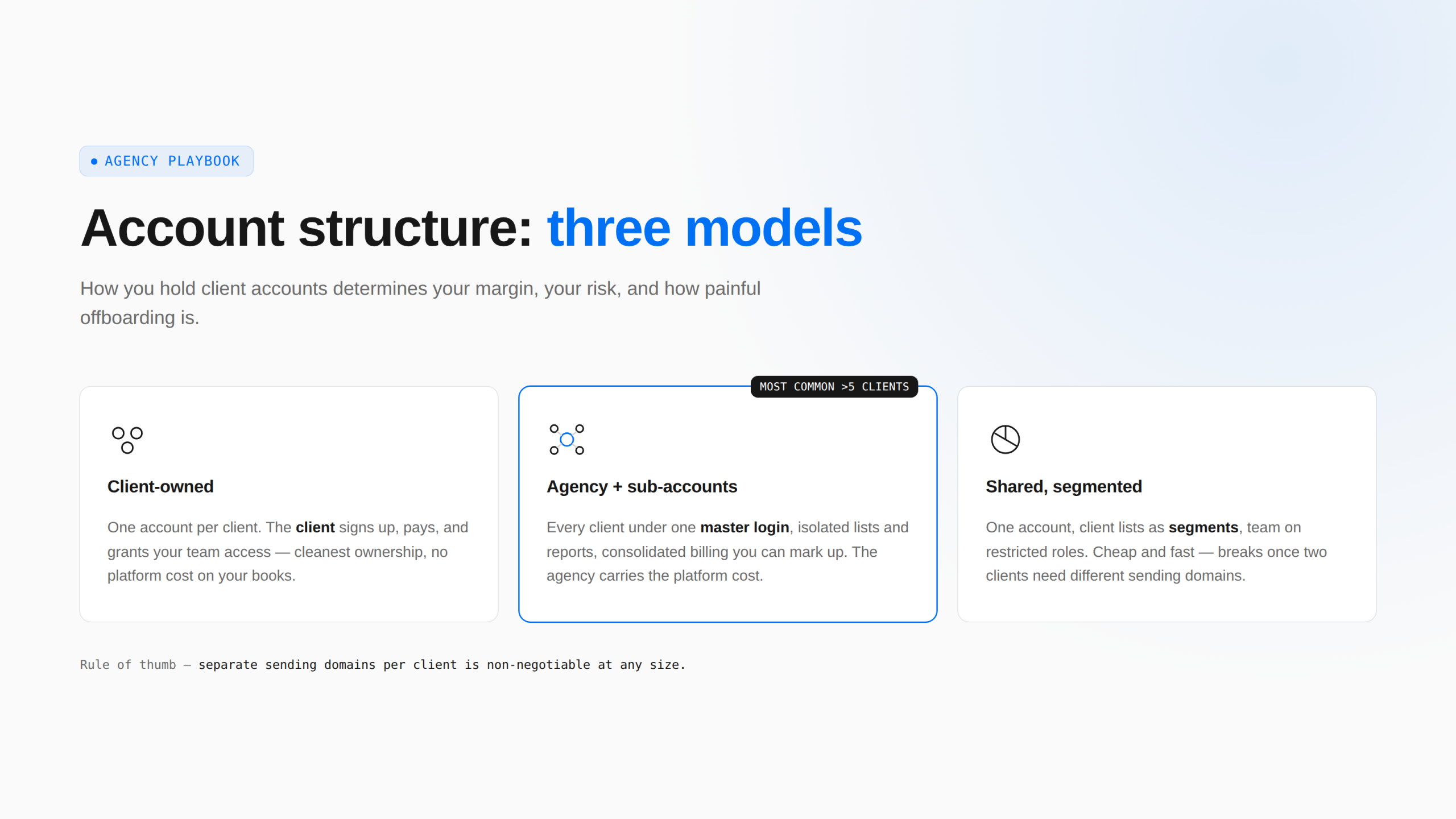
How you hold client accounts on the platform determines your margin, your risk, and how painful offboarding is.
One account per client, client-owned. The client signs up for the platform, pays for it, and grants your team access. Cleanest ownership (the client’s list and reputation are the client’s), simplest offboarding (you remove your users), and no platform cost on your books. The cost is that you manage twelve logins, twelve billing relationships you don’t control, and twelve different plan levels.
One agency account with client sub-accounts. Platforms with agency features (Campaign Monitor, Brevo’s corporate solution, Moosend, Mailchimp’s multi-account management) let you run every client under one master login, each with isolated lists, domains, and reports, often with consolidated billing you can mark up. This is the model most agencies with more than five clients settle on. The risks are that the agency now carries the platform cost and the platform relationship, and that offboarding a client means exporting them out of your account.
One shared account with roles and segments. For very small agencies or freelancers, a single account with client lists as separate segments and team members on restricted roles can work. It’s cheap and fast, and it’s the model most platforms’ free and entry plans allow. It becomes untenable once two clients need different sending domains or one client’s reputation problem starts affecting the other’s sends.
The rule of thumb: separate sending domains per client is non-negotiable at any size; separate accounts or sub-accounts become necessary the moment you have more than a handful of clients or any client with a large or risky list.
White-label email marketing
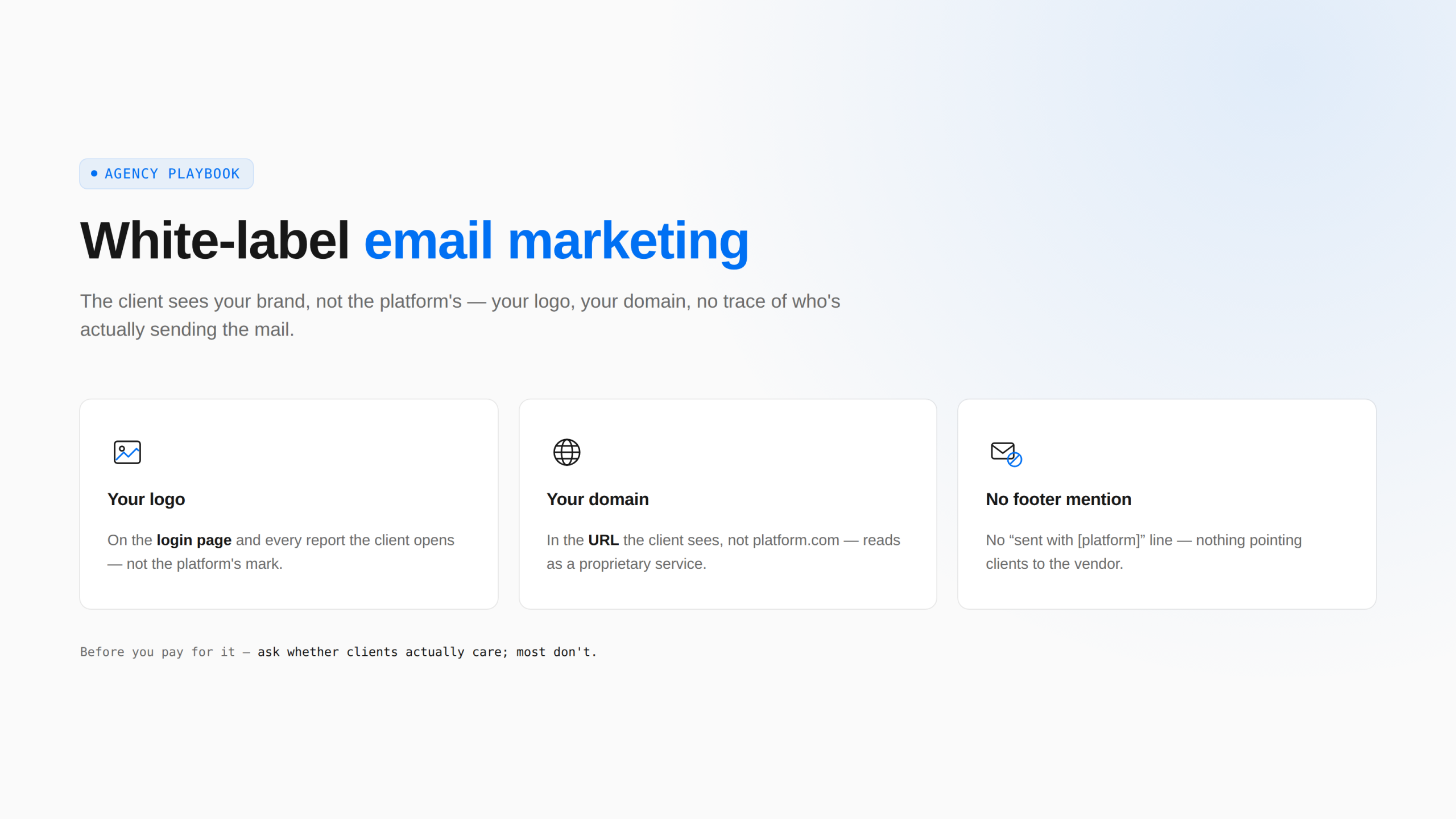
White-labelling means the client sees your brand, not the platform’s: your logo on the login page and reports, your domain in the URL, no “sent with [platform]” footer. Agencies want it for two reasons: it looks like a proprietary service, which supports higher retainers, and it stops clients going direct to the platform.
In practice white-label is an enterprise or agency-tier feature almost everywhere. Campaign Monitor offers private labelling with markup billing; ActiveCampaign white-labels on its Enterprise plan with custom domains; Brevo offers it via API or enterprise agreements; Moosend offers branded domains and reports on its agency programme. Entry-level plans on every platform show the platform’s branding to some degree.
Before paying for white-label, ask whether clients care. Many don’t; they’re paying for results, and a Mailchimp or Mailercloud logo in the report footer costs you nothing. Where clients do care (usually larger brands, or agencies selling email as a productised service), budget for the tier that includes it and price the retainer accordingly.
Deliverability per client
Deliverability is where agency email differs most from in-house. Every client is a separate sender in the eyes of Gmail, Yahoo, and Microsoft, and the agency has to manage each one as if it were the only one.
Authenticate every client domain separately. SPF, DKIM, and DMARC on the client’s own domain, not the agency’s. Since the 2024 Gmail and Yahoo bulk-sender requirements, sending 5,000 or more messages a day without authentication and one-click unsubscribe gets mail rejected outright; Microsoft added matching requirements in 2025. The agency’s onboarding checklist should include DNS access or a DNS handover meeting on day one. Our SPF, DKIM and DMARC guide covers the records; the Gmail and Yahoo sender requirements post covers the thresholds.
Shared versus dedicated IPs. On a shared pool the client’s reputation is blended with other senders on the platform, which helps small, clean lists and hurts nobody unless the pool is badly managed. A dedicated IP isolates the client, which is worth it above roughly 100,000 emails a month and a liability below it, because a low-volume dedicated IP never builds enough reputation. Agencies with several high-volume clients sometimes run a dedicated IP per client; none should run all clients on one dedicated IP, which recreates the shared-pool risk with none of the platform’s management.
Warm up new domains and imported lists. A client moving platforms is a new sender to the inbox providers even if the domain is old. Start with the most engaged 20–30% of the list and widen over two to three weeks.
Watch placement, not just delivery. “Delivered” means the receiving server accepted the message; it says nothing about whether it landed in the inbox, Promotions, or spam. Seed-list and placement tools (some platforms include them, others sell them separately) are how an agency catches a client’s slide into spam before the open rate collapses and the client asks why.
List hygiene is your job. Clients bring old lists. Run them through a verifier before the first send, suppress role addresses and known bounces, and set a sunset policy (stop mailing contacts who haven’t opened in 90–180 days). A client who insists on mailing a five-year-old list is a client who will damage your other accounts.
Client onboarding
Onboarding is where most agency email problems are prevented or created. A working sequence:
- Access and ownership. Who owns the platform account, the domain, the list, and the templates when the relationship ends. Write it down.
- DNS and authentication. Get DNS access or schedule the handover. Nothing sends until SPF, DKIM, and DMARC pass.
- List audit. Source, consent basis, age, and size of every list. Verify it. Suppress what shouldn’t be mailed.
- Integrations. Connect the store, CRM, or forms that feed the list, so new contacts arrive with the right tags.
- Baseline. Record the client’s current open, click, and unsubscribe rates before you change anything. This is the number you’ll be compared against.
- First 30 days. One welcome automation, one campaign a week, one report. Prove the pipeline works before expanding scope.
Reporting that renews retainers
Agency reports fail when they show platform metrics the client doesn’t understand. Open rate is a weak signal since Apple Mail Privacy Protection began pre-loading images in 2021; click rate, conversion rate, and revenue or leads per send are what the client’s finance team recognises. A monthly report that fits on one page (sends, clicks, conversions, revenue, list growth, deliverability status, what changed, what’s next) beats a dashboard export every time.
Include a deliverability line every month even when it’s boring. The month it isn’t boring, the client will already understand why it matters.
Pricing Email Marketing as an Agency Service
Three models dominate:
Monthly retainer. A fixed fee for a defined scope (for example, four campaigns, two automations maintained, one report). Most common, most predictable. Typical ranges in 2026 run from a few hundred dollars a month for a freelancer handling one newsletter to several thousand for a full-service agency running campaigns, automations, and list growth for a mid-sized ecommerce brand.
Per-campaign or project fees. Charged per send or per build (a welcome sequence, a migration). Good for entry-level clients; poor for the agency because there’s no recurring revenue.
Performance or revenue share. A percentage of attributed email revenue, usually with a base fee. Aligns incentives, but only works where attribution is clean (ecommerce with UTMs and platform revenue tracking) and where the client’s offer is strong enough that your work moves the number.
Whichever model you use, decide separately how platform costs are handled. Either the client pays the platform directly (cleanest), or the agency pays and rebills with a markup (common with sub-account platforms that support markup billing), or the agency absorbs it inside the retainer (simplest, and the reason flat-priced platforms matter). Never absorb a cost that scales with the client’s list size without a retainer that scales with it.
Best Practices for Agency Email Marketing
- One sending domain per client, always. Even on a shared account. Reputation must be isolated.
- Standardise your build. A template system, a naming convention for campaigns and segments, and a tagging scheme you use across every client. It cuts production time and makes staff interchangeable across accounts.
- Automations before campaigns. A welcome sequence, a post-purchase or post-signup flow, and a re-engagement flow deliver more over a year than any campaign calendar. Build them in month one.
- Segment by engagement from day one. Send full campaigns to engaged contacts and progressively less to the rest. It protects deliverability and improves every rate you report.
- Verify every list before the first send. No exceptions for clients who promise the list is clean.
- Report on business outcomes. Clicks, conversions, revenue, list growth. Opens are a diagnostic, not a headline.
- A/B test one thing per send. Subject line or send time or CTA. Over a quarter, small consistent wins compound; over a year, they’re the story in the renewal meeting.
- Keep a change log per client. What you changed, when, and what happened. Half of agency reporting is remembering why last month’s number moved.
- Own the compliance conversation. Consent, unsubscribe handling, CAN-SPAM, GDPR, and the platform’s acceptable-use policy. Clients assume the agency handles it; make sure the agency does.
- Plan for offboarding at onboarding. Exportable lists, transferable templates, and documented automations. A clean exit is a reference; a messy one is a review.
Common Mistakes Agencies Make With Email
- Mailing a client’s imported list cold. The fastest way to damage a fresh domain. Warm up from the engaged core.
- Running clients on the agency’s domain. When one client’s complaints spike, every client’s mail suffers, and the agency’s own domain reputation goes with it.
- Choosing a platform by feature list, not by account structure. A platform with brilliant automation and no sub-accounts costs more to operate at ten clients than a simpler one with them.
- Reporting opens. Since Apple’s privacy changes, open rates are inflated and unreliable. Clients who are told open rate is the headline metric will eventually be told otherwise by someone else.
- Ignoring placement. Delivery rate of 99% and inbox placement of 60% look identical in a standard report. Only placement monitoring tells the difference.
- Under-pricing the setup. Migration, authentication, list cleaning, and integration work is real work. Charge for it, or fold a setup fee into the first retainer month.
- Skipping the ownership conversation. Disputes over who owns the list or the automations at offboarding are avoidable with one paragraph in the agreement.
Tools and Platforms for Agency Email Marketing
The platforms below all handle multi-client email; they differ in how. We’ve noted agency-specific features (sub-accounts, white-label, roles, billing) and the honest limitations of each, including our own.
| Platform | Best For | Sub-accounts | White-label | Team roles | Starting Price | Free Plan |
|---|---|---|---|---|---|---|
| Mailercloud#1 Pick | Flat per-client pricing + placement reporting | ✗ No | ✗ No | ✓ Yes | $10/mo (5,000 contacts) | ✓ Yes 1,000 contacts |
| Campaign Monitor | Full agency model | ✓ Yes | ✓ Yes | ✓ Yes | Not published | ✓ Yes 500 contacts |
| Brevo | Volume pricing, SMS + transactional | Corporate tier | API / Enterprise | ✓ Yes | ~$9/mo | ✓ Yes 300/day |
| ActiveCampaign | Deep automation + CRM | ✗ No | Enterprise | ✓ Yes | $19/mo | ✗ Trial 14 days |
| Mailchimp | Multi-account switching, integrations | Multi-account | ✗ No | ✓ Yes | $13/mo | ✓ Yes 250 contacts |
| Moosend | Low-cost sub-accounts | Agency tier | Agency tier | 5 users on Pro | $7/mo (annual) | ✗ Trial 30 days |
| MailerLite | Simple hand-over to small clients | ✗ No | ✗ No | ✓ Yes | $12/mo | ✓ Yes 250 subs |
| Constant Contact | Events, nonprofits, phone support | Partner program | ✗ No | ✓ Yes | $12/mo | ✗ Trial Free trial |
Agency features as published on each platform’s site, September 13, 2026. Sub-account and white-label availability is typically on agency, corporate, or enterprise tiers; confirm scope and price with the vendor before committing.
Mailercloud
Mailercloud fits agencies that run each client as a separate account (client-owned or agency-managed) and want flat, predictable pricing per client rather than per seat: free for 1,000 contacts and 12,000 emails a month, then $10/month for 5,000 contacts with unlimited sends. Every plan includes a visual automation builder, segmentation, A/B testing, landing pages, and user roles (Admin, Manager, Communication Manager, Viewer) so account leads and clients can have appropriately limited access. Two features are unusual at this price and useful in client reporting: Inbox Tracker, which shows placement across Gmail, Outlook, and Yahoo, and a built-in email verifier for cleaning imported lists. A transactional Email API is available separately from $10/month for 50,000 emails.
The limitations matter for agencies specifically: Mailercloud does not offer white-label branding or a single master account with client sub-accounts, so multi-client management means separate accounts (with the free plan covering small clients) rather than one consolidated login. Its integration library is smaller than Mailchimp’s or HubSpot’s, and native SMS is still in development. It’s the right fit for agencies whose clients are small to mid-sized, where per-client cost and deliverability visibility matter more than a consolidated dashboard.
✅Mailercloud (for agencies) Pros:
- Flat per-client pricing: free for 1,000 contacts, then $10/month for 5,000 contacts with unlimited sends — no per-seat fees
- User roles (Admin, Manager, Communication Manager, Viewer) for account leads and client access
- Inbox Tracker for placement reporting across Gmail, Outlook, and Yahoo — useful in monthly client reports
- Built-in email verifier for cleaning imported client lists
- Visual automation builder, segmentation, A/B testing, and landing pages on every plan
- Transactional Email API and SMTP available separately from $10/month for 50,000 emails
- 24/7 live chat support on every plan
❌Mailercloud (for agencies) Cons:
- No white-label branding
- No master account with client sub-accounts — multi-client management means separate accounts
- Smaller integration library than Mailchimp or HubSpot; native SMS still in development
💰Pricing: Free for up to 1,000 contacts. Premium from $10/month per account (5,000 contacts, unlimited sends). Transactional API from $10/month.
Campaign Monitor
Campaign Monitor has the most complete agency model on the market: tiered sub-accounts under a master login, a command centre across clients, private labelling to remove its branding, markup billing handled by the platform, shared templates and automations across sub-accounts, and per-sub-account API keys. It’s what many agencies mean when they say “agency platform”. Entry pricing isn’t published on the pricing page (plans start with a free tier of 500 contacts and 500 sends), and it’s a premium product at scale, but for an agency with ten or more clients the operational savings often cover it.
Brevo
Brevo’s corporate solution provides sub-accounts, with white-label available via API or enterprise agreement and an Agency Partner programme with tiered commissions. Its pricing by email volume (unlimited contacts) suits clients with large, low-frequency lists, and the suite covers SMS, WhatsApp, transactional email, and a CRM. Sub-accounts and white-label sit above the standard plans, so small agencies pay standard rates per client until they reach the corporate tier.
ActiveCampaign
ActiveCampaign is the automation platform agencies choose for complex client journeys: conditional branching, lead scoring, site tracking, and a sales CRM. White-labelling with custom domains is on the Enterprise plan, and an Agency Reseller programme exists. There’s no free plan (14-day trial) and Starter begins at $19/month, so it’s a considered choice for clients who need the depth, not a default for every client.
Mailchimp
Mailchimp’s multi-account management lets an agency switch between client accounts without separate passwords, with individual invoicing per client, and its 300+ integrations mean it connects to whatever the client already runs. Pricing is the drawback: the free plan is 250 contacts, Essentials is $13/month at 500 contacts, and Mailchimp charges for unsubscribed and inactive contacts unless archived, which inflates client bills as lists age.
Moosend
Moosend offers client sub-accounts with separate billing, white-labelled domains and reports, and an Agency Partner programme with dedicated support. Pro pricing is low ($7/month billed annually at 500 subscribers), but there’s no free plan (30-day trial), transactional email and dedicated IPs are on custom-priced tiers, and Pro allows five team members. Agency features are a step up from Pro.
MailerLite
MailerLite’s agency offering centres on simplicity and price: a clean editor, website and landing page builders, automation, and a straightforward way to manage several client accounts. It lacks white-label and placement monitoring, and its free plan shrank to 250 subscribers in 2026, but for agencies serving very small clients it’s easy to hand over.
Constant Contact
Constant Contact has a partner programme for agencies, phone support on every plan, event tools, and a nonprofit discount that suits agencies with nonprofit clients. It has no free plan, and multi-step automation only arrives on Premium at $80/month, which limits it for automation-heavy work.
Metrics and KPIs for Agency Email Reporting
Track these per client, monthly, and show trend not just value:
- Click-through rate (CTR): clicks ÷ delivered. The primary engagement metric now that opens are unreliable. Healthy campaigns land in the 2–5% range depending on sector; automations run higher.
- Conversion rate and revenue per send: conversions or revenue attributed via UTMs and platform tracking ÷ sends. The metric finance understands.
- List growth rate: (new subscribers − unsubscribes − bounces) ÷ list size. Negative growth over two months is a strategy problem, not a campaign problem.
- Unsubscribe rate: aim below 0.5% per send. A jump signals frequency or relevance problems.
- Spam complaint rate: keep below 0.1%; Gmail’s bulk-sender guidance sets 0.3% as the level at which delivery is affected. Report it every month.
- Bounce rate: hard bounces below 2% after list cleaning. Our hard bounce vs soft bounce post explains how to handle each.
- Inbox placement rate: the share of delivered mail reaching the inbox rather than spam or Promotions, where the platform or a placement tool reports it. This is the metric that explains a falling CTR before anything else does.
- Automation contribution: the percentage of email revenue or conversions from automations versus campaigns. A rising share means the agency’s work is compounding.
Benchmark against the client’s own baseline first, and against industry averages second. Public benchmark reports (Mailchimp, Campaign Monitor, and Constant Contact each publish annual figures by industry) are useful context, but a client whose CTR doubled from a low base has a better story than one who’s “below industry average”.
How to Get Started: A 7-Step Action Plan for Agencies
- Define the service. Write down exactly what a retainer includes (campaigns per month, automations maintained, reporting cadence, list hygiene) and what’s extra (migration, design, copy beyond scope).
- Choose your account model. Client-owned accounts, agency sub-accounts, or a shared account with roles. Match it to your client count and the platform’s agency features.
- Pick a primary platform and a fallback. One platform your team knows deeply for most clients; one alternative for clients whose needs (ecommerce flows, CRM depth, white-label) the primary doesn’t meet.
- Build your onboarding checklist. Ownership, DNS, list audit, integrations, baseline, first-30-days plan. Use it on every client.
- Create your template and naming system. Master templates, campaign naming, segment naming, and tag structure, applied identically across accounts.
- Set up reporting once. A one-page monthly report template with CTR, conversions, revenue, list growth, deliverability status, changes, and next steps.
- Price with platform costs visible. Decide who pays for the platform and how, and put it in the agreement.
Advanced Tactics for Agencies
Productise the automations. Package a “welcome + nurture + re-engagement” build as a fixed-price product with a fixed timeline. It’s easier to sell than a retainer, it demonstrates value quickly, and it converts to retainers.
Use placement data as a sales tool. Run a placement test on a prospect’s current campaign before the pitch. Showing a prospect that 30% of their mail is landing in Promotions is a more persuasive opening than a capabilities deck.
Cross-client learning, not cross-client data. Subject-line patterns, send-time findings, and template layouts that work for one client can be tested on another. Contact data never crosses accounts.
Build a deliverability runbook. A written procedure for what to do when a client’s complaint rate spikes, a domain gets blocklisted, or Gmail starts deferring. The day it happens is not the day to write it. Our guides on Spamhaus delisting and Gmail 421 deferrals are a starting point.
Tier your clients by risk. Large lists, cold lists, and regulated industries get dedicated attention and often a dedicated IP; small, clean lists run on shared infrastructure with lighter oversight.
Email Marketing for Agencies in 2026: What’s Changing
Three shifts are reshaping agency email work this year. First, the sender requirements from Gmail, Yahoo, and Microsoft have made authentication and one-click unsubscribe mandatory rather than best practice, which turns technical onboarding into a service line agencies can charge for. Second, AI-assisted production (subject lines, copy variants, send-time optimisation) is now standard in most platforms, which lowers production cost and raises the bar for what agencies must add beyond production: strategy, deliverability, and results. Third, placement visibility is moving from a specialist add-on to a platform feature, which means clients will increasingly expect agencies to report where their mail lands, not just that it was sent. Agencies that build their reporting around placement, clicks, and revenue rather than opens will be the ones whose retainers survive the year.
Frequently Asked Questions
What is email marketing for agencies?
Email marketing for agencies is the management of email campaigns, automations, list growth, deliverability, and reporting for multiple client businesses, usually under a monthly retainer, with each client’s list, sending domain, and reputation kept separate. It differs from in-house email marketing in requiring multi-client account structures, per-client deliverability management, and outcome-based reporting.
What is the best email marketing platform for agencies?
The best email marketing platform for an agency depends on its account model. Campaign Monitor offers the most complete sub-account, white-label, and markup-billing system; Brevo and Moosend offer sub-accounts and white-label on higher tiers; Mailchimp offers multi-account switching with per-client invoicing. Mailercloud suits agencies running separate per-client accounts that want flat pricing ($10/month for 5,000 contacts), user roles, Inbox Tracker for placement reporting, and a built-in email verifier, without white-label or sub-accounts.
What is white-label email marketing?
White-label email marketing is running a client’s email through a platform that shows the agency’s branding instead of the platform’s: the agency’s logo and domain on the login and reports, and no platform footer in emails. It’s typically an enterprise or agency-tier feature (Campaign Monitor, ActiveCampaign Enterprise, Brevo via API or enterprise agreement, Moosend’s agency programme) rather than something included on entry plans.
How much do agencies charge for email marketing?
Agencies typically charge a monthly retainer for email marketing, ranging from a few hundred dollars a month for a freelancer managing a single newsletter to several thousand a month for full-service management of campaigns, automations, and list growth for a mid-sized brand, with setup and migration work priced separately. Some agencies use per-campaign fees or a base fee plus a share of attributed email revenue where attribution is clean.
Should each client have their own sending domain?
Yes, every client should send from their own authenticated domain with its own SPF, DKIM, and DMARC records, never from the agency’s domain or a shared one. Sender reputation is tracked per domain by Gmail, Yahoo, and Microsoft, so a separate domain isolates each client’s reputation and protects the agency’s other accounts from one client’s complaint spike.
Do agencies need a dedicated IP for each client?
No, most clients are better served on a well-managed shared IP pool; a dedicated IP is worth considering only for clients sending roughly 100,000 or more emails a month, because lower volumes can’t build and maintain an IP’s reputation. Agencies should never run all clients on one dedicated IP, which recreates shared-pool risk without the platform’s management.
How should agencies report email results to clients?
Agencies should report click-through rate, conversions or revenue per send, list growth, unsubscribe and complaint rates, and inbox placement status on a one-page monthly report that also lists what changed and what’s next, benchmarked against the client’s own baseline. Open rate has been unreliable since Apple Mail Privacy Protection in 2021 and should be treated as a diagnostic rather than a headline.
How do agencies handle client offboarding?
Agencies handle offboarding cleanly by agreeing at onboarding who owns the platform account, the list, the domain, and the templates, and by keeping lists exportable, templates transferable, and automations documented. On sub-account platforms the client’s data is exported out of the agency account; on client-owned accounts the agency simply removes its users.
Further Reading
- How to set up SPF, DKIM and DMARC
- Gmail and Yahoo sender requirements
- Microsoft sender requirements
- Email marketing automation software compared
- Best email list cleaning services
- Email marketing for ecommerce and B2B email marketing for client-vertical playbooks
- Google’s Email sender guidelines (external)
Summary
Agency email marketing is an operations discipline: isolate every client’s domain and reputation, choose an account model that matches your client count, onboard with a checklist that puts authentication and list hygiene first, price with platform costs visible, and report clicks, conversions, revenue, and placement rather than opens. The platform matters less than the structure, but the platforms with real agency features (sub-accounts, white-label, markup billing) earn their premium once you pass a handful of clients, and flat-priced platforms with placement visibility earn theirs when your clients are small and your margin is the point.
Run every client’s email & see exactly where it lands
Get started →Free for 1,000 contacts per account · No credit card

As a Marketing Director, I develop and implement marketing strategies, conduct market research, and manage a team of marketing professionals. With a successful track record of launching campaigns that drive revenue growth, I bring my marketing expertise to blog writing, creating engaging content that promotes the brand and its products/services.