Last updated: April 2026 | Estimated reading time: 18 minutes
Email marketing remains the single most profitable marketing channel for small businesses. For every $1 spent, email returns an average of $36 — more than social media, paid ads, or SEO combined (Litmus, 2024 Email ROI Report). Yet most small business owners either skip email entirely or treat it as an afterthought, sending the occasional blast to an unsorted list and hoping for the best.
This guide covers everything you need to go from zero to a working email marketing strategy: building your first list, choosing the right platform, writing emails people actually open, and measuring what works. Whether you’re a solo founder, a local shop, or a growing team of 20, the fundamentals here apply.
You might also like MailerLite vs Mailchimp.
Quick Answer: Email marketing for small business is the practice of sending targeted, permission-based emails to grow your customer base and drive revenue. It returns an average of $36 for every $1 spent — the highest ROI of any marketing channel. To get started, choose a platform with a free plan (like Mailercloud — 1,000 contacts, 12,000 emails/month, no credit card), set up a signup form, build a welcome automation, and send your first campaign within a week.
Table of Contents
What Is Email Marketing?

Email marketing is the practice of sending targeted messages to a group of people who have opted in to hear from your business. It covers everything from weekly newsletters and product announcements to automated welcome sequences and abandoned cart reminders.
Unlike social media — where algorithms decide who sees your content — email puts you in direct contact with your audience. You own the list. No platform change or algorithm update can take that away.
For small businesses specifically, email marketing serves three purposes. First, it turns website visitors into contacts you can reach again without paying for another ad click. Second, it nurtures those contacts over time with relevant content until they’re ready to buy. Third, it keeps existing customers engaged so they come back and refer others.
The mechanics are straightforward: you collect email addresses through signup forms on your website, segment those contacts based on their behavior or interests, and send them the right message at the right time — either manually or through marketing automation workflows.
Why Email Marketing Matters for Small Businesses
Small businesses face a specific constraint larger companies don’t: limited budget. Every marketing dollar has to pull its weight. Email is disproportionately effective here for three reasons. Some try self-hosted tools like Sendy to cut costs; our Sendy alternatives guide shows when that pays off.
$36
Average return for every $1 spent on email marketing
Source: Litmus 2024 Email Marketing ROI Report — the highest ROI of any digital marketing channel
The ROI is unmatched. The DMA’s 2024 Marketer Email Tracker puts email’s median ROI at $36 for every $1 spent. Paid social averages $2-5 per dollar. Google Ads varies wildly by industry but rarely exceeds $8. For a small business spending $50/month on an email platform, even a modest list of 2,000 contacts can generate thousands in monthly revenue through well-timed campaigns.
You own the channel. Facebook’s organic reach for business pages dropped below 5% years ago. Instagram’s algorithm favors reels and paid content. TikTok could be banned or restructured at any time. Your email list belongs to you. If your email platform shuts down tomorrow, you export the list and move. No other marketing channel offers that level of control.
It scales without scaling costs. Sending an email to 500 people costs functionally the same as sending to 5,000. The marginal cost of reaching one more subscriber is effectively zero. Compare that to paid advertising, where reaching more people means spending more money linearly.
21.5%
Average email open rate across all industries
Source: Mailercloud Email Marketing Benchmark Study, 2025 — small businesses on Mailercloud often outperform this average
The numbers back this up across industries. According to Mailercloud’s 2025 Email Marketing Benchmark Study, the average email open rate across all industries sits at 21.5%, with click-through rates averaging 2.3%. For small businesses specifically, these numbers tend to run higher — subscribers who opted into a small brand’s list generally did so with more intent than those who subscribed to a Fortune 500’s generic newsletter.
How Email Marketing Works: A Deep Dive
Building your email list
Every email strategy starts with a list. But not just any list — a permission-based list of people who actively chose to hear from you. Buying email lists is not only ineffective (purchased contacts don’t know your brand, so they don’t open), it damages your sender reputation and can violate CAN-SPAM, GDPR, and other regulations.
Effective list-building for small businesses typically involves four channels:
Website signup forms are the foundation. Place a form on your homepage, blog sidebar, footer, and any high-traffic landing page. Keep the form simple — name and email address are enough to start. Adding too many fields reduces conversion rates by 20-50% per additional field (HubSpot, 2024 Conversion Benchmark Data).
Lead magnets give visitors a reason to subscribe. A lead magnet is anything valuable you offer in exchange for an email address: a discount code, a free template, a PDF guide, a checklist, a slide deck built with an online presentation maker, or access to a webinar. The key is relevance — a pet store offering a “10% first order discount” will convert better than a generic “Subscribe to our newsletter” prompt.
Point-of-sale collection works for physical businesses. Ask customers at checkout if they’d like to receive emails about new products or exclusive deals. A simple iPad at the counter with a signup form does the job.
Social media cross-promotion drives your existing followers to your email list. Post about your lead magnet on Instagram, mention your newsletter in your TikTok bio, share excerpts of your best email content to show people what they’re missing.
Segmentation: sending the right message to the right people
Sending the same email to your entire list is the fastest way to lose subscribers. Segmentation means dividing your list into groups based on shared characteristics, then tailoring messages to each group.
Common segmentation criteria for small businesses include purchase history (customers vs. prospects), signup source (which lead magnet they downloaded), engagement level (active openers vs. inactive), location (for businesses with physical locations), and product interest (based on which pages they’ve visited or links they’ve clicked).
Even basic segmentation makes a measurable difference. Mailchimp’s research found that segmented email campaigns see 14.3% higher open rates and 100.9% higher click rates compared to non-segmented campaigns.
You don’t need complex data infrastructure to segment. Most email marketing platforms — including Mailercloud — let you create segments based on contact properties, tags, and behavioral data (opens, clicks, purchases) right out of the box. For help choosing the right one, see our guide to the best email service providers.
Email automation: working while you sleep
Automation is where email marketing transforms from a time-consuming chore into a growth engine. Instead of manually writing and sending every email, you set up workflows that trigger automatically based on subscriber actions. For a deeper dive into automation tools, see our best drip campaign software guide.
The three automation workflows every small business should set up first:
Welcome series (3-5 emails over 7-14 days): Triggered when someone subscribes. Introduce your brand, deliver the lead magnet they signed up for, share your best content, and make a soft offer. Welcome emails get 4x the open rate and 5x the click rate of standard campaigns (Omnisend, 2024). Consistently showing up with valuable content also helps build your brand’s online reputation beyond the inbox — reinforcing trust with new subscribers from the very first touchpoint
Abandoned cart sequence (2-3 emails over 48 hours): For ecommerce businesses, this is money on the table. The Baymard Institute estimates the average cart abandonment rate at 70.2%. A well-timed reminder email recovers 5-15% of those carts.
Re-engagement campaign (2-3 emails): Targets subscribers who haven’t opened in 60-90 days. Give them a reason to come back (exclusive offer, new product), and if they still don’t engage, clean them off your list. Keeping inactive subscribers hurts your deliverability.
Email deliverability: making sure your emails actually arrive
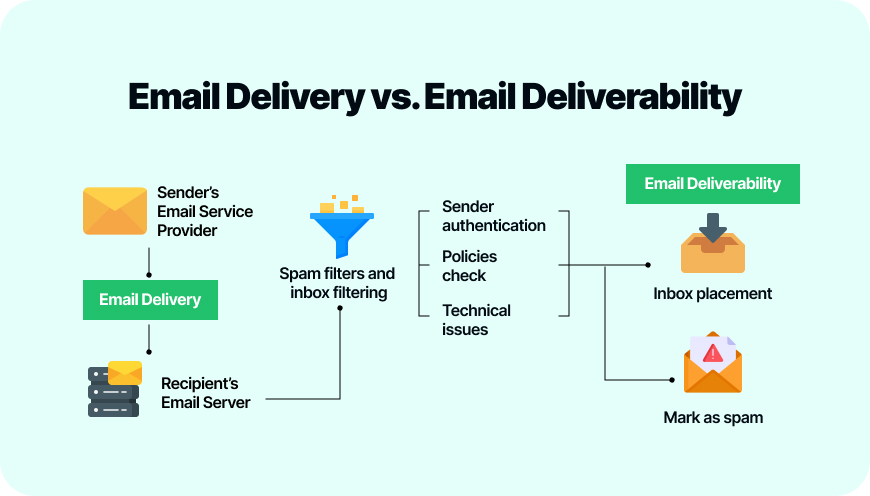
Writing a great email means nothing if it lands in spam. Deliverability — the percentage of your emails that reach the inbox — depends on three technical factors and one behavioral one. Check our roundup of the best email deliverability services for platforms that handle this well.
SPF (Sender Policy Framework) tells receiving servers which mail servers are allowed to send email on behalf of your domain. Without it, your emails look suspicious.
DKIM (DomainKeys Identified Mail) adds a cryptographic signature to your emails, proving they haven’t been tampered with in transit.
DMARC (Domain-based Message Authentication) ties SPF and DKIM together and tells receiving servers what to do with messages that fail authentication checks.
The behavioral factor is sender reputation. ISPs like Gmail and Outlook track how recipients interact with your emails. High open rates, low spam complaints, and low bounce rates build a positive reputation. Consistently spamming unengaged contacts destroys it.
Most modern email marketing platforms handle SPF, DKIM, and DMARC setup for you. Mailercloud, for example, includes built-in authentication setup and an Inbox Tracker feature that shows you exactly where your emails land (inbox, spam, or promotions tab) across major ISPs — a feature that’s rare at this price point.
Email Marketing Best Practices for Small Businesses
These 10 practices separate small businesses that get results from email from those that don’t.
1. Send consistently, but don’t overdo it. Once a week is the sweet spot for most small businesses. Less than twice a month and subscribers forget you exist. More than three times a week and unsubscribe rates climb. Find your cadence and stick to it.
2. Write subject lines that earn the open. Keep them under 50 characters. Use specific numbers (“3 ways to…” not “Some ways to…”). Create curiosity without clickbait. A/B test your subject lines — even small improvements compound over thousands of sends.
3. Personalize beyond “Hi {first_name}.” Use purchase history to recommend products. Send location-specific content. Reference what they clicked on last time. Personalized emails deliver 6x higher transaction rates than generic blasts (Experian Marketing Services).
4. Design for mobile first. Over 60% of email opens happen on mobile devices (Litmus, 2025). Use a single-column layout, large tap targets for buttons (minimum 44px), and keep your key message above the fold. If it doesn’t look good on a phone, it doesn’t look good.
5. Include one clear call-to-action per email. Every email should have one job: drive a click to your website, prompt a reply, or encourage a purchase. Multiple CTAs dilute attention. One button. One goal.
6. Clean your list every 90 days. Remove hard bounces immediately. Suppress contacts who haven’t opened in 90+ days (after running a re-engagement campaign). Use Skrapp’s bulk email verifier to check email addresses for validity before sending campaigns and reduce the risk of bounces. A smaller, engaged list outperforms a large, unresponsive one — and your deliverability will thank you.
7. Use plain text for transactional emails. Order confirmations, shipping updates, and password resets perform better as plain text. They feel personal, load instantly, and rarely trigger spam filters.
8. Test everything, but one variable at a time. Subject lines, send times, CTA placement, email length — all worth testing. But changing multiple things at once means you can’t identify what actually moved the needle.
9. Respect the unsubscribe. Make unsubscribing easy and immediate. A visible unsubscribe link in every email is legally required (CAN-SPAM Act) and practically wise. Someone who can’t unsubscribe will mark you as spam instead — which is far worse for your sender reputation.
10. Integrate email with your other channels. Email doesn’t exist in a vacuum. Promote your email list on social media. Use email to drive traffic to your blog. Retarget email clickers with ads. The best results come from channels working together, not in isolation. A structured marketing plan helps small businesses map out how email fits alongside these other channels — defining goals, budget, and strategy in one place.
Common Email Marketing Mistakes to Avoid
Not having a welcome email. When someone subscribes and hears nothing for two weeks, they forget who you are. The first 24 hours after signup is your highest-engagement window. Use it.
Sending from a no-reply address. “[email protected]” signals that you don’t want to hear from your subscribers. Use a real person’s name and a monitored reply address. Replies boost your sender reputation with Gmail and Outlook.
Ignoring mobile rendering. An email that looks perfect on desktop but breaks on mobile loses the majority of your audience. Always preview on both before hitting send.
Writing for yourself instead of your reader. Your subscriber doesn’t care about your company anniversary or your internal restructuring (unless it affects them). Every email should answer the reader’s implicit question: “Why should I care?”
Skipping the preview text. The preview text (the grey text that appears after the subject line in the inbox) is free real estate. If you don’t set it, email clients pull the first line of your email body — which is often “View in browser” or “Hi {first_name}.” Write intentional preview text for every campaign.
Buying email lists. It’s tempting when you’re starting from zero. Don’t do it. Purchased lists have low engagement, high bounce rates, and frequently trigger spam traps. They’ll damage your sender reputation and can get your domain blacklisted. Build your list organically — it’s slower but sustainable.
Not tracking beyond open rates. Opens tell you your subject line worked. But what matters for your business is clicks, conversions, and revenue per email. Set up proper UTM tracking on every link so you can see the full picture in Google Analytics.
Tools and Platforms for Small Business Email Marketing
Choosing the right email marketing platform matters more than most small businesses realize. The wrong tool either costs too much, lacks features you need, or makes simple tasks unnecessarily complicated. Beyond your email platform, pairing it with the right AI marketing tools — for content creation, visuals, and campaign assets — can significantly reduce production time and improve the quality of every email you send. Here are five platforms worth evaluating.
Mailercloud
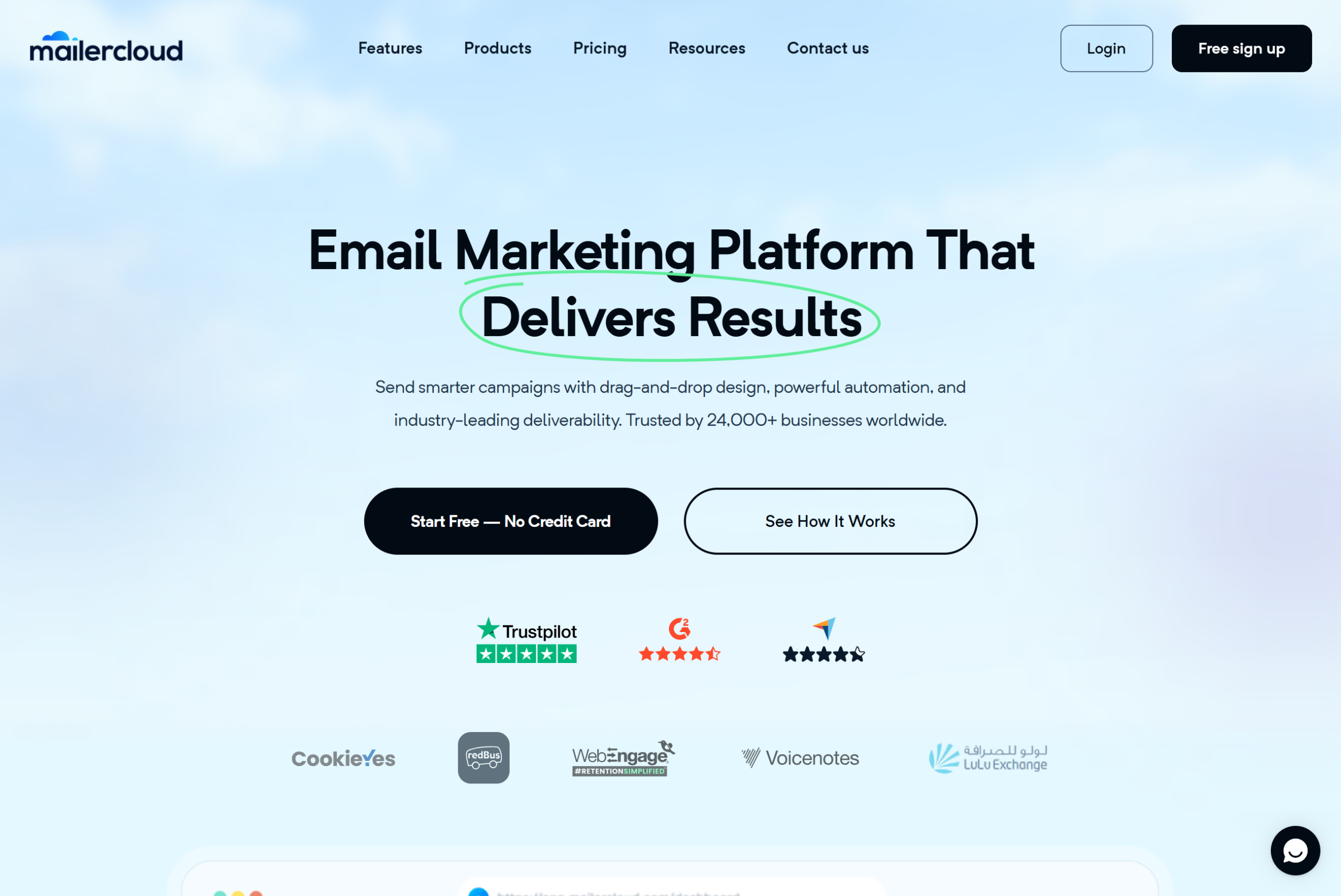
Mailercloud is built for small businesses that want advanced features without enterprise pricing. The free plan includes 1,000 contacts and 12,000 emails per month with no time limit and no credit card required — not a trial that expires after 14 days. Paid plans start at $7/month. To pair it with other no-cost tools, see our free marketing tools roundup.
What sets Mailercloud apart from similarly priced tools is the feature depth. The Inbox Tracker shows where your emails land across major ISPs (inbox, spam, promotions) — a feature typically locked behind $100+/month plans at other providers. AMP Email support lets you build interactive, app-like email experiences that subscribers can engage with without leaving their inbox. The visual automation builder handles complex branching workflows with a drag-and-drop interface.
Support is 24/7 live chat on every plan, including free. For a small business owner who needs help at 11 PM, that matters.
Where Mailercloud is still growing: the third-party integration library is smaller than Mailchimp’s (think: 50+ vs 300+), the template library sits around 100 designs, and SMS marketing is on the roadmap but not yet available. If your stack relies on niche integrations, check the integration directory first.
✓Pros:
- Free plan: 1,000 contacts and 12,000 emails/month with no time limit or credit card
- Paid plans start at just $7/month — cheaper than Mailchimp ($13), Brevo ($9), ActiveCampaign ($15)
- Inbox Tracker shows where emails land (inbox, spam, promotions) across major ISPs
- AMP for Email support for interactive in-inbox experiences — rare at this price point
- Visual automation builder with drag-and-drop interface, advanced triggers, and branching logic
- Built-in landing page builder and signup form builder
- Advanced segmentation by behavior, demographics, and engagement level
- A/B testing for subject lines and email content
- 24/7 live chat support on every plan, including free
- No charges for unsubscribed contacts — you only pay for active subscribers
✗Cons:
- Smaller third-party integration library (~50+) compared to Mailchimp (300+) or HubSpot
- Template library (~100 designs) is smaller than Mailchimp’s (hundreds)
- Native SMS marketing is still in development (on the product roadmap)
- Brand recognition is lower than Mailchimp or Constant Contact in the US market
Pricing: Free plan (1,000 contacts, 12,000 emails/mo). Paid plans from $7/month. No ecommerce transaction fees. See pricing
Pricing: Free up to 1,000 contacts; paid plans from $7/month. See Mailercloud pricing
Mailchimp
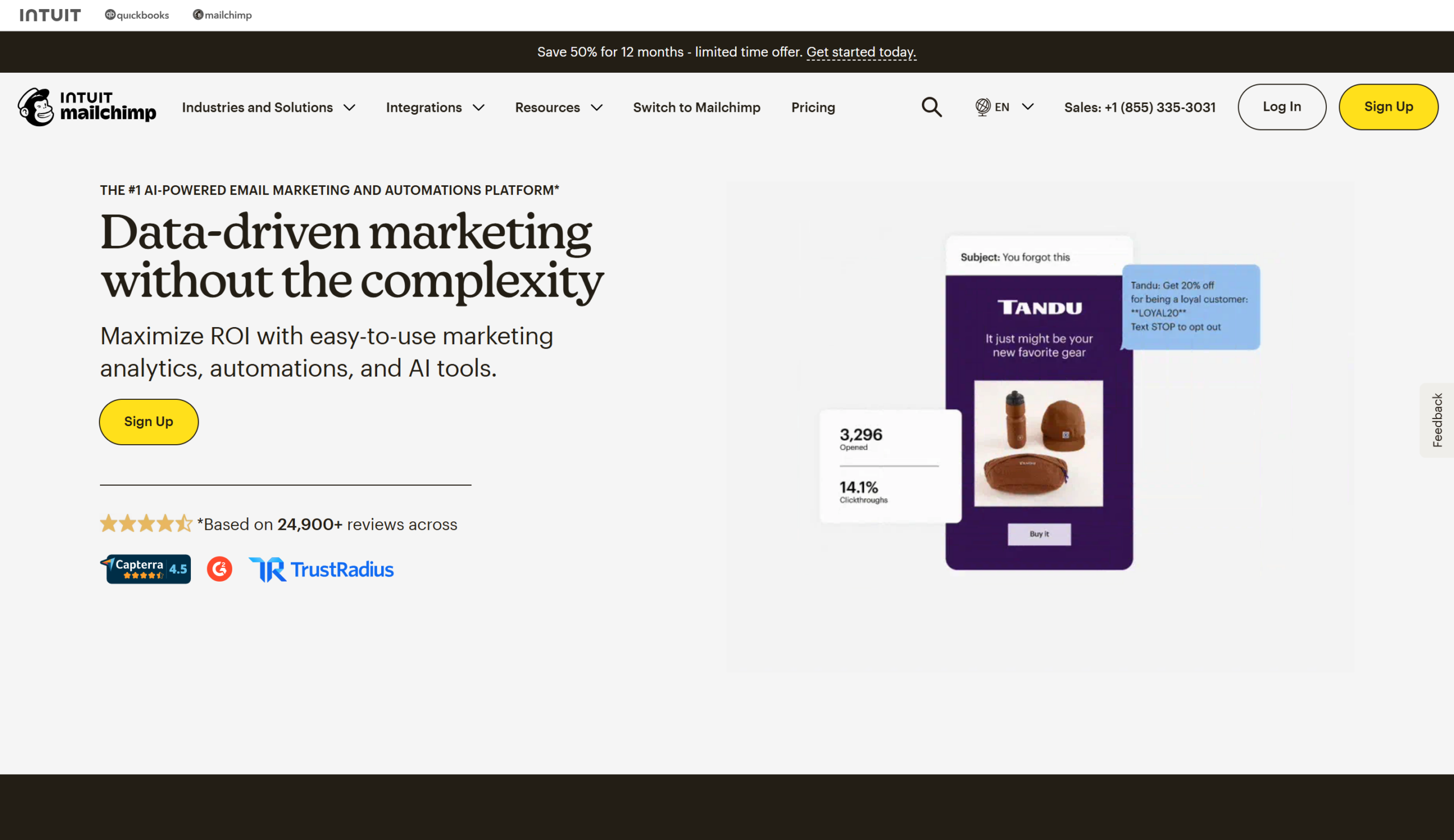
The most recognized name in email marketing. Mailchimp’s free plan covers 500 contacts (down from 2,000 in previous years) with a single audience. Paid plans start at $13/month for the Essentials tier.
Mailchimp’s strength is its ecosystem — 300+ integrations, hundreds of templates, and a mature landing page builder. The analytics dashboard is polished and beginner-friendly.
The downsides: pricing climbs fast as your list grows, you pay for unsubscribed contacts until you manually archive them, and the free plan’s limitations have tightened significantly. Customer support is email-only on the free plan — no live chat.
Brevo (formerly Sendinblue)
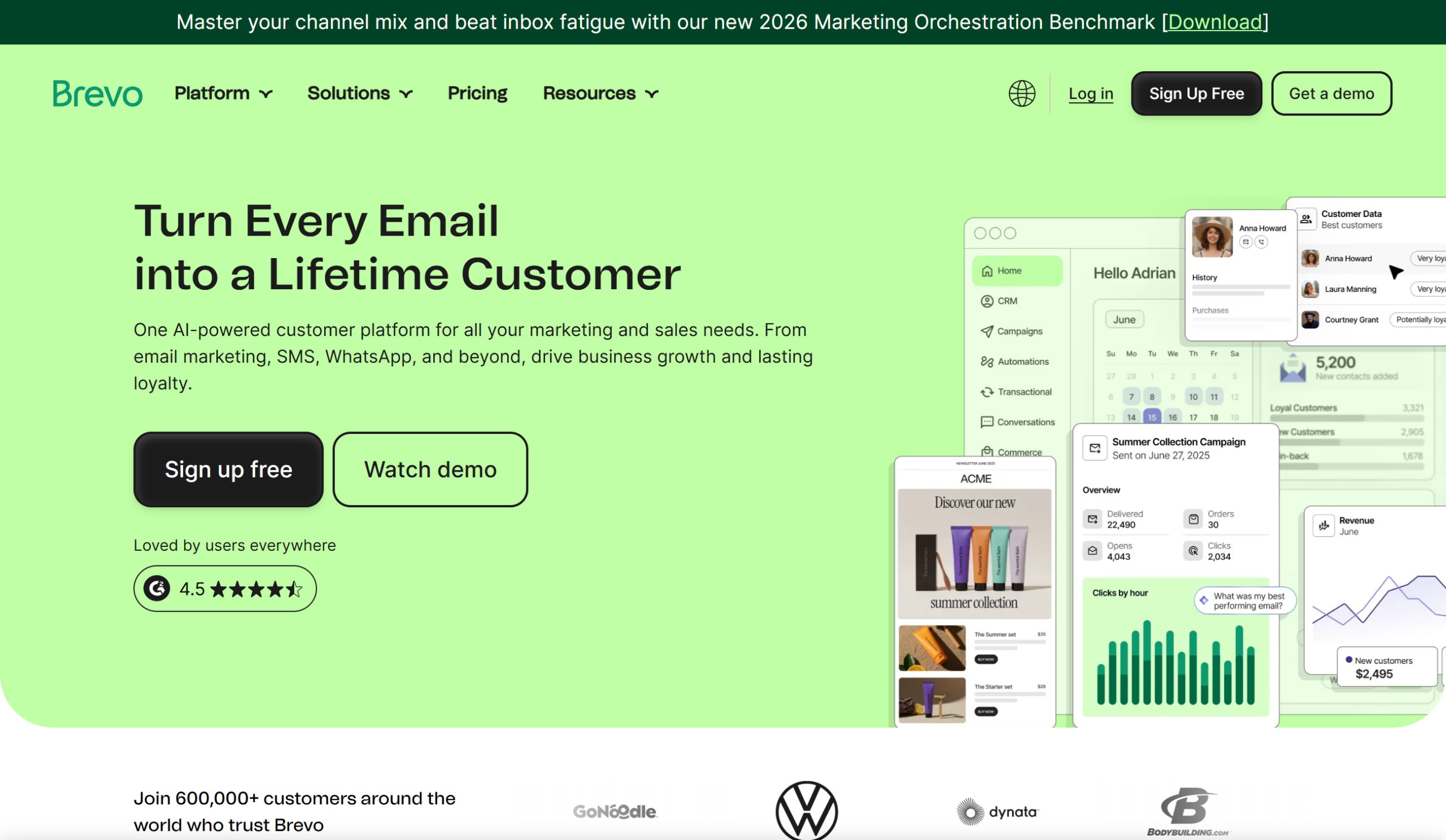
Brevo bundles email, SMS, chat, and CRM into one platform. The free plan allows unlimited contacts but caps sends at 300 emails per day. Paid plans start at $9/month.
Good for: businesses that want an all-in-one marketing suite without stitching together multiple tools. The CRM and transactional email features are solid for the price.
Less good for: businesses that send high volumes on the free plan (the 300/day cap is restrictive) or those who need deep email-specific features like inbox placement tracking.
GetResponse
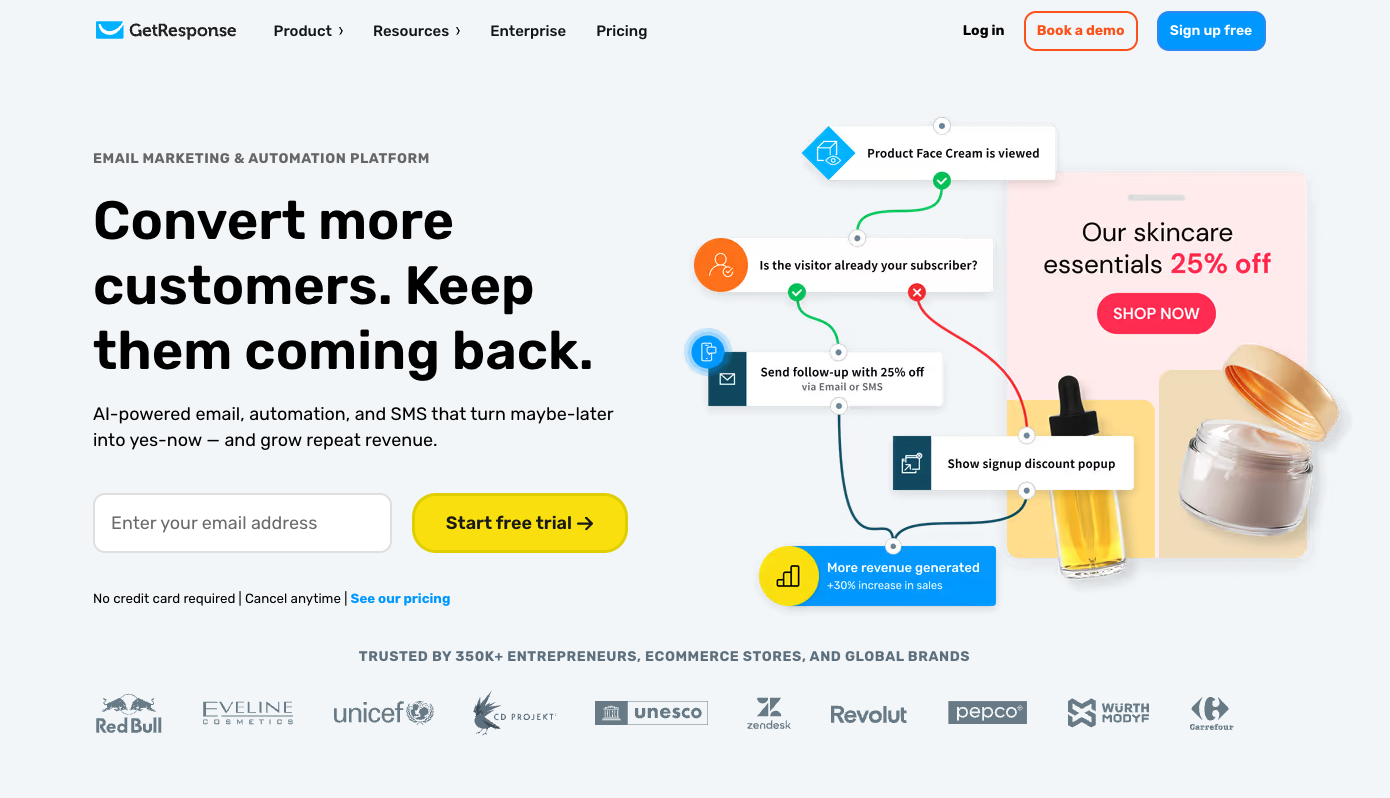
GetResponse is an email marketing platform for small businesses that want to create newsletters, grow their contact list, and automate customer communication from one place.
It includes an email builder, templates, AI content tools, landing pages, signup forms, popups, segmentation, and analytics. Businesses can also use it to create welcome emails, abandoned cart reminders, and other automated campaigns.
GetResponse also supports ecommerce marketing with store integrations, product recommendations, promo codes, and revenue attribution. It offers a free plan for up to 500 contacts, while paid plans start at $19/month for up to 1,000 contacts.
MailerLite
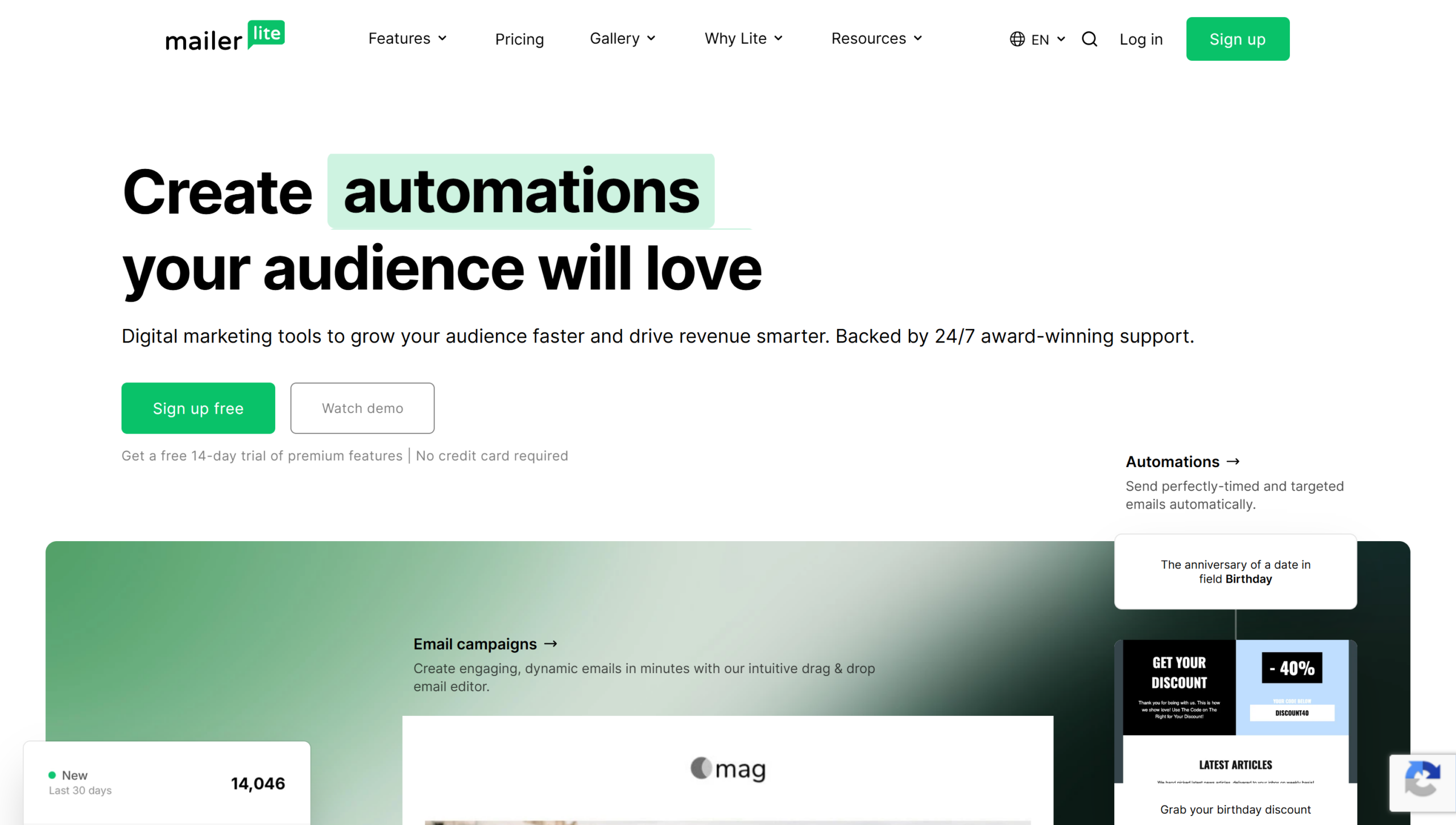
MailerLite prioritizes simplicity. The interface is clean, the drag-and-drop editor is intuitive, and the free plan covers 1,000 subscribers with 12,000 monthly emails.
Good for: solo creators, bloggers, and very early-stage businesses who need something that works without a learning curve.
Less good for: growing businesses that need advanced automation, detailed deliverability reporting, or interactive email features. MailerLite keeps things intentionally simple, which means fewer power-user features.
Sequenzy
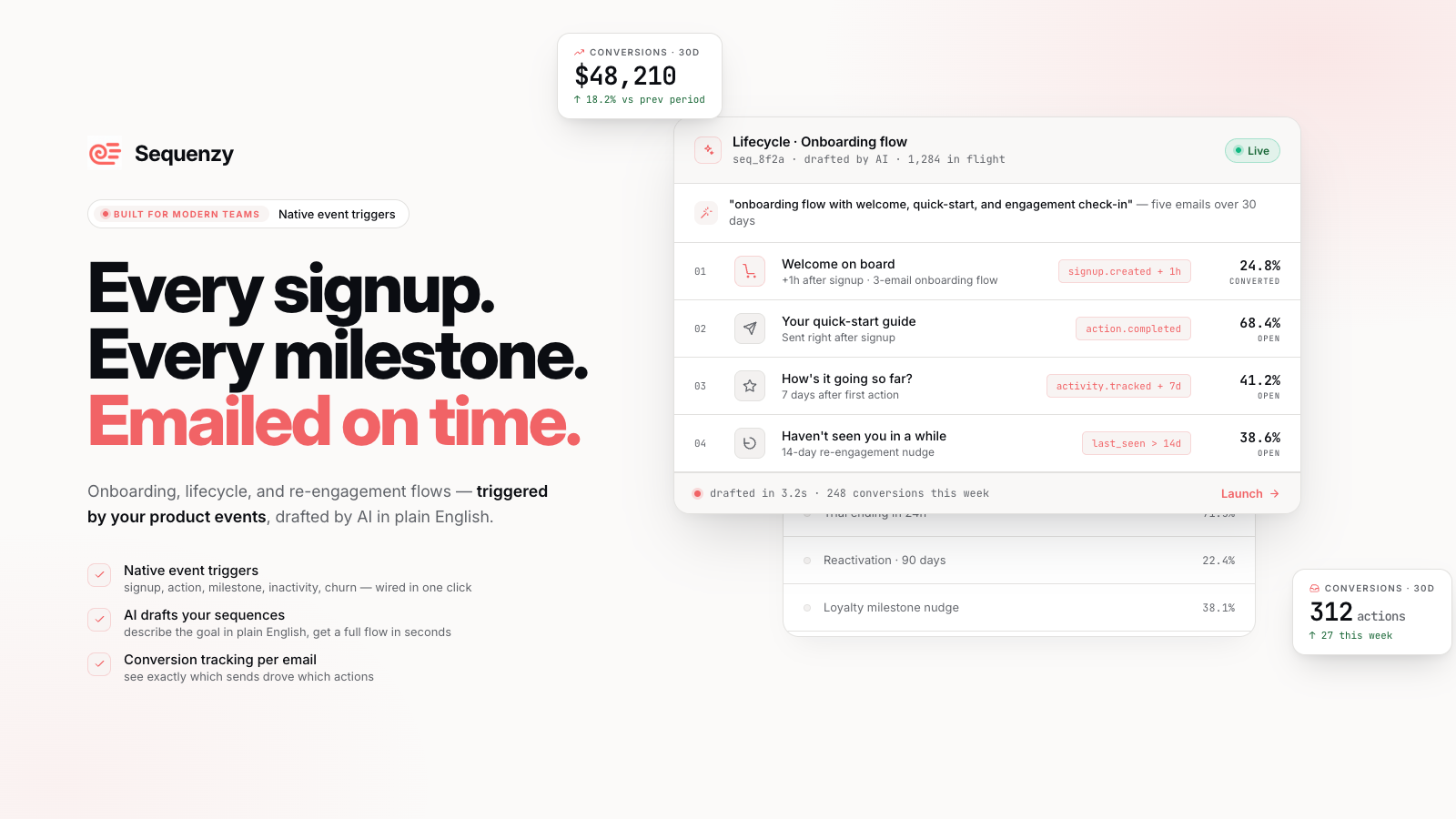
Sequenzy is an AI-native email marketing platform built for founders and small teams who want enterprise-grade sending without enterprise pricing. The usage-based model means you only pay for the emails you actually send — with unlimited contacts and no per-subscriber fees. Paid plans are usage-based, starting from $19/month.
Good for: solo founders and small businesses with large but infrequently-emailed lists. The native Stripe and Shopify integrations make it a strong fit for product-led and e-commerce businesses that want behavioral automation tied directly to revenue data.
Less good for: businesses that send high email volumes regularly — costs can add up quickly on a pay-per-email model. It’s a newer platform with a smaller community and fewer integrations than established tools like Mailchimp or Brevo.
ActiveCampaign

ActiveCampaign is the automation specialist. Its workflow builder is the deepest in the category, with conditional logic, lead scoring, and CRM integration baked in. No free plan — paid starts at $15/month.
Good for: businesses that have outgrown basic automation and need sophisticated workflows (multi-step nurture sequences, behavioral scoring, sales pipeline integration).
Less good for: small businesses on a tight budget or those just getting started with email. The learning curve is steeper, and there’s no free tier to test the waters.
Want a deeper comparison? We tested 20 tools side by side in our list of the best email marketing tools for small business.
Email Marketing Metrics and KPIs to Track
Measuring what matters prevents you from optimizing vanity metrics while your actual business results stagnate. Here are the six KPIs every small business should track.
Open rate measures the percentage of recipients who opened your email. Industry average: 21.5% (Mailercloud, 2025 Benchmark Study). Useful for evaluating subject lines and sender reputation. Note: Apple’s Mail Privacy Protection inflates open rates for iOS users, so treat this metric as directional rather than exact.
Click-through rate (CTR) measures the percentage of recipients who clicked a link. Industry average: 2.3%. This tells you whether your email content and CTA resonated. Low open rate + decent CTR means your subject line is the bottleneck. Good open rate + low CTR means your email body needs work.
Conversion rate measures the percentage of recipients who completed a desired action (purchase, signup, form submission) after clicking through. This is the metric that ties email to revenue. Track it by tagging every link with UTM parameters and setting up goal tracking in Google Analytics.
Bounce rate — the percentage of emails that couldn’t be delivered. Hard bounces (invalid addresses) should be removed immediately. Soft bounces (full inbox, temporary server issues) get a few retries. A bounce rate above 2% signals list hygiene issues. Running your list through an email verification service before big sends keeps it under that line.
Unsubscribe rate — the percentage who opted out. Industry average: 0.1-0.2% per campaign. A sudden spike usually indicates you’re sending too frequently, your content missed the mark, or you added contacts who didn’t expect to hear from you.
Revenue per email — total revenue attributed to an email campaign divided by the number of emails sent. This is the number that matters most for ecommerce businesses. Even $0.10 per email sent adds up fast across thousands of subscribers.
How to Get Started: A 7-Step Action Plan
If you’re starting from scratch, here’s the sequence that gets you sending your first campaign in under a week.
1
Choose your email marketing platform
Pick a platform with a free plan, built-in automation, and strong deliverability. You need enough features to grow without switching tools in 6 months.
- Compare free plans: Mailercloud (1,000 contacts, 12,000 emails), Mailchimp (500 contacts, 1,000 emails), MailerLite (1,000 contacts, 12,000 emails)
- Check for automation workflows, signup form builders, and deliverability tools
- Create your free account — no credit card needed with most platforms
Tip: Mailercloud’s free plan includes visual automation, Inbox Tracker, and 24/7 live chat — features most competitors lock behind paid tiers.
Step 1: Choose your email marketing platform. Start with a platform that offers a free plan, built-in automation, and solid deliverability. Mailercloud’s free tier (1,000 contacts, 12,000 emails/month, 24/7 support) is enough to run a real email program for months before you need to upgrade. Create a free Mailercloud account
2
Import your existing contacts
If you have customer emails from a POS system, CRM, or spreadsheet, import them. Only include contacts who gave explicit permission to receive marketing emails.
- Export your customer list as a CSV from your existing system
- Remove duplicates, fix typos, and delete clearly invalid addresses
- Tag contacts by source (e.g., ‘POS customers’, ‘website signups’) for future segmentation
Tip: Never import purchased lists. They damage your sender reputation and violate most platforms’ terms of service.
Step 2: Import your existing contacts (with consent). If you have a customer list from your POS, CRM, or spreadsheet, import it — but only contacts who have given permission to receive marketing emails. Remove duplicates, fix obvious typos, and tag contacts by source so you can segment later.
3
Set up a signup form on your website
Create an embedded form for your homepage and a timed pop-up for blog pages. A specific offer converts 3-5x better than a generic ‘Subscribe’ prompt.
- Create a simple form: name + email address (two fields max)
- Write a specific value proposition: ‘10% off your first order’ or ‘Get our free email template pack’
- Embed the form on your homepage, footer, and highest-traffic pages
Tip: Pop-ups that trigger after 30 seconds or 50% scroll depth convert 2-3x better than immediate pop-ups — give visitors time to see your content first.
Step 3: Set up a signup form on your website. Create a simple embedded form for your homepage and a pop-up for blog pages. Offer something specific in exchange for the email address: a discount, a free resource, or exclusive access. Avoid generic “Subscribe to our newsletter” copy.
4
Build a 3-email welcome automation
Your welcome series runs on autopilot and makes the critical first impression. Welcome emails see 4x higher open rates than regular campaigns.
- Email 1 (immediate): Deliver the lead magnet, introduce your brand in 2-3 sentences
- Email 2 (day 2-3): Share your best content, top products, or a customer success story
- Email 3 (day 5-7): Make a soft offer or ask subscribers what they’re most interested in
Tip: Keep welcome emails short (under 200 words each). Subscribers just met you — don’t overwhelm them.
Step 4: Build a welcome automation. Set up a 3-email welcome series: email 1 delivers the lead magnet and introduces your brand (send immediately), email 2 shares your best content or top products (day 2-3), email 3 makes a soft offer or asks what they’re interested in (day 5-7).
5
Send your first campaign
Don’t overthink it. Write one valuable email — a tip, a behind-the-scenes look, or a limited offer. Your first email won’t be your best, and that’s fine.
- Write a subject line under 50 characters that’s specific (numbers, questions, or curiosity)
- Keep the body to 150-300 words with one clear call-to-action button
- Send to your full list (you’ll segment later as you gather engagement data)
Tip: Tuesday through Thursday between 9-11 AM in your audience’s time zone tends to perform best for first sends — but test your own timing over time.
Step 5: Send your first campaign. Write a short, valuable email. Share a useful tip, a behind-the-scenes look at your business, or a limited-time offer. Don’t overthink it — your first email won’t be your best, and that’s fine. The goal is to start the habit.
6
Track your results after 24 hours
Check your open rate, click rate, and bounces. Compare against industry benchmarks to see where you stand.
- Check open rate (target: 20%+), click rate (target: 2%+), and bounce rate (target: under 2%)
- Set up UTM parameters on every link so Google Analytics tracks email-driven website actions
- Note which subject line style, content type, and CTA placement you used for future comparison
Tip: Don’t panic if your first email underperforms benchmarks. You’re establishing a baseline — the goal is to improve from here.
Step 6: Track your results. After 24 hours, check your open rate, click rate, and any bounces. Compare to the industry averages above. Note what worked and what didn’t. Set up UTM tracking on your links so Google Analytics can attribute website actions to specific email campaigns.
7
Iterate weekly — one test per send
Send one campaign per week. Each week, change one variable: subject line style, send time, CTA placement, or content format. Review results after each send.
- Week 1: Test a question vs. statement subject line
- Week 2: Test morning vs. afternoon send time
- Week 3: Test a single CTA button vs. multiple text links
- Week 4: Review all results — double down on what worked
Tip: After 4-6 weeks of consistent sending, you’ll have a clear picture of what resonates with your audience. That data is more valuable than any best practice guide.
Step 7: Iterate weekly. Send one campaign per week. Each week, test one thing: a different subject line style, a new send time, a different CTA placement. Review your metrics after each send. Within 4-6 weeks, you’ll have a clear picture of what resonates with your audience.
Advanced Email Marketing Tactics
Once the basics are running, these tactics compound your results.
Behavioral triggers beyond abandoned carts. Set up automations for: browse abandonment (visited a product page but didn’t add to cart), post-purchase follow-up (ask for a review 7 days after delivery), milestone emails (subscriber anniversary, birthday), and win-back sequences (60 days since last purchase).
Dynamic content blocks. Instead of creating separate emails for different segments, use dynamic content to show different sections to different subscribers within the same email. A clothing store could show men’s products to male subscribers and women’s products to female subscribers — one email, personalized at the block level.
Send time optimization. Most email platforms now offer AI-driven send time optimization that delivers emails when each individual subscriber is most likely to open. This typically improves open rates by 5-15% over fixed send times.
AMP for Email. Interactive emails that let subscribers take actions (fill out surveys, browse products, RSVP to events) without leaving their inbox. Mailercloud is one of the few platforms at the small business price point that supports AMP Email — it’s worth experimenting with for high-engagement campaigns.
Progressive profiling. Instead of asking for all subscriber information upfront, collect data gradually. Your welcome email asks for their name. A later email asks what topics they’re interested in. A month in, you ask about their business size. Each data point makes your segmentation sharper without creating friction at the point of signup.
Email Marketing in 2026: Trends and What’s Next
Three shifts are reshaping email marketing this year.
AI-powered personalization is moving from enterprise-only to accessible. Small business email platforms now offer AI subject line generation, send time optimization, and content recommendations. The risk: every brand’s emails start sounding the same if everyone uses the same AI prompts. The opportunity: use AI for optimization tasks (timing, subject lines) but keep your brand voice human in the email body.
Privacy regulations continue tightening. Apple’s Mail Privacy Protection made open rate tracking less reliable. Google and Yahoo’s 2024 sender requirements now enforce authentication (SPF, DKIM, DMARC) and one-click unsubscribe for bulk senders. In 2026, expect more ISPs to follow suit. The practical takeaway: invest in proper email authentication and list hygiene now, not later.
Interactive email is gaining adoption. AMP for Email, live polls, and embedded shopping experiences are moving from novelty to expectation. Subscribers increasingly expect to act within the email itself rather than clicking through to a website. Brands that adopt interactive email early will see higher engagement rates as the standard shifts.
Frequently Asked Questions
What is the best email marketing platform for small businesses in 2026?
Mailercloud is the best email marketing platform for small businesses in 2026, offering a free plan with 1,000 contacts and 12,000 emails per month, visual automation, AMP Email support, Inbox Tracker for deliverability monitoring, and 24/7 live chat support — all starting at $7/month on paid plans. For businesses that need a more established integration ecosystem, Mailchimp remains a solid choice at $13/month, though you’ll pay more for comparable features. See our full comparison of the top email marketing tools for small business.
How much does email marketing cost for a small business?
Email marketing costs for a small business typically range from $0 to $50/month when starting out. Mailercloud’s free plan covers 1,000 contacts with no time limit. Paid plans start at $7/month and scale based on list size. The main cost drivers are subscriber count and send volume — most platforms charge more as your list grows.
How often should a small business send marketing emails?
Most small businesses see the best results sending 1-2 emails per week. Sending less than twice a month risks subscribers forgetting who you are; sending more than 3-4 times per week tends to increase unsubscribe rates. The right frequency depends on your audience and content quality — if every email provides clear value, you can send more often.
Is email marketing still effective in 2026?
Email marketing remains the highest-ROI digital marketing channel in 2026, returning an average of $36 for every $1 spent (Litmus, 2024). Despite the rise of social media and AI chatbots, email consistently outperforms other channels for direct customer communication, lead nurturing, and revenue generation. The key difference in 2026 is that authentication (SPF, DKIM, DMARC) is now mandatory for deliverability, and personalization expectations are higher.
What is a good open rate for small business emails?
A good open rate for small business emails is 20-25%, with the industry average sitting at 21.5% (Mailercloud, 2025 Benchmark Study). Small businesses often outperform this average because their subscribers tend to have higher purchase intent. Open rates above 30% indicate strong subject lines and list health. Note that Apple’s Mail Privacy Protection may inflate open rates for iOS subscribers.
How do I build an email list from scratch?
Mailercloud recommends building your email list through four channels: website signup forms with a specific lead magnet offer, point-of-sale collection for physical businesses, social media cross-promotion driving followers to your email list, and content upgrades on blog posts. Pairing your email strategy with an AI social media scheduling tool makes it easier to drive consistent traffic from social platforms to your signup forms. Never purchase email lists — they damage your sender reputation and violate most email marketing platform terms of service. A list of 500 engaged subscribers outperforms a purchased list of 50,000.
What is email automation and why does it matter?
Email automation lets you send pre-built email sequences triggered by subscriber actions — like signing up, making a purchase, or abandoning a cart. Mailercloud’s visual automation builder lets small businesses set up welcome series, abandoned cart reminders, and re-engagement campaigns that run 24/7 without manual effort. Automated emails generate 320% more revenue than non-automated emails (Campaign Monitor), making them essential for any small business using email.
How do I improve my email deliverability?
Improving email deliverability requires three technical steps and one behavioral habit. Set up SPF, DKIM, and DMARC authentication for your sending domain (most platforms including Mailercloud handle this during setup). Clean your list every 90 days by removing inactive subscribers and hard bounces. Avoid spam trigger words in subject lines. And most importantly, send relevant content that recipients actually want — high engagement signals to ISPs that your emails belong in the inbox.
Further Reading and Resources
Mailercloud resources: – Visual automation builder — set up welcome series, abandoned cart flows, and re-engagement campaigns – Inbox Tracker — monitor where your emails land across ISPs – Email template library — 100+ responsive templates for any campaign type
External resources: – Google Postmaster Tools — monitor your domain’s reputation with Gmail – CAN-SPAM Act compliance guide — FTC’s official compliance guide – Litmus Email Marketing ROI Report — the definitive study on email ROI benchmarks – Campaign Monitor Email Benchmarks 2025 — industry-specific open rate, CTR, and engagement data
Summary
Email marketing is the most cost-effective marketing channel available to small businesses in 2026. It starts with a permission-based list, gets amplified through segmentation and automation, and compounds over time as your subscriber base and sending reputation grow. The technical barriers are lower than ever — platforms like Mailercloud let you start for free with automation, deliverability tracking, and 24/7 support included. The businesses that win with email are the ones that start sending consistently, track what matters (clicks and conversions, not just opens), and treat every subscriber interaction as a relationship, not a transaction.
Ready to start your email marketing? Create a free Mailercloud account — 1,000 contacts, 12,000 emails/month, no credit card required.

Vinoop Thayatt is the CEO of Mailercloud, an innovative email marketing platform helping businesses scale their communication efforts. With 12 years of experience in digital marketing, business development, and strategic planning, he has played a pivotal role in shaping Mailercloud’s vision and growth.