
When choosing the best email service provider for your business or personal use, the options can feel endless. Some offer robust integrations; others stand out with tight privacy features or generous free plans. But the key is choosing one that fits your unique needs.
Quick Answer: For most people, Gmail is the best free email provider in 2026 (15 GB free, strong spam filtering). For email on your own domain, Google Workspace and Microsoft 365 both start at $7/user/month, while Zoho Mail ($1/user/month) and Spacemail (from $0.98/month) are the budget picks. For privacy, choose Proton Mail or Tuta. If you want to send newsletters or campaigns, Mailercloud recommends an email marketing platform instead, because inbox providers cap bulk sending.
At Mailercloud, we’ve helped thousands of global businesses—from early-stage startups to established enterprises—send millions of emails daily. Our experience in email marketing, deliverability, and sender reputation management gives us a strong perspective on what makes a great email provider. If you are currently using Brevo and feel it no longer meets your needs, check out our detailed comparison of the best Brevo alternatives in 2026 — covering free and paid options across all use cases.
So, to help you cut through the noise, we’ve compiled this detailed guide comparing the best free and paid email service providers. From Gmail and Outlook to privacy-first options like ProtonMail, this list includes everything you need to evaluate performance, security, integration, support, and pricing.
Whether you’re starting a new business, upgrading your tech stack, or simply want better inbox control, this guide will help you find your ideal match.
Tested and reviewed by
Renjima, SEO Specialist at Mailercloud
Last updated: October 9, 2026. Every price in this guide was re-checked on the provider’s official pricing page on that date, in USD (EUR for Tuta, which prices in euros).
How we evaluated each provider:
- Free plan limits: storage, users, ads, and what you lose versus paid
- Entry price per user or mailbox, and the billing term it requires
- Custom domain support and how much setup it takes
- Security and privacy: encryption, 2FA, where data is stored
- Who each provider actually suits, based on its limits rather than its marketing
Prices change often, and some providers show regional pricing or first-term discounts. Always confirm on the provider’s site before you buy.
If your focus is large-scale campaigns and deliverability, choosing a dedicated bulk email sender can be more effective than general email tools.
Table of Contents
Detailed Comparison of Top Email Providers
Email providers evaluate your domain’s reputation, authentication, and sending behavior to decide whether emails reach the inbox or spam folder. Understanding what an email domain is helps businesses identify and fix deliverability issues early.
1. Gmail
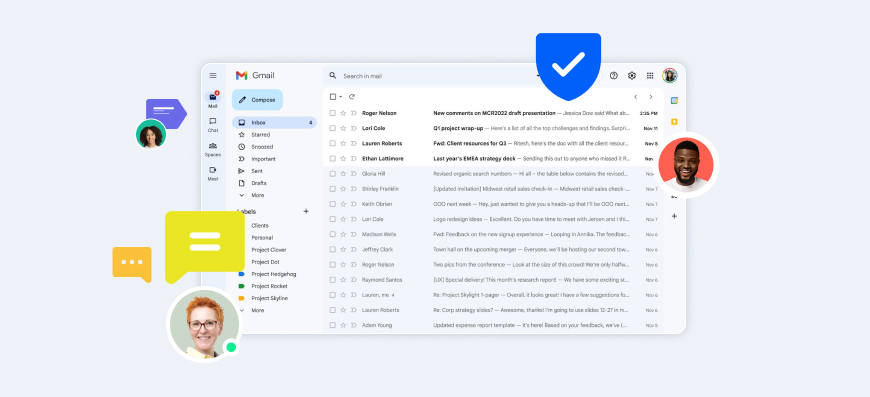
Gmail continues to lead the email service market in 2026, and is still the most widely used email service in the world. Its sleek interface, reliable uptime, and powerful AI-backed features make it a top choice for both individuals and enterprises.
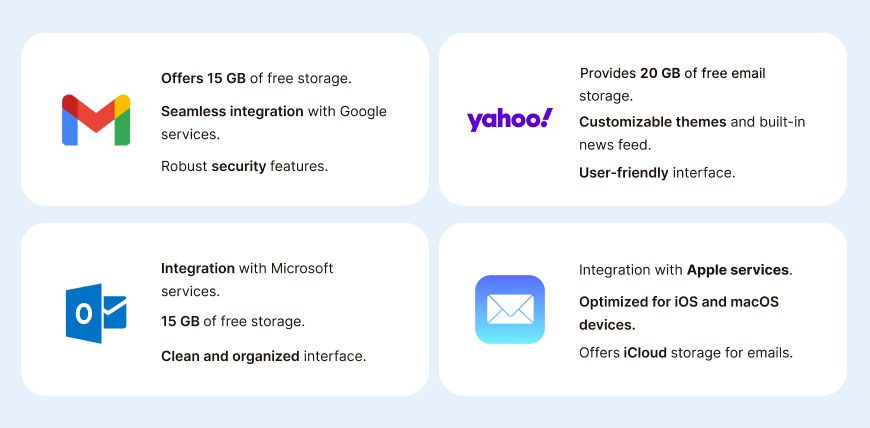
Gmail offers 15 GB of free cloud storage, shared across Gmail, Google Drive, and Google Photos. Users can access Gmail on web and mobile apps with seamless sync, while advanced search and sorting make inbox management effortless.
The real strength of Gmail lies in its integration with the Google ecosystem—Drive, Calendar, Meet, Docs, and more. Features like Smart Compose, Priority Inbox, and confidential mode make communication efficient and secure. Gmail also offers 2-step verification and spam/phishing protection powered by Google AI.
✅ Ideal For:
- Individuals seeking a dependable personal email
- Professionals who use Google Workspace tools
- Small to large teams needing collaborative features
- Educational institutions (via Google Workspace for Education)
💸 Pricing:
- Free plan: 15 GB of storage shared across Gmail, Google Drive and Google Photos
- Google Workspace (business email on your own domain), per user per month on an annual plan. Flexible monthly billing costs about 20% more:
- Business Starter – $7 (30 GB pooled storage per user)
- Business Standard – $14 (2 TB per user)
- Business Plus – $22 (5 TB per user)
- Enterprise – custom pricing
⭐ Key Features:
- Smart Compose & email scheduling
- Built-in chat and Google Meet access
- Labels and filters for advanced organization
- Supports IMAP/POP/SMTP protocols
- Built-in offline access
- Powerful mobile apps
✅ Pros:
- Excellent spam detection and security
- Unified inbox for multiple Google services
- Easy integration with third-party tools
- Reliable uptime and fast delivery
- Custom domain support for business emails
⚠️ Cons:
- Ads visible in free accounts
- Storage is shared across Google services (can fill up quickly)
- Less suitable for users with privacy-first concerns (data policies)
2. Yahoo Mail

Yahoo Mail is a veteran in the email space and still a reliable free option in 2026, especially for users who want a personal inbox kept separate from work. The free plan now includes 20 GB of email storage. Yahoo cut it from 1 TB in 2025, but that is still more email-only space than Gmail or Outlook give for free. You also get a clean interface, customizable themes, and built-in widgets for news, weather and more.
Though it’s primarily used for personal communication, Yahoo has refined its platform over the years with improved spam protection and account security.
✅ Ideal For:
- Casual users who want a free inbox for personal email
- Individuals who like a visually rich email interface
- Users who want disposable addresses for sign-ups (Mail Plus)
💸 Pricing:
- Free plan: 20 GB of email storage, ad-supported (cut from 1 TB in 2025)
- Extra storage: 100 GB for $1.99/month or 1 TB for $9.99/month (ads stay)
- Yahoo Mail Plus: $5/month (200 GB, ad-free, disposable addresses and auto-forwarding)
⭐ Key Features:
- 20 GB free email storage (more than Gmail or Outlook)
- Filters, folders, and inbox themes
- Smart views and priority inbox
- Built-in tools: Notepad, Calendar, News widget
✅ Pros:
- More free email-only storage than Gmail or Outlook
- Custom themes and interface
- Integrated content for casual browsing
⚠️ Cons:
- Ads in the free version
- History of past data breaches, and a full 20 GB mailbox stops sending and receiving mail
3. Spacemail

Spacemail is the business email platform from Spaceship, built for people who want professional email without the complexity or enterprise-level pricing of traditional providers.
One of Spacemail’s biggest strengths is how simple it is to get started. With the built-in Unbox setup tool, users can connect a domain, create branded email addresses, and start sending professional emails in just a few clicks.
Security is built into every plan. Users get encrypted email storage, two-factor authentication, and password-protected emails for securely sharing sensitive information. Spacemail also includes Jellyfish, its AI-powered spam protection system that helps block phishing attempts, malware, and unwanted emails automatically. It is provided by default for each plan at no extra cost.
The clean webmail interface includes a built-in calendar for scheduling meetings and AI-assisted email drafting that helps users write faster, clearer replies. Dedicated iOS and Android apps also make it easy to stay connected while working remotely or traveling.
For businesses moving away from another provider, Spacemail includes a free migration tool that transfers existing emails with minimal setup, helping teams switch providers without losing important conversations or disrupting daily work.
✅ Ideal for :
- Freelancers and solopreneurs building a professional brand
- Small businesses that need reliable business email at a low cost
- Startups and growing teams looking for scalable email hosting
- Users switching from expensive or outdated email providers
- Businesses that want custom domain email without complicated setup
💸 Pricing :
- Pro – $0.98/month (1 mailbox, 5 GB)
- Business – $1.98/month (3 mailboxes, 10 GB each); $1.49/month for the first year
- Advanced – $2.98/month (5 mailboxes, 15 GB each); $2.15/month for the first year
Prices are per month on yearly billing; 2-year billing is cheaper (from $0.79/month for Pro). Extra mailboxes cost $0.82–$0.98/month each. All plans include a 30-day free trial.
⭐ Key features :
- Custom domain email addresses
- Built-in calendar
- AI-powered email drafting
- Jellyfish machine-learning spam protection
- Password-protected emails
- Protection from email tracking
- iOS and Android apps with full inbox sync
- Free email migration tool
- Simple domain and email management in one place
✅ Pros :
- Very affordable pricing for business email
- Beginner-friendly setup process
- Modern, clean, easy-to-use interface
- Strong built-in security and spam protection
- Seamless migration from other providers
- Great fit for freelancers, startups, and small teams
- 24/7 support
- Flexible mailbox and storage upgrades
⚠️ Cons :
- No free domain included with plans
4. Outlook
Microsoft Outlook (Outlook.com replaced Hotmail) remains one of the most powerful and business-ready email platforms in 2026. Now seamlessly integrated into the Microsoft 365 suite, Outlook offers a focused inbox, smart calendar, built-in task manager, and native support for Microsoft Teams and OneDrive.
Whether you’re managing business communications or personal emails, Outlook delivers a familiar and efficient experience—especially for those already using tools like Word, Excel, PowerPoint, and Teams. Its clutter-free Focused Inbox and advanced organizational rules allow users to easily categorize and prioritize emails.
Outlook supports cross-device sync, offline access, and shared mailboxes—making it an ideal solution for teams. Its enterprise-grade encryption and spam filters also provide top-tier email security.
✅ Ideal For:
- Professionals and teams using Microsoft Office
- Enterprises relying on Microsoft 365 ecosystem
- Freelancers or remote workers seeking productivity tools
- Educational and governmental institutions
💸 Pricing:
- Free plan: Outlook.com with a 15 GB mailbox plus 5 GB of Microsoft cloud storage
- Microsoft 365 business plans, per user per month, paid yearly:
- Business Basic – $7 (web and mobile apps)
- Business Standard with Copilot – $23.50 (desktop apps plus Copilot)
- Business Premium with Copilot – $32 (adds advanced security and device management)
- All three include a 100 GB mailbox and 1 TB of OneDrive storage per user. Microsoft repackaged and repriced these plans on July 1, 2026.
⭐ Key Features:
- Focused Inbox & sweep rules
- Built-in Calendar, To-Do, and Contacts
- Smart file attachments from OneDrive
- Email categorization, flags, and reminders
- Shared inbox and delegate access for teams
- Advanced spam/phishing protection with Microsoft Defender
✅ Pros:
- Seamless integration with Microsoft apps
- Great for corporate collaboration
- Shared calendars and team scheduling tools
- Enterprise-grade security and uptime
⚠️ Cons:
- Heavier interface compared to minimalist providers
- Steeper learning curve for beginners
5. ProtonMail
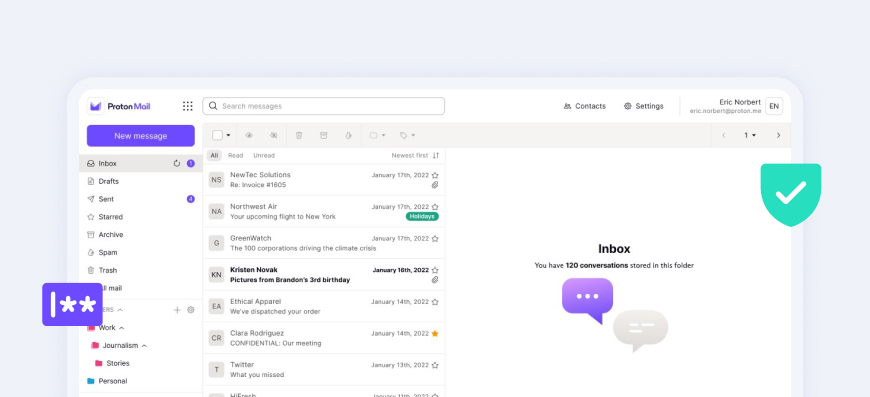
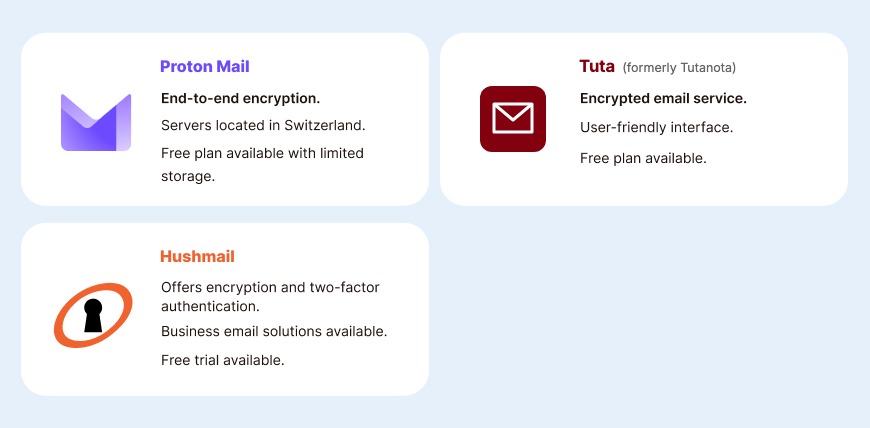
ProtonMail is the gold standard for secure email communication. Based in Switzerland, it offers end-to-end encryption, zero data tracking, and open-source transparency. You can sign up without a phone number, and Proton doesn’t show ads or sell your data.
It’s ideal for journalists, privacy-conscious users, and businesses that prioritize secure communication.
✅ Ideal For:
- Privacy-focused individuals and businesses
- Journalists, activists, or legal professionals
- Users wanting encrypted communication without tracking
💸 Pricing:
- Free plan: 500 MB of mail storage, raised to 1 GB once you finish the onboarding checklist; 150 messages a day
- Paid plans (billed yearly):
- Mail Plus – $3.99/month (15 GB, 1 custom domain; $4.99 month to month)
- Proton Unlimited – $9.99/month (500 GB, 3 custom domains, plus Proton VPN, Pass and Drive)
- Business plans are priced separately
⭐ Key Features:
- End-to-end encryption
- Encrypted contacts and calendar
- Open-source with zero access to data
- Self-destructing messages
- Available via apps and web
✅ Pros:
- Signup without a phone number or personal details
- Data stored under Swiss privacy laws
- Ad-free, open-source transparency
⚠️ Cons:
- Only 500 MB–1 GB of storage on the free plan
- Free plan limited to 3 folders, 3 labels and 150 messages a day
6. Neo
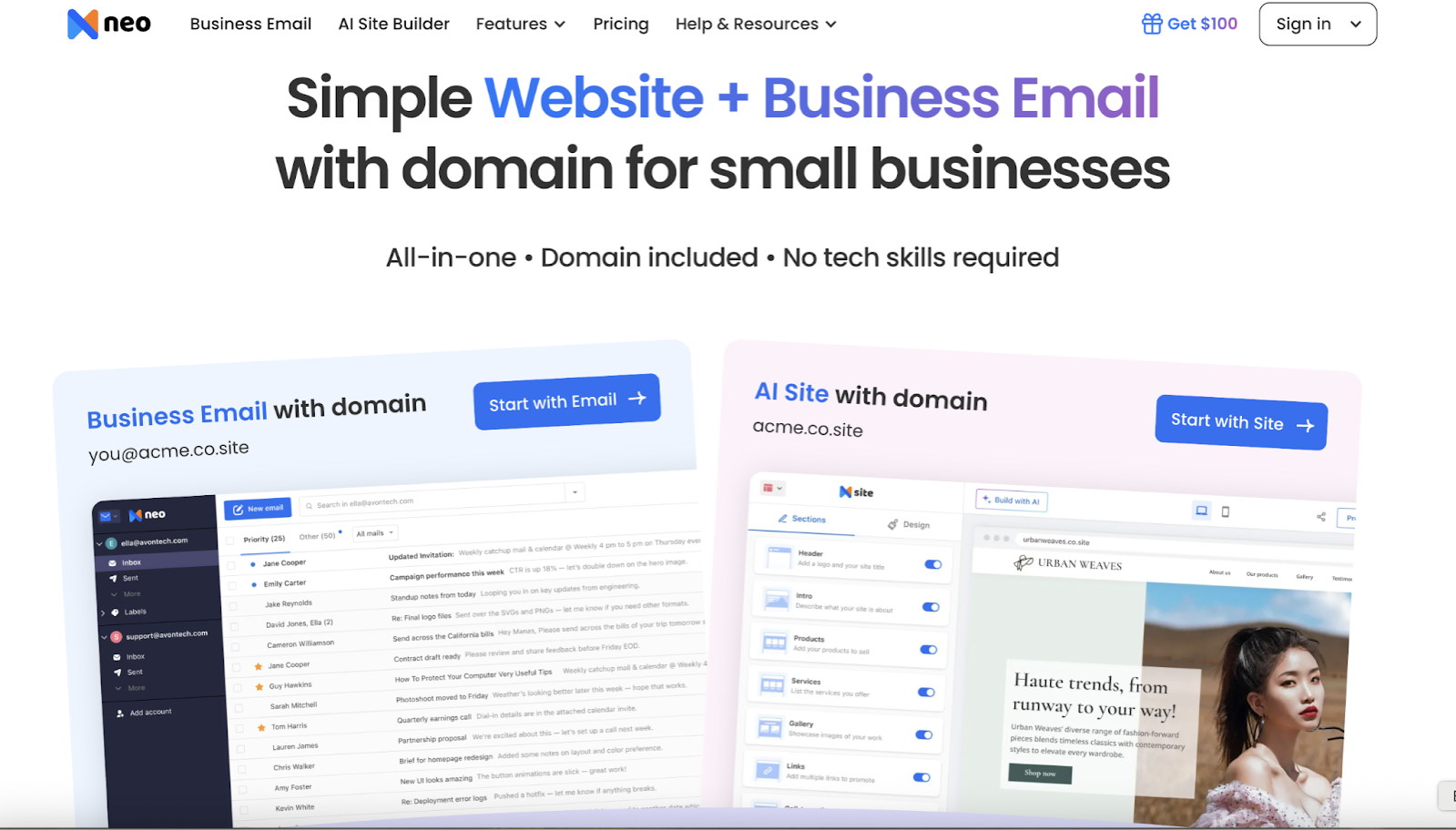
Neo is built for entrepreneurs, freelancers, and growing businesses that want more than just email, combining professional communication with website builder software featured in Spotsaas to launch a full brand presence in minutes. With Neo, you get a professional business email, a free .co.site domain (or use your own), and even a free AI-powered website to launch your brand instantly—all in one package.
Neo’s simple interface, modern tools, and built-in growth features like email tracking and AI writing assistance make it a strong choice for businesses that want to look professional from day one without piecing together multiple services.
Unlike traditional providers, Neo combines communication, branding, and growth in one suite—making it ideal for startups and small businesses who value simplicity and speed. For a deeper look at email strategy for smaller teams, see our email marketing strategies for small businesses.
✅ Ideal For:
- Freelancers and entrepreneurs launching their brand
- Small businesses looking for a professional email + website combo
- Growing teams that need business tools beyond email
- Users seeking an affordable Google Workspace alternative or Outlook
💸 Pricing:
- Business Starter – $2.49/mailbox/month (15 GB)
- Business Standard – $4.99/mailbox/month (50 GB)
- Business Max – $9.99/mailbox/month (100 GB, adds campaigns, bookings and the AI writer)
- Prices are the discounted longer-term rates on Neo’s pricing page. Every plan includes a free .co.site domain and a one-page AI website, with a 15-day free trial
⭐ Key Features:
- Free .co.site domain included, or connect your own
- AI-powered website builder (ready in minutes)
- Smart Inbox with read receipts and email templates
- AI Email Writer to draft replies faster
- Calendar sharing and appointment booking
- Works on web + mobile apps
- Custom domain email hosting
✅ Pros:
- Domain and website bundled at no extra cost
- Designed for small businesses (growth-focused features)
- Easy setup—get started in minutes
- Affordable compared to other business email providers
- Built-in tracking and AI tools to boost productivity
⚠️ Cons:
- Focused more on small businesses than large enterprises
- Limited storage on entry-level plans
7. Tuta (formerly Tutanota)
Tuta (renamed from Tutanota in 2023) is another privacy-first email service with an open-source core and a built-in calendar. Based in Germany, it enforces strong encryption and stores data in GDPR-compliant servers.
Tuta blocks ads and trackers, even in its free version, and is perfect for users who want a clean, secure, and ad-free inbox.
✅ Ideal For:
- Open-source enthusiasts
- Users seeking an encrypted, minimalist inbox
- Privacy advocates in Europe
💸 Pricing:
- Free plan: 1 GB storage, one calendar, no ads
- Revolutionary – €3/month billed yearly (20 GB, 3 custom domains, 15 extra addresses)
- Legend – €8/month billed yearly (500 GB, 10 custom domains, 30 extra addresses)
- Separate business plans are available
⭐ Key Features:
- Full encryption of subject, body, and attachments
- Encrypted calendar and contacts
- No ads or third-party tracking
- White-label options for businesses
✅ Pros:
- Fully encrypted, even calendar data
- Eco-friendly hosting (renewable energy)
- Ad-free UI
⚠️ Cons:
- Fewer integrations
- Limited collaboration tools
8. StartMail
StartMail, based in the Netherlands, is designed for anonymous, encrypted communication. It offers PGP encryption, unlimited aliases, and no data logging. It’s particularly useful for secure sign-ups and separating business and personal identities.
✅ Ideal For:
- Users needing private email aliases
- Small businesses or legal professionals
- Security-conscious remote teams
💸 Pricing:
- Personal – $4.99/month billed annually ($59.88/year): 20 GB, StartMail address or one custom domain
- Business – $6.99/month billed annually ($83.88/year): 30 GB, unlimited custom domains
- 7-day free trial (payment details required to start)
⭐ Key Features:
- Unlimited disposable aliases
- PGP email encryption support
- Based in EU (GDPR compliant)
- Anonymous email setup
✅ Pros:
- Great for inbox separation and privacy
- User-friendly for secure email
- No tracking or ads
⚠️ Cons:
- Android app only; the iOS app is still in development
- Not ideal for high-volume emailing
9. Zoho Mail
Zoho Mail is part of the larger Zoho suite, making it a go-to for startups and SMEs. It’s ad-free, integrates well with Zoho CRM, and offers strong admin tools.
It supports custom domains, multiple users, and advanced filters—making it a solid business-ready option.
✅ Ideal For:
- Startups and SMBs
- Users already using Zoho CRM or HR tools
- Entrepreneurs needing team collaboration
💸 Pricing:
- Forever Free plan: up to 5 users with 5 GB each on one domain (select regions only; no IMAP/POP access)
- Mail Lite – $1/user/month (5 GB) or $1.25/user/month (10 GB), billed annually
- Mail Premium – $4/user/month (50 GB), billed annually
- Zoho Workplace bundles (mail plus office apps) start at $3/user/month
⭐ Key Features:
- Domain-based email
- Built-in calendar, contacts, and tasks
- Zoho Streams for team collaboration
- IMAP/POP/ActiveSync support
✅ Pros:
- Affordable and ad-free
- Deep integration with Zoho apps
- Good support and migration tools
⚠️ Cons:
- UI isn’t as modern as Gmail/Outlook
- Best suited for Zoho-heavy workflows
10. Titan Mail
Titan is a business-focused email provider built for professionals and small companies. It includes tools like read receipts, follow-up reminders, and templates for smart communication.
Titan supports custom domains and works well for entrepreneurs who want to enhance client communication.
✅ Ideal For:
- Freelancers, consultants, and SMBs
- Agencies and client-facing roles
- Users who want productivity-first email
💸 Pricing:
- Sold through hosting and domain partners rather than directly, so prices vary by reseller
- Entry plans typically cost around $1.99/mailbox/month with 10 GB of storage
- Higher tiers raise storage to 50 GB or 100 GB, and the top tier adds email campaigns and AI writing
⭐ Key Features:
- Read receipts and scheduled send
- Follow-up reminders
- Email templates and calendar
- Custom branding and domain setup
✅ Pros:
- Optimized for business use
- Professional communication tools
- Simple onboarding and UI
⚠️ Cons:
- Not intended for personal use
- Bought through hosting partners, so pricing and support vary by reseller
Email Provider Comparison Table (2026): Free Plans and Pricing
Here is how the 10 providers above compare on the things that decide most choices: what the free plan gives you, what the cheapest paid plan costs, and whether you can use your own domain.
| Provider | Best for | Free plan | Paid plans from | Custom domain | End-to-end encryption |
|---|---|---|---|---|---|
| Gmail / Google Workspace | Google Docs and Drive users, teams | 15 GB shared with Drive and Photos | $7/user/mo (Business Starter, annual) | Paid plans | No (S/MIME on Enterprise) |
| Yahoo Mail | Casual personal email | 20 GB, ad-supported | $5/mo (Mail Plus, 200 GB, no ads) | No | No |
| Spacemail | Freelancers and small teams on a budget | 30-day free trial | $0.98/mo (Pro, 1 mailbox, yearly) | Yes (domain sold separately) | No (encrypted storage, password-protected emails) |
| Outlook / Microsoft 365 | Teams on Word, Excel and Teams | 15 GB mailbox + 5 GB cloud | $7/user/mo (Business Basic, annual) | Business plans | No (Purview protection on Premium) |
| Proton Mail | Privacy-first users | 500 MB, up to 1 GB | $3.99/mo (Mail Plus, 15 GB, annual) | Paid plans | Yes |
| Neo | New businesses wanting email plus a site | 15-day free trial | $2.49/mailbox/mo (Business Starter) | Yes, free .co.site domain included | No |
| Tuta | Encrypted email on a small budget | 1 GB, no ads | €3/mo (Revolutionary, 20 GB, annual) | Paid plans | Yes |
| StartMail | Unlimited aliases and PGP | 7-day free trial | $4.99/mo (Personal, 20 GB, annual) | Yes | PGP (one click) |
| Zoho Mail | Startups and Zoho CRM users | Up to 5 users, 5 GB each (select regions) | $1/user/mo (Mail Lite, 5 GB, annual) | Yes, including the free plan | S/MIME and PGP |
| Titan | Client-facing freelancers and agencies | Free trial via hosting partners | About $1.99/mailbox/mo (varies by reseller) | Yes (domain required) | No |
What Makes an Email Service Provider the Best?
Choosing the best email service provider depends on several factors including reliability, security, ease of use, and additional features. An efficient email provider should offer a seamless email experience with reliable service and robust security measures.
If you’re currently using Constant Contact and evaluating a switch, see our hands-on comparison of the best Constant Contact alternatives to find a platform that fits your list size and budget.
Popular email providers like Gmail and Yahoo Mail have set high standards in terms of performance and user satisfaction. In the eCommerce industry, it is also common to use an order tracking platform to send delivery emails to end customers and improve their shipping experience
Key Features to Look For
When evaluating email providers, consider the following features:
- Email storage: Ensure sufficient storage space to handle your email needs.
- Security: Look for providers that offer encrypted email options.
- Ease of use: A user-friendly interface can greatly enhance your email experience.
- Integration with other services: Providers like Gmail offer integration with Google services such as Google Drive and Google Docs.
- Customer support: Reliable customer support can be crucial, especially for business email solutions.
Popular Email Providers
General Email Providers
Secure Email Providers
Business Email Providers
Free Email Providers
Business Email Solutions
Business email solutions require additional features and support compared to personal email accounts. A dedicated business email solution can also provide custom-domain addresses, stronger security controls, mailbox migration, and scalable storage for growing teams. Choosing the right email hosting service can significantly impact your business operations.
Google Workspace
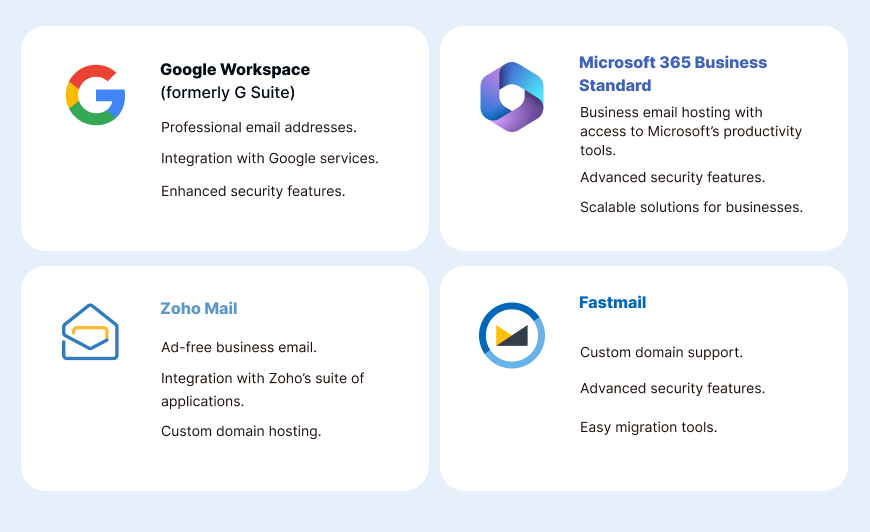
Google Workspace, formerly known as G Suite, is Google’s comprehensive business email solution. It offers professional email addresses, integration with Google services and app, and enhanced security features. Google Workspace is ideal for businesses looking for a reliable and scalable email hosting service.
Microsoft 365 Business Standard
Microsoft 365 Business Standard (now sold with Copilot at $23.50/user/month) offers business email hosting along with access to Microsoft’s suite of productivity tools, including Word, Excel, and Outlook. This makes it a versatile option for businesses that rely on Microsoft’s software for daily operations.
Email Hosting Services: What to Look For?
When choosing an email hosting service, consider factors such as reliability, security, and support. For businesses running their own infrastructure, a dedicated email hosting solution can offer greater control over deliverability, storage, and privacy compared to shared provider environments. A good hosting provider should offer:
- Uptime guarantees: Ensure your email service is available when you need it.
- Security features: Look for hosting providers that offer encrypted email and other security measures.
- Scalability: Choose a provider that can grow with your business needs.
The Role of Email Clients in Enhancing Your Email Experience
Email clients are software applications that allow you to manage your email accounts. Popular email clients like Outlook and Apple Mail offer additional features that enhance the email experience.
Benefits of Using Email Clients
- Offline access: Email clients allow you to access your email offline, which can be useful in areas with limited internet connectivity.
- Advanced features: Email clients often offer advanced features like email filtering, scheduling, and integration with other applications.
- Customization: Many email clients allow users to customize the interface and functionalities to suit their preferences.
Email Marketing for Business Growth
Email marketing is a powerful tool for businesses to reach their audience and drive engagement. Choosing the right email service provider can enhance your email marketing efforts. If you are currently on Klaviyo or evaluating it as an option, see our full comparison of the best Klaviyo alternatives in 2026.
Benefits of Email Marketing
- Cost-effective: Email marketing is a cost-effective way to reach a large audience.
- Measurable results: Track open rates, click-through rates, and other metrics to measure the effectiveness of your campaigns.
- Personalization: Use data to personalize your emails and improve engagement — highly personalized campaigns can boost reply rates by up to 142% compared with generic, non-personalized sends.
Email Service Provider for Marketing
One mistake we see often at Mailercloud: businesses try to send their newsletter from the same inbox provider they use for everyday email. That works for a handful of people, then hits a wall. A personal Gmail account stops at 500 recipients a day (Google), and even paid Google Workspace caps a single message at 2,000 recipients. Inbox providers also give you no unsubscribe link, no open or click tracking, and no protection for your sender reputation. Use the providers above for your day-to-day inbox, and a dedicated email marketing platform for anything you send to a list.
Look for providers like Mailercloud that offer email marketing features such as:
- Templates: Pre-designed templates make it easy to create professional-looking emails.
- Automation: Automate your email campaigns to save time and improve efficiency.
- Analytics: Access detailed analytics to track the performance of your campaigns.
Summary
When choosing an email service provider, consider your specific needs and priorities. Whether you need a secure email app for personal use, a robust business email solution, or an effective email marketing tool, there is an email provider that can meet your requirements. If you are torn between a newsletter platform and a general marketing tool, seeing Beehiiv and Mailchimp compared side by side can make that decision easier.
- Email Storage: Ensure sufficient storage for your email needs.
- Security: Look for providers offering encrypted email and other security features.
- Ease of Use: A user-friendly interface enhances the email experience.
- Integration: Consider providers that offer integration with other services.
- Customer Support: Reliable support is crucial, especially for business email solutions.
Choosing the best email service provider is essential for effective communication and productivity. By considering the factors outlined in this article, you can find a provider that meets your needs and enhances your email experience.
Frequently Asked Questions
What is the best free email service provider in 2026?
Gmail is the best free email provider for most people, according to Mailercloud’s 2026 comparison. It gives you 15 GB of free storage (shared with Google Drive and Photos), strong spam filtering and the widest app support. If you want more email-only space, Yahoo Mail gives 20 GB free. If privacy matters most, Proton Mail and Tuta both offer free encrypted plans.
Which free email provider gives the most storage?
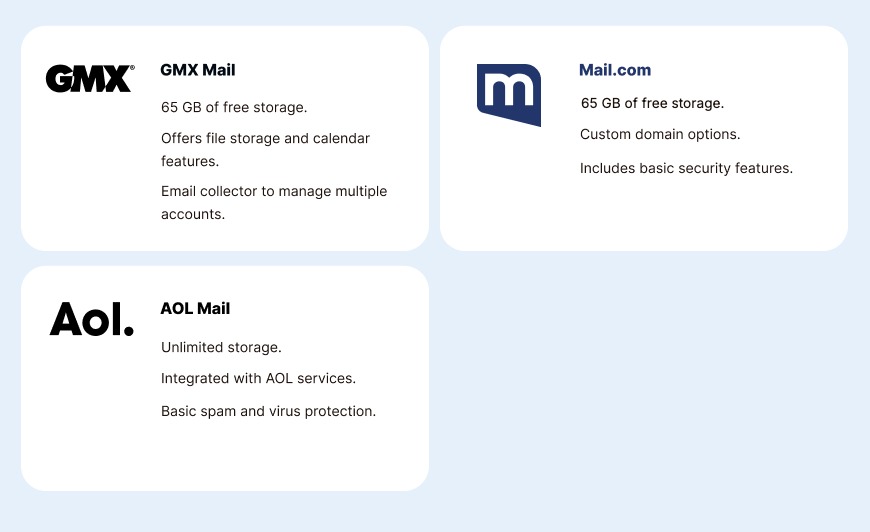
Among the providers in Mailercloud’s guide, GMX Mail and Mail.com give the most free storage, at 65 GB each. Yahoo Mail gives 20 GB of email-only storage, Outlook.com gives a 15 GB mailbox plus 5 GB of cloud storage, and Gmail gives 15 GB shared across Gmail, Drive and Photos.
What is the cheapest business email with a custom domain?
Zoho Mail and Spacemail are the cheapest options in Mailercloud’s comparison. Zoho Mail Lite costs $1 per user per month on an annual plan, and Zoho’s free plan covers up to 5 users on one domain in select regions. Spacemail’s Pro plan costs $0.98 a month on yearly billing for one mailbox, but you need to buy the domain separately.
Is Google Workspace or Microsoft 365 better for business email?
Both start at $7 per user per month on an annual plan, so Mailercloud recommends choosing by the apps your team already uses. Google Workspace Business Starter suits teams that work in Gmail, Docs and Drive, with 30 GB of storage per user. Microsoft 365 Business Basic suits teams that use Word, Excel and Teams, and includes a 100 GB mailbox plus 1 TB of OneDrive storage per user.
What is the most secure email provider?
Proton Mail is the most secure mainstream email provider in Mailercloud’s comparison. It uses end-to-end encryption, stores data in Switzerland, and has a free plan, with Mail Plus at $3.99 a month on annual billing. Tuta, based in Germany, is a cheaper encrypted alternative, starting at €3 a month billed yearly.
Did Yahoo Mail reduce its free storage?
Yes. Yahoo Mail cut free storage from 1 TB to 20 GB in 2025, as noted in Mailercloud’s guide. When a free mailbox fills up, it stops sending and receiving mail. You can buy 100 GB for $1.99 a month or 1 TB for $9.99 a month, or upgrade to ad-free Yahoo Mail Plus with 200 GB for $5 a month.
Can I send newsletters or bulk emails from Gmail or Outlook?
Not at scale. A personal Gmail account is limited to 500 recipients a day, and Google Workspace caps a single message at 2,000 recipients. Inbox providers also have no unsubscribe links or campaign tracking. For newsletters and campaigns, Mailercloud recommends an email marketing platform, which sends each subscriber their own copy with tracking and unsubscribe handling built in.

Lina is a content writer with a passion for reading, writing, and cooking. She aims to explore the world of words and flavors. With a deep love for literature and a knack for creating mouthwatering recipes, she strive to engage and inspire others through her work.