Last updated: October 2026 · Constant Contact pricing checked October 2026 · Tested by our editorial team using real subscriber lists and live campaigns
We set up the same email campaigns, the same automation sequences, and the same signup forms in both Constant Contact and Mailchimp. Same list. Same content. Same schedule.
The goal: figure out which platform actually delivers more value for email marketing in 2026 — not from feature checklists on pricing pages, but from what happens when you log in every day and try to get work done.
Related reading: HubSpot vs Mailchimp.
Below is our full 11-round breakdown. Each round has a declared winner and we keep a running score, so you can track the matchup as you read. If you’re short on time, the Quick Answer below and the final scoreboard at the end have everything you need.
See also: MailerLite vs Mailchimp.
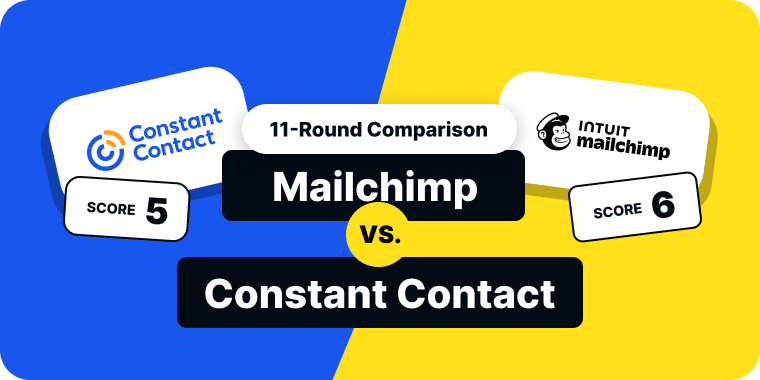
Quick Answer: Mailchimp wins our 11-round comparison 6–5 over Constant Contact — but the margin is razor-thin. Mailchimp wins the rounds that affect daily work most: stronger automation (100+ workflows vs 3 basic templates), deeper analytics, more A/B testing options, and lower pricing between 1,000–10,000 contacts. Constant Contact wins where simplicity matters: easier setup, 200+ templates, better deliverability (88-92% inbox placement), phone support on every plan, and built-in event management that Mailchimp can’t match. For pure email marketing power, choose Mailchimp. For simplicity and hands-on support, choose Constant Contact.
Table of Contents
Constant Contact vs Mailchimp: At a Glance
| Feature | Constant Contact | Mailchimp |
|---|---|---|
| Starting Price | $12/mo | $13/mo |
| Free Plan | ✗ No 60-day trial |
Limited 250 contacts / 500 sends |
| Automation | Basic (3 templates) Advanced = $80/mo |
100+ workflows Full on Standard+ |
| Templates | 200+ | ~100 |
| Deliverability | 88-92% Independent tests |
Mid-pack Varies by account |
| A/B Testing | Subject lines only Standard+ plans |
Subject, content, time, name Essentials+ |
| Analytics | Basic + heat maps A/B reports on Standard |
Advanced + revenue tracking Custom reports on Standard+ |
| Support | Phone + Chat + Email Mon-Sat, all plans |
Email + Chat Phone = $350+/mo only |
| Event Management | ✓ Built-in | ✗ |
Pricing verified May 2026. Entry-level paid plans shown.
How We Scored This Comparison
We evaluated Constant Contact and Mailchimp across 11 categories that matter to anyone running email campaigns day-to-day. Each category has a single winner. Ties don’t exist — if the margin was razor-thin, we still called it for whichever tool had the practical edge during our testing. The running score tracks cumulative wins.
Round 1: Ease of Use & Onboarding
Winner: Constant Contact · Running Score: Constant Contact 1 – Mailchimp 0
Constant Contact gets you sending faster. We timed ourselves from first login to first campaign sent — Constant Contact took 18 minutes, Mailchimp took 26. That gap comes down to interface simplicity. Constant Contact puts the campaign builder front and center with a clean dashboard that doesn’t overwhelm new users. You pick a template, drag in your content, choose your audience, and hit send.
Mailchimp’s interface has grown more complex over the years. Nested menus, multiple navigation layers, and features scattered across different sections mean more time figuring out where things live. The new email builder is excellent once you find it, but the onboarding flow requires more clicks to reach your first send. Mailchimp does offer better in-app guidance and tutorials, which helps — but the initial setup takes longer.
For the daily “log in and send emails” workflow, Constant Contact is faster and simpler. This round goes to Constant Contact.
Round 2: Email Editor & Templates
Winner: Constant Contact · Running Score: Constant Contact 2 – Mailchimp 0

Constant Contact’s template library is the largest we’ve tested — 200+ pre-built designs covering holidays, industries, event types, and seasonal campaigns. From National Dog Day to Small Business Week, there’s a ready-to-send template for nearly every occasion. For small businesses without an in-house designer, this is a real advantage. The drag-and-drop editor is simple and functional, though the customization options are more limited than Mailchimp’s.
Mailchimp has around 100 templates, but they’re more modern and stylish. The new email builder is one of the most polished in the industry — responsive, fast, and you can edit content directly in place. Dynamic content blocks on the Standard plan let you control what different audiences see in the same email. But free plan users are restricted to basic templates without preset images.
We built the same newsletter layout in both platforms. Mailchimp’s editor felt more refined, but Constant Contact’s template library meant we spent less time on design because the starting point was closer to the finished product. For teams that value template variety and ready-to-send designs over editor flexibility, Constant Contact takes round 2.
Round 3: Email Automation
Winner: Mailchimp · Running Score: Constant Contact 2 – Mailchimp 1

This is Mailchimp’s strongest category, and the gap is significant.
Mailchimp offers 100+ pre-built automation workflows including welcome sequences, abandoned cart recovery, product retargeting, and behavioral triggers. The Customer Journey Builder supports multi-step flows with if/else branching and time delays. The Essentials plan ($13/month) limits you to 4 journey steps, which is enough for a basic welcome series. Standard ($20/month) unlocks full automation with up to 200 flows.
Constant Contact’s automation is basic by comparison. The Standard plan ($35/month) includes three pre-built automations: welcome, birthday, and anniversary emails. That’s it. Custom multi-step workflows with branching logic require the Premium plan at $80/month. For a platform that charges $35/month for its mid-tier, the automation gap is hard to justify.
We set up identical 5-step welcome sequences in both platforms. On Constant Contact Standard, we couldn’t build it at all — multi-step branching required Premium. On Mailchimp Standard, we had full branching logic at $20/month. Mailchimp wins round 3 convincingly.
Round 4: Segmentation & Personalization
Winner: Mailchimp · Running Score: Constant Contact 2 – Mailchimp 2
Mailchimp pulls even with a clear win on segmentation depth.
Mailchimp offers predictive segmentation, purchase-based targeting, and integration with its audience dashboard. You can segment by behavior, demographics, predicted lifetime value, and purchase history. The Standard plan gives you access to behavioral targeting and send-time optimization. Mailchimp also supports Groups — interest-based segments collected at signup — which Constant Contact doesn’t offer.
Constant Contact offers tags, lists, and basic segmentation on Standard. The Click Segmentation feature is useful — anyone who clicks a specific link in your email gets automatically added to a segment. But advanced segmentation with behavioral triggers requires Premium ($80/month). For $35/month, the segmentation tools feel thin.
We created identical segments in both tools — “contacts who opened the last 3 campaigns AND clicked a pricing link in the last 30 days.” Mailchimp built this in three clicks using its standard segment builder. Constant Contact required Premium to access behavioral filters for the same logic. Mailchimp wins round 4.
Round 5: Deliverability
Winner: Constant Contact · Running Score: Constant Contact 3 – Mailchimp 2

Constant Contact takes back the lead with stronger deliverability.
Constant Contact has historically scored well in independent deliverability tests, averaging 88-92% inbox placement across recent rounds of testing by EmailToolTester. In some test rounds, it achieved 100% inbox placement on Yahoo, Outlook, Hotmail, and AOL. The authentication setup (SPF, DKIM) is straightforward and well-documented.
Mailchimp’s deliverability is decent but inconsistent. Independent tests have shown varying results, and Mailchimp’s massive user base means more marginal senders sharing IP reputation — which can affect everyone on the platform. Mailchimp doesn’t publish a deliverability rate. During our testing, Mailchimp campaigns had slightly lower open rates on the same list with identical content. The margin was small but consistent across multiple sends.
Neither platform offers a built-in inbox placement tracker that shows whether your emails land in the inbox, spam folder, or promotions tab. Both rely on indirect metrics like open rates and bounce rates. That’s a gap in both platforms.
For consistent inbox placement backed by independent testing, Constant Contact wins round 5.
Round 6: Reporting & Analytics
Winner: Mailchimp · Running Score: Constant Contact 3 – Mailchimp 3
We’re tied at 3–3, and Mailchimp pulls ahead on reporting.
Mailchimp provides detailed analytics including open rates, click rates, click maps showing which links got the most engagement, email client breakdowns, revenue attribution (for connected ecommerce stores), and comparative reports across campaigns. The Content Optimizer on Standard analyzes your content and provides recommendations based on industry best practices. Custom reports are available on Standard and Premium plans.
Constant Contact’s analytics cover the basics well — opens, clicks, bounces, unsubscribes, and heat maps. You can compare your performance against industry benchmarks, which is a helpful feature for less experienced marketers. The Standard plan adds A/B testing reports. Premium adds conversion tracking. The reports are easy to understand but not as deep as Mailchimp’s.
When we wanted to answer “which of our last 10 campaigns had the best click-to-open ratio, and which links drove the most engagement,” Mailchimp gave us the answer in one dashboard. Constant Contact required manually reviewing each campaign’s report. Mailchimp wins round 6.
Round 7: A/B Testing
Winner: Mailchimp · Running Score: Constant Contact 3 – Mailchimp 4
Constant Contact only supports subject line A/B testing, and it’s not available on the Lite plan. You can test two subject lines — that’s it. Subject lines are important for open rates, but savvy marketers need to test more than that.
Mailchimp’s A/B tool lets you test subject lines, send name, send time, body content, or combinations of these variables. The Send Time Optimizer calculates when your subscribers most often engage based on previous campaigns. The Timewarp feature sends campaigns at the same local time across different time zones. Both require the Standard plan.
We ran the same A/B test in both platforms. In Constant Contact, we could only test two subject line variants. In Mailchimp, we tested subject line + send time simultaneously, which gave us actionable data on both variables in a single campaign. Mailchimp wins round 7.
Round 8: Integrations & App Ecosystem
Winner: Constant Contact · Running Score: Constant Contact 4 – Mailchimp 4

Both platforms offer 300+ integrations, and the overlap is significant — Shopify, WooCommerce, WordPress, Zapier, Salesforce, and Canva appear on both lists. The core ecommerce and CRM integrations are comparable.
Where Constant Contact separates itself is event management. It has built-in tools for RSVP collection, event ticketing, and registration pages, with native integrations for Eventbrite and other event platforms. This is a feature Mailchimp simply doesn’t offer. If your business runs workshops, webinars, fundraisers, or in-person events, Constant Contact’s event tools are a genuine differentiator.
Constant Contact also lets you import contacts from your email provider (Gmail, Outlook, Yahoo) directly — a convenience that Mailchimp limits to a handful of ecommerce platforms (mostly Shopify and BigCommerce).
The event management capability is unique enough to give Constant Contact the edge in this round. Constant Contact wins round 8, bringing the score to 4–4.
Round 9: Customer Support
Winner: Constant Contact · Running Score: Constant Contact 5 – Mailchimp 4

Constant Contact offers phone and live chat support Monday through Saturday, plus email support around the clock — on every paid plan. We received a call from Constant Contact shortly after setting up our test account, along with helpful onboarding emails. The proactive outreach is unusual in this space and genuinely helpful for new users.
Mailchimp restricts support by plan. Free users get email-only support for the first 30 days, then nothing. Essentials adds email and chat. Phone support is only available on the Premium plan ($350+/month). During our testing, Mailchimp chat responses came within 6–10 minutes on weekday evenings — responsive, but you have to be on a paid plan to access it.
When we tested both platforms with a question about email authentication setup, Constant Contact gave us a live phone walkthrough. Mailchimp’s chat support provided step-by-step instructions, which were accurate but took longer to resolve. For teams that value speaking to a person — especially small businesses without a technical marketing team — Constant Contact’s phone support on every plan is a significant advantage.
Constant Contact wins round 9.
Round 10: Free Plan
Winner: Mailchimp · Running Score: Constant Contact 5 – Mailchimp 5
Constant Contact doesn’t have a free plan. It offers a 60-day free trial, which gives you full access to the platform during the trial period. That’s generous by trial standards — most platforms offer 14 or 30 days. But once the trial ends, you’re paying from day one.
Mailchimp has a free plan, though it’s been shrinking fast. In February 2026, the free plan was cut from 500 contacts and 1,000 monthly sends to just 250 contacts and 500 sends. Automation is not available on the free plan. You get basic templates, one audience, and Mailchimp branding on every email. Email support is limited to the first 30 days.
It’s not a great free plan by any standard. But it exists, and Constant Contact’s doesn’t. For solopreneurs and very small businesses testing the waters, Mailchimp’s free plan lets you send real campaigns indefinitely at zero cost. That matters enough to win this round.
Mailchimp wins round 10, tying the score at 5–5.
Round 11: Pricing & Value for Money
Winner: Mailchimp · Running Score: Constant Contact 5 – Mailchimp 6

The final round decides the matchup, and pricing is where these platforms diverge most.
Here’s how the entry-level paid plans compare:
| Contacts | Constant Contact (Lite) | Mailchimp (Essentials) |
|---|---|---|
| 500 | $12/mo | $13/mo |
| 1,000 | $50/mo | $27/mo |
| 5,000 | $80/mo | $75/mo |
| 10,000 | $120/mo | $110/mo |
| 50,000 | $325/mo | $385/mo |
Pricing verified May 2026. Entry-level paid plans shown. Sources: constantcontact.com/pricing, mailchimp.com/pricing
Constant Contact is $1 cheaper at 500 contacts. But at 1,000 contacts — where most growing businesses land — the gap flips dramatically. Constant Contact’s Lite plan jumps to $50/month while Mailchimp Essentials costs $27/month. That’s nearly double for the same contact tier.
Above 50,000 contacts, Constant Contact becomes cheaper again. But most small and mid-size businesses operate in the 1,000–10,000 range, where Mailchimp has a clear price advantage.
There’s a bigger pricing issue with Constant Contact: the feature paywall. Advanced automation costs $80/month (Premium). Advanced segmentation costs $80/month. Custom multi-step workflows cost $80/month. These are features Mailchimp includes on the Standard plan at $20/month. Constant Contact’s mid-tier ($35/month Standard) gives you more than Lite, but the jump to Premium for core marketing features is steep.
One important Mailchimp caveat: Mailchimp counts every contact toward billing, including unsubscribed and cleaned contacts. If 20% of your list has unsubscribed but you haven’t archived them, you’re paying for contacts you can’t email.
For total cost of ownership at the contact tiers where most businesses operate, Mailchimp delivers more features at a lower price. Mailchimp wins the final round 6–5.
Constant Contact Pricing 2026 (All Plans)
Constant Contact pricing in 2026 starts at $12/month for Lite, $35/month for Standard and $80/month for Premium. These are the starting prices for the smallest contact tier, billed monthly. The price goes up as your contact list grows, and paying for a year upfront saves up to 15%.
| Plan | Lite | Standard | Premium |
|---|---|---|---|
| Monthly price (from) | $12/mo | $35/mo | $80/mo |
| Paid yearly (15% off) | $10.20/mo | $29.75/mo | $68/mo |
| Users | 1 | 3 | Unlimited |
| Monthly email sends | 10x your contacts | 12x your contacts | 24x your contacts |
| Segments | 1 | 10 | Unlimited |
| Automation | 1 automation template | 3 automation templates | Custom multi-step automations |
| A/B testing | — | Subject lines | Subject lines |
| Best for | Getting started | Most small businesses | Advanced automation and ecommerce |
Pricing checked October 2026. Source: constantcontact.com/pricing. Prices are in USD and rise with contact count.
Extra Constant Contact costs to know about
- Going over your send limit: extra emails cost $2 per 1,000 sends ($0.002 each). Your campaigns aren’t paused.
- SMS: an add-on from $10/month for 500 messages on Lite and Standard. Premium includes 500 SMS a month.
- Inbox Preview: a $10/month add-on on every plan.
- Nonprofits: up to 30% off when you prepay for 12 months, or 20% off for 6 months.
- Trial and refunds: you can start a free trial without a credit card, and every plan has a 30-day money-back guarantee.
Constant Contact vs Mailchimp pricing in 2026
- Entry plan: Constant Contact Lite from $12/month vs Mailchimp Essentials from $13/month.
- Mid plan: Constant Contact Standard from $35/month vs Mailchimp Standard from $20/month.
- Top plan: Constant Contact Premium from $80/month vs Mailchimp Premium from $350/month.
- Free plan: Constant Contact has none. Mailchimp’s free plan covers 250 contacts and 500 sends a month.
Constant Contact’s mid plan costs more than Mailchimp’s, but its top plan is far cheaper. If you need advanced automation on a budget, Constant Contact Premium at $80/month is a better deal than Mailchimp Premium at $350/month. If you only need regular campaigns and basic automation, Mailchimp Standard is cheaper.
Want a lower price than both? Mailercloud starts at $7/month and has a free plan for 1,000 contacts and 12,000 emails a month.
Final Scoreboard: Constant Contact 5, Mailchimp 6
| Round | Category | Winner | Running Score |
|---|---|---|---|
| 1 | Ease of Use & Onboarding | Constant Contact | 1 – 0 |
| 2 | Email Editor & Templates | Constant Contact | 2 – 0 |
| 3 | Email Automation | Mailchimp | 2 – 1 |
| 4 | Segmentation & Personalization | Mailchimp | 2 – 2 |
| 5 | Deliverability | Constant Contact | 3 – 2 |
| 6 | Reporting & Analytics | Mailchimp | 3 – 3 |
| 7 | A/B Testing | Mailchimp | 3 – 4 |
| 8 | Integrations & Ecosystem | Constant Contact | 4 – 4 |
| 9 | Customer Support | Constant Contact | 5 – 4 |
| 10 | Free Plan | Mailchimp | 5 – 5 |
| 11 | Pricing & Value for Money | Mailchimp | 5 – 6 |
Final Result: Constant Contact 5 – Mailchimp 6
Mailchimp wins by one round, but the score doesn’t tell the whole story. Mailchimp’s winning categories — automation, segmentation, analytics, A/B testing, free plan, and pricing — are the features that affect your daily workflow and your budget the most. Constant Contact’s wins — ease of use, templates, deliverability, event integrations, and phone support — matter most to beginners and businesses that prioritize simplicity and hands-on support.
Constant Contact Pros and Cons
Constant Contact
✓Pros:
- 200+ email templates — more than Mailchimp and most competitors
- Strong independent deliverability scores (88-92% inbox placement)
- Built-in event management with RSVP, ticketing, and registration pages
- Phone support available (rare in this price range)
- Simple, beginner-friendly dashboard with minimal learning curve
- 300+ integrations including Shopify, WooCommerce, and Eventbrite
- 60-day free trial — longer than most competitors
- Social media posting tools included on Standard+
- 30% annual discount for nonprofits
✗Cons:
- No free plan — only a 60-day trial
- Basic automation limited to 3 templates on Standard ($35/mo); custom workflows require Premium ($80/mo)
- Aggressive pricing at scale — Lite jumps from $12 to $50 when you go from 500 to 1,000 contacts
- Template designs feel dated compared to Mailchimp and newer platforms
- Limited A/B testing (subject lines only on Standard; full testing on Premium)
💰Pricing: No free plan. Lite starts at $12/month (500 contacts). Standard at $35/month. Premium at $80/month. 15% off annual prepayment.
Mailchimp Pros and Cons
Mailchimp
✓Pros:
- 100+ pre-built automation workflows — the strongest in this comparison
- Customer Journey Builder with if/else branching, time delays, and behavioral triggers
- Predictive segmentation and audience insights for data-driven targeting
- Revenue attribution and ecommerce analytics for online stores
- 300+ integrations with broad ecosystem support
- Flexible email editor with HTML/CSS access and content blocks
- Send-time optimization on Standard plan and above
- Strong brand recognition and large user community
✗Cons:
- Free plan slashed to 250 contacts and 500 sends/month in February 2026
- Two price increases in the first four months of 2026
- Charges for unsubscribed and inactive contacts — inflates your bill
- Actual monthly spend commonly runs 20-40% above the listed price due to overages
- Phone support only on Premium plan ($350+/month)
- Steeper learning curve with complex nested menus
- Essentials plan limits automation to 4 journey steps
💰Pricing: Free plan (250 contacts, 500 sends/mo). Essentials starts at $13/month. Standard at $20/month. Premium at $350/month. Watch for overage charges on contacts and sends.
Which Should You Choose?
Choose Constant Contact if:
You need a simple email marketing platform with minimal learning curve. Your team values phone support — Constant Contact offers it on every plan while Mailchimp charges $350+/month for the same. You run events and need built-in RSVP, ticketing, and registration tools. You’re a nonprofit that can use the 30% annual discount. You prioritize deliverability and don’t need complex automation workflows.
Choose Mailchimp if:
You need advanced automation with 100+ pre-built workflows and branching logic. Your ecommerce store relies on product recommendations, abandoned cart flows, and revenue attribution. You want robust A/B testing beyond just subject lines. You need deeper analytics with click maps, content optimization, and comparative reports. You want to start free and scale from there.
Neither feels right?
Both Constant Contact and Mailchimp have trade-offs that showed up clearly in our testing. Constant Contact’s automation is basic unless you pay $80/month for Premium — and even then, it doesn’t match Mailchimp’s Standard plan at $20/month. Mailchimp’s free plan is barely functional at 250 contacts, pricing scales steeply with list size, and you’re paying for unsubscribed contacts.
If your primary use case is email marketing and you want more value for your money, Mailercloud is worth considering — see our pricing. It starts at $7/month with a free plan covering 1,000 contacts and 12,000 emails/month. It includes features neither Constant Contact nor Mailchimp offers — an Inbox Tracker that shows exactly where your emails land (inbox, spam, or promotions) across 15+ ISPs, and AMP for Email support for interactive inbox experiences. Visual automation, A/B testing, segmentation, and 24/7 live chat support come standard on every plan, including free. The trade-off is a smaller integration library and lower brand recognition — but for pure email marketing value, it’s hard to beat at the price.
How to Migrate Between Platforms
From Constant Contact to Mailchimp (or vice versa): Export your contacts as a CSV from the source platform. In Constant Contact, go to Contacts → Export. In Mailchimp, go to Audience → All Contacts → Export Audience. Import into the new platform — both have import wizards that map fields automatically. Rebuild your key email templates and automation workflows. Most migrations for lists under 10,000 contacts take 1–2 hours.
From either platform to another tool: The process is similar. Export contacts as CSV, import into your new platform, and recreate your top 3–5 automation workflows. Template HTML can usually be imported directly if you’re using custom-coded designs.
FAQ
Is Constant Contact better than Mailchimp?
It depends on your priorities. Constant Contact wins on ease of use, template variety, deliverability, event management, and customer support — making it better for beginners and small businesses that value simplicity. Mailchimp wins on automation, segmentation, analytics, A/B testing, and pricing at most contact tiers — making it better for experienced marketers and ecommerce businesses. Our 11-round comparison ended Constant Contact 5, Mailchimp 6.
Is Constant Contact cheaper than Mailchimp?
Constant Contact is $1 cheaper at the entry level (500 contacts: $12/month vs $13/month). But at 1,000 contacts, Constant Contact Lite costs $50/month while Mailchimp Essentials costs $27/month. Mailchimp is cheaper in the 1,000–10,000 contact range where most businesses operate. Above 50,000 contacts, Constant Contact becomes cheaper again.
How much does Constant Contact cost in 2026?
Constant Contact costs $12/month for Lite, $35/month for Standard and $80/month for Premium in 2026. These are starting prices for the smallest contact tier, and the price rises as your list grows. Paying yearly saves up to 15%, and nonprofits can get up to 30% off.
Does Mailchimp have a free plan in 2026?
Mailchimp still has a free plan in 2026, but it was significantly reduced in February 2026. The free plan now includes only 250 contacts and 500 emails per month — down from 500 contacts and 1,000 sends. Automation is not available. It’s enough to test the platform but not enough for most real business use.
Does Constant Contact have a free plan?
Constant Contact does not have a free plan. It offers a 60-day free trial with full access to features, which is generous by trial standards (most platforms offer 14–30 days). Once the trial ends, the Lite plan starts at $12/month for 500 contacts.
What’s the main difference between Constant Contact and Mailchimp?
Constant Contact focuses on simplicity, deliverability, and event management — it’s built for small businesses and nonprofits that want email marketing without complexity. Mailchimp focuses on automation, data-driven marketing, and ecommerce — it’s built for growth-focused businesses that want to automate customer journeys and track revenue attribution.
Does Constant Contact have automation?
Constant Contact has basic automation on its Standard plan ($35/month): welcome emails, birthday emails, and anniversary emails. Custom multi-step automation workflows with branching logic require the Premium plan at $80/month. Mailchimp’s Standard plan ($20/month) includes 200 automation flows with full branching logic — significantly more capable at a lower price.
Is there a cheaper alternative to both Constant Contact and Mailchimp?
Several email marketing platforms offer comparable features at lower price points. Mailercloud starts at $7/month with a free plan for 1,000 contacts and 12,000 emails/month. Brevo starts at $9/month. MailerLite starts at $10/month. All three are viable options if email marketing is your primary need.

As a Marketing Director, I develop and implement marketing strategies, conduct market research, and manage a team of marketing professionals. With a successful track record of launching campaigns that drive revenue growth, I bring my marketing expertise to blog writing, creating engaging content that promotes the brand and its products/services.