Last updated: September 2026 | 18 min read
Mailchimp has been the default email marketing platform for over a decade. But in 2026, the landscape has shifted. Mailchimp’s free plan now caps at just 500 contacts and 1,000 emails per month. Their Standard plan starts at $20/month for the same 500 contacts — and jumps past $100/month once you hit 10,000 subscribers. Automation? Locked behind the $350+/month Premium tier.
We know this pain firsthand. When Akbar Travels, one of India’s largest travel agencies, was struggling with Mailchimp’s deliverability on their high-volume campaigns, they switched to Mailercloud. The result: 85% inbox placement and a 28% open rate — numbers that translated directly into more bookings and revenue.
That case study, combined with months of hands-on testing, analysis of independent deliverability reports, and real pricing research across every tool, is what this guide is built on.
Below, you’ll find 10 Mailchimp alternatives compared across five dimensions: deliverability rates, real-world pricing at 500/5K/10K contacts, free plan generosity, automation depth, and ease of use. No vague feature lists. No sponsored rankings. Just data, pricing, and honest trade-offs so you can make the right call for your business.
Quick Answer: The best Mailchimp alternative in 2026 is Mailercloud — it delivers 99.4% inbox placement, unlimited automation on every paid plan starting at $10/month, and AMP email support that Mailchimp doesn’t offer at any tier. The other top alternatives include Brevo, MailerLite, Kit, Moosend, Omnisend, Sender, GetResponse, Drip, and Constant Contact. If you’re leaving Mailchimp because of rising costs or the 500-contact free plan cap, Mailercloud is the most direct upgrade.
Table of Contents
Why Are People Leaving Mailchimp?
Before we get into alternatives, here are the four most common reasons businesses switch away from Mailchimp:
- Price increases outpacing value: Mailchimp has raised prices multiple times since the Intuit acquisition. A 10,000-contact Standard plan now costs over $100/month — while tools like Mailercloud, Moosend, and Sender offer comparable features for $10–25/month.
- Free plan restrictions: Mailchimp’s free tier dropped from 2,000 contacts to 500, making it essentially a trial. Alternatives like Kit (10K free), Sender (2,500 free), and Brevo (unlimited contacts free) offer meaningfully more.
- Automation locked behind premium tiers: Features like send-time optimization, comparative reporting, and advanced segmentation require Mailchimp’s Premium plan at $350+/month. Most alternatives include these on mid-tier plans at a fraction of the cost.
- Deliverability concerns: Several independent tests have shown Mailchimp’s deliverability hovering around 86–90%, below tools like Mailercloud (99.4%) and MailerLite (95.2%) that invest heavily in sender reputation infrastructure.
Quick Comparison: 10 Best Mailchimp Alternatives at a Glance
| Tool | Best For | Free Plan | Starting Price | 10K Contacts | Standout Feature |
|---|---|---|---|---|---|
| Mailercloud#1 Pick | Best overall value & deliverability | ✓ Yes 1,000 contacts / 12K emails |
$10/mo | Custom |
99.4% DeliverabilityAMP EmailsUnlimited Automation
|
| Omnisend | E-commerce stores | ✓ Yes 250 contacts / 500 emails |
$16/mo | $80–120/mo |
Ecommerce FlowsSMS + Push
|
| Brevo | Multi-channel (SMS + WhatsApp) | ✓ Yes 100K contacts / 300/day |
$9/mo | ~$20/mo |
SMS MarketingBuilt-in CRM
|
| MailerLite | Small businesses & creators | ✓ Yes 500 subs / unlimited emails |
$10/mo | $50–75/mo |
95.2% DeliverabilityWebsite Builder
|
| Kit (ConvertKit) | Content creators & bloggers | ✓ Yes 10,000 subs |
$39/mo | Free tier covers |
Creator NetworkDigital Products
|
| Moosend | Budget automation | ✗ No 30-day trial |
$7/mo | $64–88/mo |
Cheapest Paid Plan
|
| Sender | Budget-conscious SMBs | ✓ Yes 2,500 subs / 15K emails |
$7/mo | ~$25/mo |
Best Free Plan
|
| GetResponse | Webinars + email marketing | ✓ Yes 500 contacts / 2,500 emails |
$13.30/mo | $79/mo |
WebinarsSales Funnels
|
| Drip | Shopify & WooCommerce | ✗ No 14-day trial |
$39/mo | $154/mo |
Ecommerce Automation
|
| Constant Contact | Nonprofits & events | ✗ No 60-day trial |
$12/mo | $195/mo |
91.7% DeliverabilityEvent Tools
|
Pricing verified April 2026. All prices in USD.
For comparison: Mailchimp’s free plan caps at 500 contacts and 1,000 emails/month. Their Standard plan starts at $20/month for 500 contacts and jumps to $100+/month at 10,000 contacts.
Running a nonprofit specifically? Mailchimp’s recurring 15% nonprofit discount ended in 2023, which makes the choice quite different — see our dedicated guide on Mailchimp alternatives for nonprofits for tools with active 501(c)(3) discounts.
1. Mailercloud — Best Overall Mailchimp Alternative Editor’s Pick
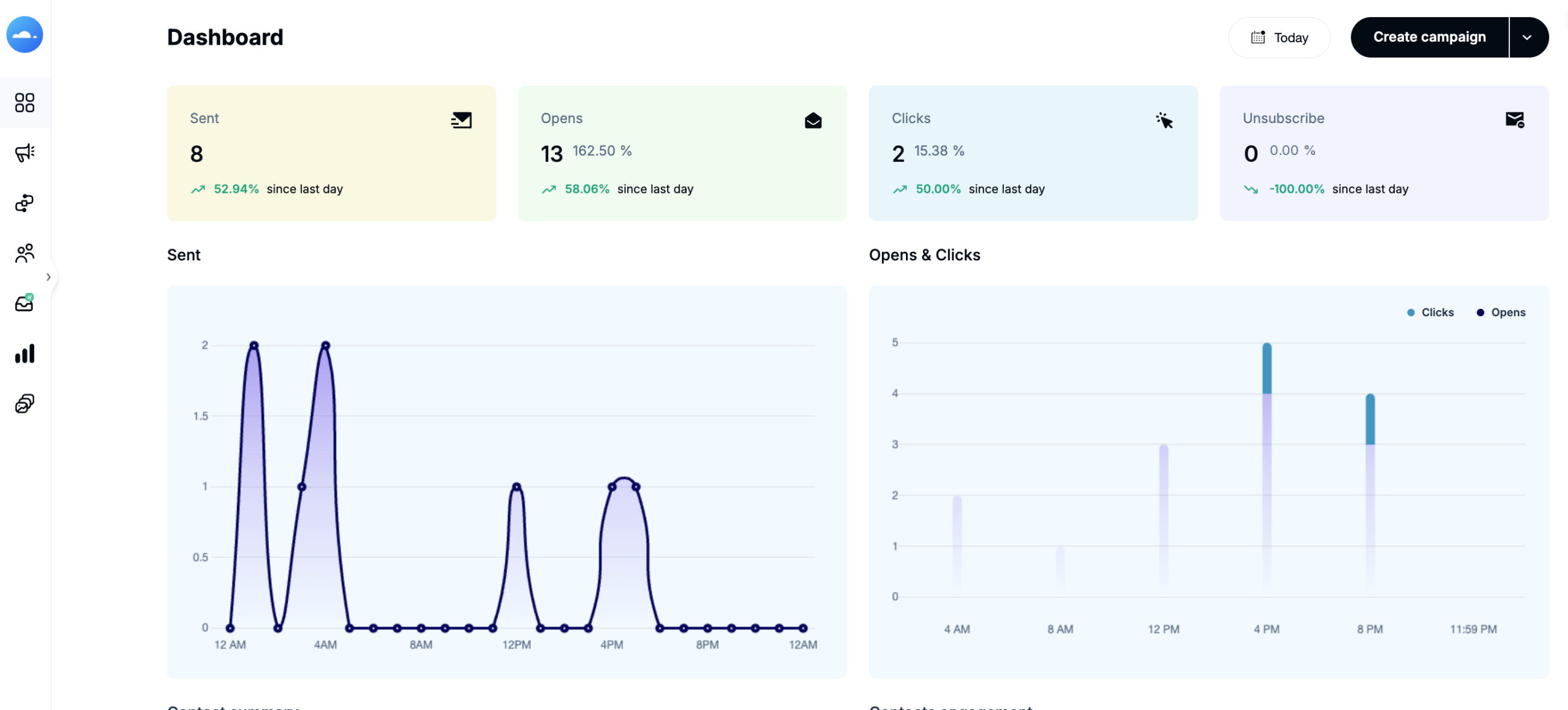
Full disclosure: Mailercloud is our product. We built it specifically to solve the problems businesses hit when they outgrow Mailchimp — rising costs, limited deliverability tools, and automation locked behind premium tiers. But we’ll be transparent about where Mailchimp still has the edge, too.
The biggest differentiator is deliverability. Mailercloud maintains a 99.4% average delivery rate, well above the industry average of 85%. This isn’t just a claim on a marketing page — it’s backed by infrastructure: dedicated IP pools, real-time spam score checking in the campaign editor, and proactive domain authentication support.
When Akbar Travels, one of India’s largest travel agencies, switched from Mailchimp, they saw inbox placement jump to 85% with a 28% open rate across millions of customer emails. The key factor was Mailercloud’s ability to handle high-volume sends without deliverability degradation — something they were experiencing on Mailchimp’s shared IP infrastructure.
Another area where Mailercloud pulls ahead: AMP email support. This lets you build interactive elements directly inside the email — image carousels, accordion menus, and even forms that submit without leaving the inbox. It’s a feature that Mailchimp, Brevo, MailerLite, and most competitors simply don’t offer.
Key Features
- Spam score checker built into the campaign editor
- AI-powered subject line generator that A/B tests variations automatically
- AMP email support — build interactive emails with carousels, accordions, and forms inside the inbox
- Advanced segmentation with behavioral triggers and list management
- Drag-and-drop email builder with 100+ responsive templates
- SMTP relay and transactional email API for developers
- Role-based access control for team collaboration
✓ Pros
|
✗ Cons
|
Pricing
- Free plan: 1,000 contacts, 12,000 emails/month
- Paid plans: From $10/month for unlimited emails
- At 10K contacts: Custom pricing (contact sales)
- vs. Mailchimp at 10K contacts: Mailchimp charges $100+/mo for Standard. Mailercloud is significantly less.
Choose Mailercloud if you need high deliverability at an affordable price and want automation features without paying enterprise-tier rates.
Skip it if you need a massive third-party integration library or depend on Mailchimp’s specific e-commerce plugins.
Mailercloud vs. Mailchimp: Price at Every Tier
| Contacts | Mailercloud | Mailchimp Standard | You Save |
|---|---|---|---|
| 500 | Free | $20/mo | $240/year |
| 1,000 | Free | $26/mo | $312/year |
| 5,000 | ~$30/mo | $75/mo | $540/year |
| 10,000 | Custom | $110/mo | Varies |
| 50,000 | Custom | $385/mo | Varies |
2. Omnisend — Best for E-Commerce
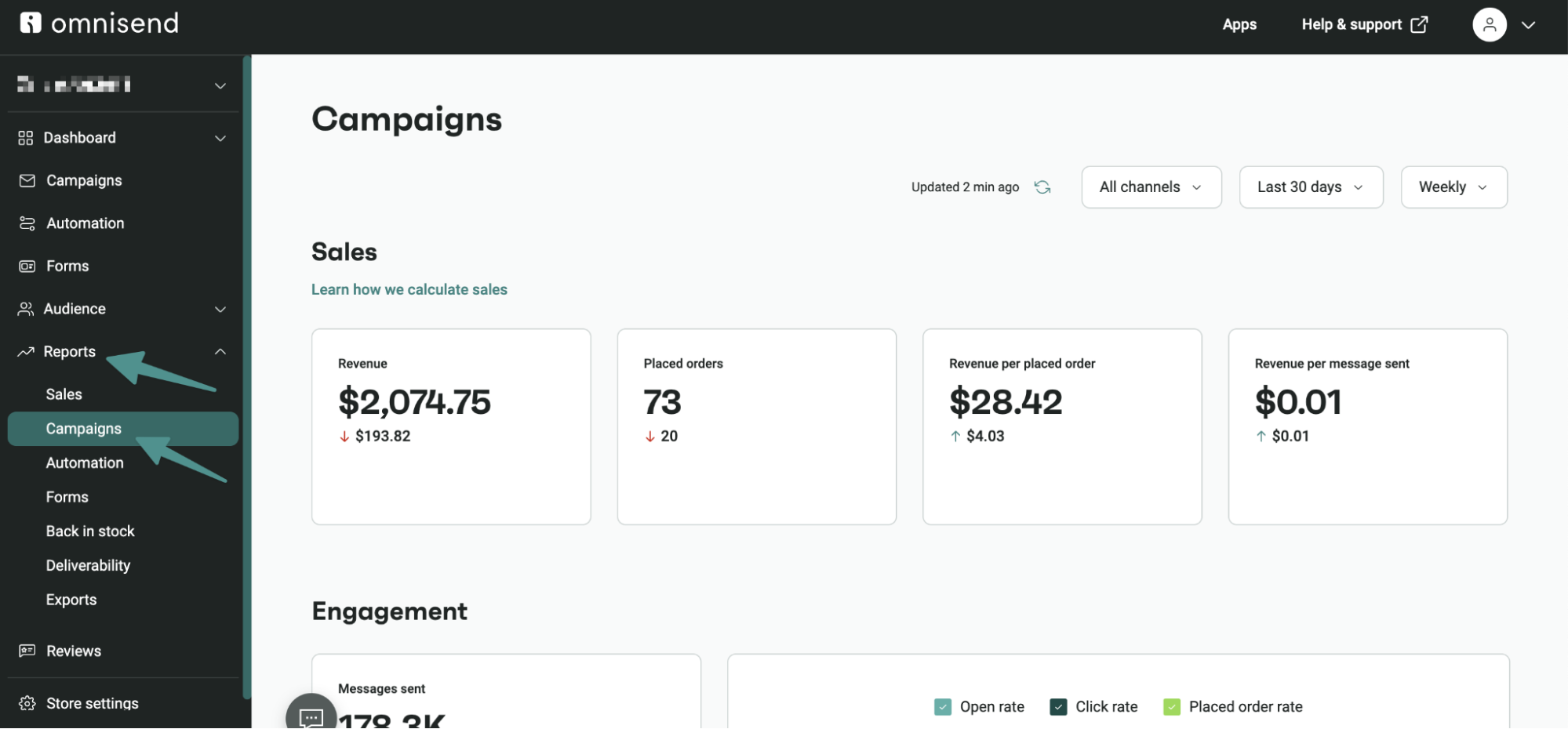
Omnisend was built from the ground up for ecommerce, not adapted from a general-purpose sender. While most Mailchimp alternatives added online-store features as an afterthought, Omnisend’s entire automation library — cart abandonment, post-purchase sequences, product recommendations, browse abandonment — is designed around the online shopping lifecycle.
The platform holds a 4.6/5 rating on G2, and its 24/7 support team averages a 4-minute response time. Every core feature, including SMS and web push, ships on every paid tier — there are no artificial feature gates.
Key Features
- Ecommerce automation library (cart abandonment, post-purchase, browse abandonment, win-back)
- Multichannel messaging: email, SMS, and web push in one unified workflow
- AI-assisted content and reporting, with native MCP connectors for Claude and ChatGPT
- SPF/DKIM/DMARC authentication setup wizard
- Free, hands-on 5-day migration from your existing platform
✓ Pros
|
✗ Cons
|
Pricing
- Free plan: 250 contacts, 500 emails/mo + 60 SMS + 500 push
- Standard: From $16/mo
- At 10K contacts: $115–132/mo
Choose Omnisend if you run an online store and want ecommerce automation workflows ready to go, at a lower cost than Klaviyo.
Skip it if you need enterprise-grade analytics beyond ecommerce reporting.
3. Brevo (formerly Sendinblue) — Best for Multi-Channel Marketing
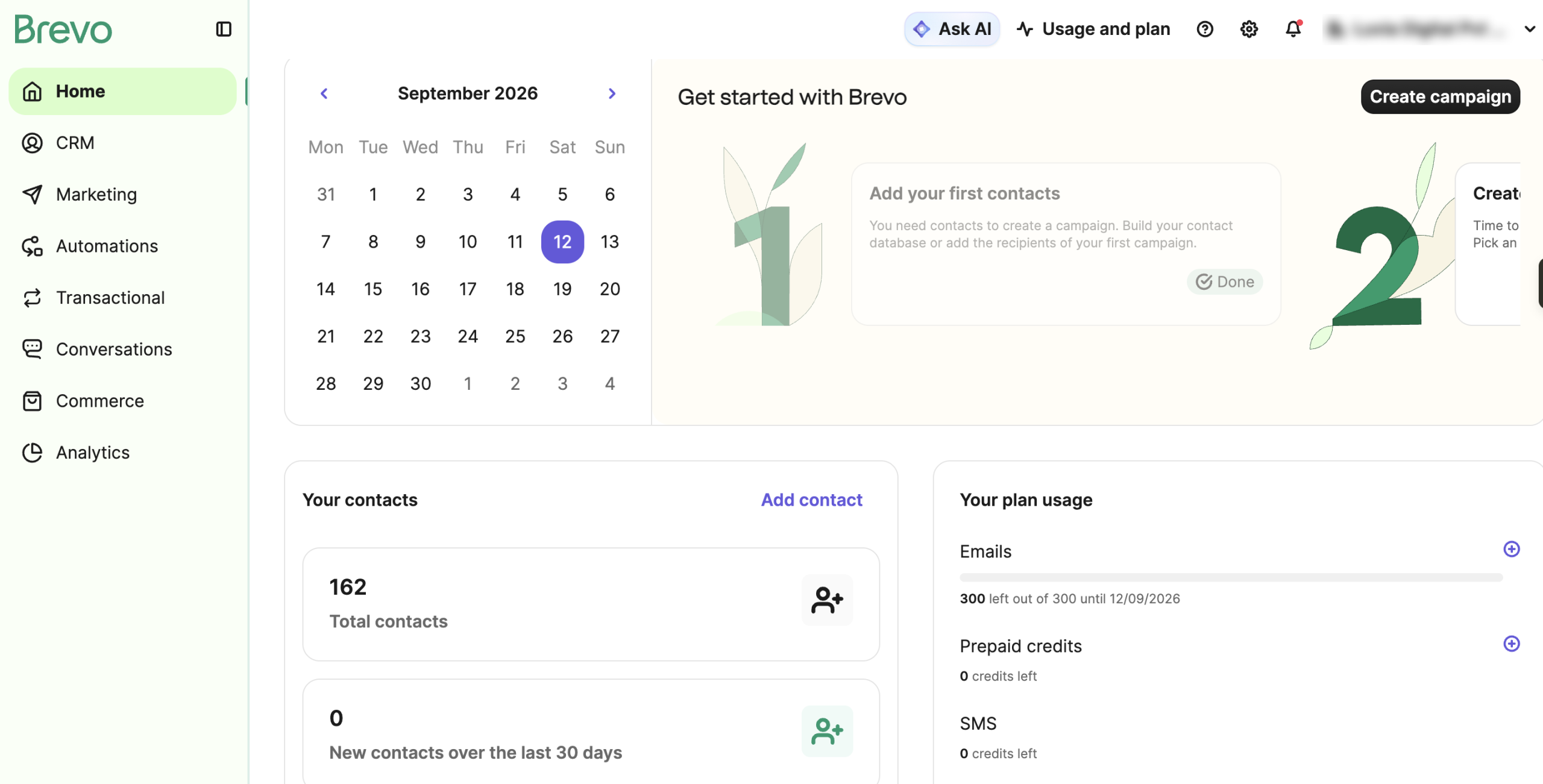
Brevo (rebranded from Sendinblue in 2023) stands out because it’s not just an email tool — it’s a full marketing suite combining email, SMS, WhatsApp campaigns, live chat, and a built-in CRM. If you need to reach customers across multiple channels from a single platform, Brevo is the strongest option on this list.
The biggest draw is their contact storage model: Brevo stores unlimited contacts on every plan, including the free tier. You only pay based on email volume, not list size. Not sold on Brevo either? We have compiled a full breakdown of the best Brevo alternatives in 2026 to help you find the right fit. For businesses with large contact databases that send selectively — think seasonal retailers or event organizers who email only segments at a time — this can save hundreds per month compared to Mailchimp’s contact-based pricing. A business with 50,000 contacts sending 10,000 emails/month would pay around $25/month on Brevo versus $300+/month on Mailchimp. For a round-by-round breakdown of the two, see our Brevo vs Mailchimp comparison.
The CRM component is also worth noting. Where most email tools integrate with external CRMs like HubSpot or Salesforce, Brevo’s built-in CRM includes deal pipelines, task management, and contact activity tracking. For small teams that don’t want to manage (and pay for) separate email and CRM subscriptions, it’s a meaningful consolidation — for a detailed breakdown, see our HubSpot vs Mailchimp comparison.
Key Features
- Unlimited contacts on all plans (even free)
- SMS and WhatsApp marketing built into the same workflow builder
- Built-in CRM with deal pipeline management
- Transactional email API for order confirmations, password resets
- Conversations module for live chat on your website
✓ Pros
|
✗ Cons
|
Pricing
- Free plan: Unlimited contacts, 300 emails/day
- Starter: $9/mo for 5,000 emails/month
- At 10K contacts: ~$20/mo (based on email volume, not contacts)
Choose Brevo if you want email + SMS + CRM in one platform and have a large contact list you email selectively.
Skip it if deliverability is your top priority or you need a polished email design experience.
4. MailerLite — Best Deliverability Track Record
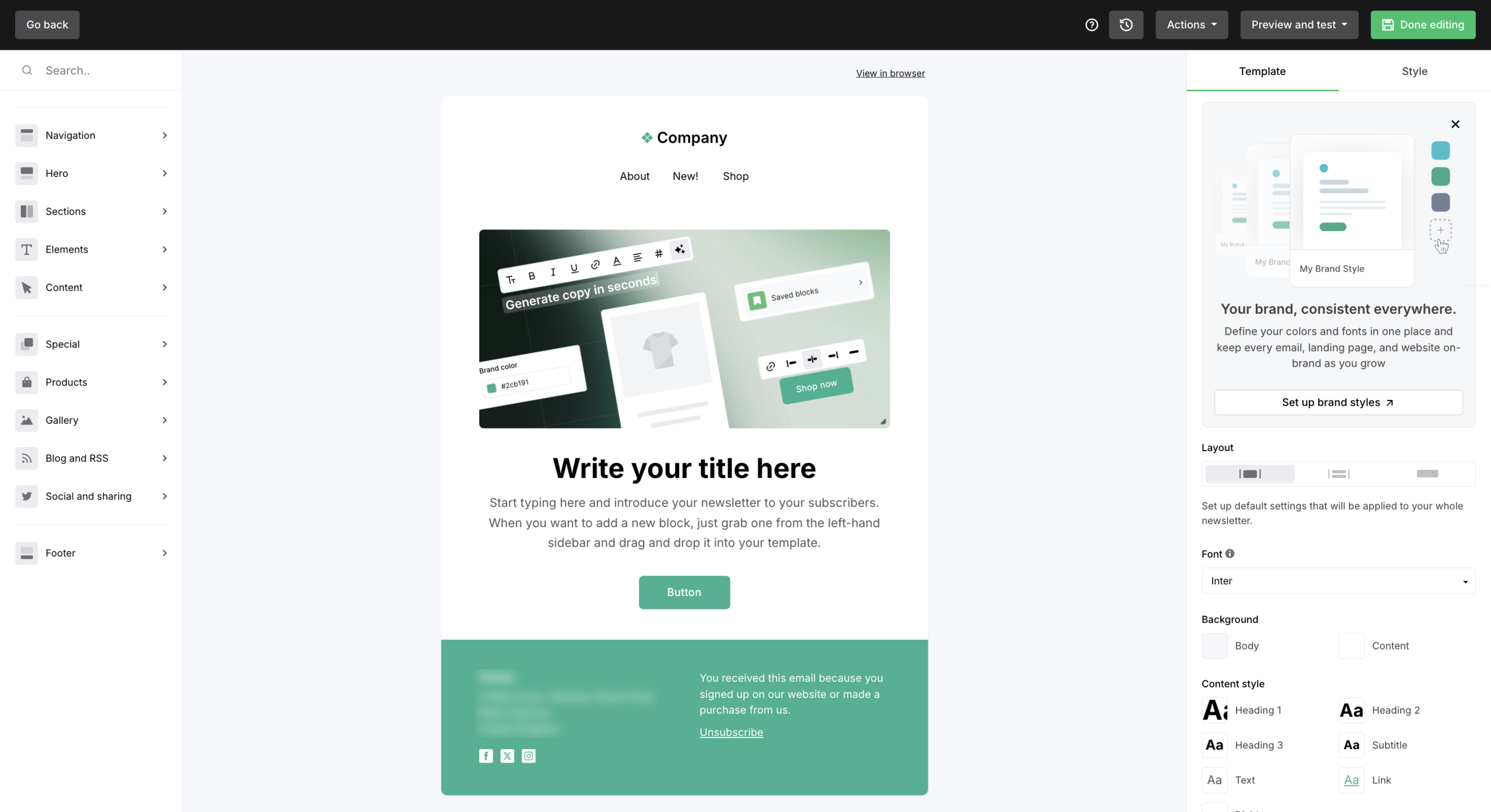
MailerLite has earned a reputation for two things: a beautifully simple editor and consistently high deliverability. In independent testing, MailerLite scores a 95.2% deliverability rate — among the highest in the industry. Part of the reason is their strict approval process: they verify your list quality before letting you send, which keeps their sender reputation clean for everyone on the platform. (Considering MailerLite? See our full MailerLite alternatives comparison.)
The drag-and-drop editor is widely considered the smoothest in the email marketing space. It supports inline editing, making it feel more like working in a design tool than a clunky campaign builder.
Key Features
- 95.2% tested deliverability — best-in-class among mid-market tools
- Top-rated drag-and-drop editor with inline editing
- Landing page and form builder included on all plans
- Visual automation workflows with conditional logic branching
- Shopify and WooCommerce integrations
✓ Pros
|
✗ Cons
|
Pricing
- Free plan: 500 subscribers, unlimited emails
- Growing Business: $10/mo for 500 subscribers
- At 10K contacts: $50–75/mo
Choose MailerLite if deliverability is your #1 concern and you value a clean, intuitive email builder.
Skip it if you need advanced CRM functionality, lead scoring, or quick onboarding without a verification process.
5. Kit (formerly ConvertKit) — Best for Content Creators
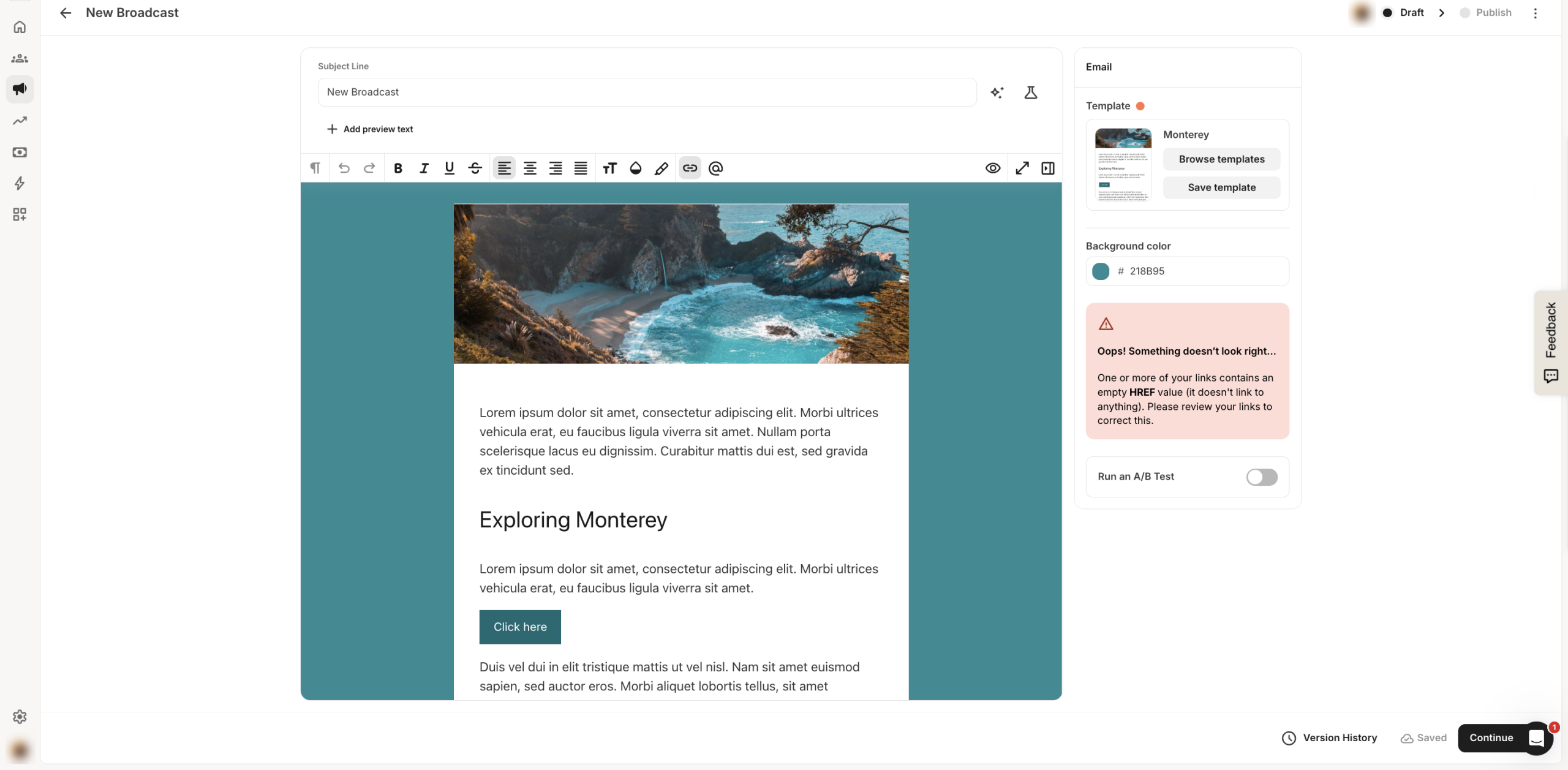
Kit (rebranded from ConvertKit) was built specifically for content creators — bloggers, podcasters, YouTubers, and newsletter writers. Unlike most email marketing tools that focus on marketing teams, Kit focuses on individual creators who want to grow an audience and monetize it. Our Mailchimp vs ConvertKit comparison weighs the two platforms in detail.
Their free plan is remarkably generous: up to 10,000 subscribers with unlimited emails. That alone makes it the best option for creators just starting out. The trade-off is that paid plans get expensive quickly once you need advanced features.
Key Features
- 10,000-subscriber free plan with unlimited emails
- Creator monetization — sell digital products and subscriptions directly
- Creator Network for cross-promotion with other creators
- Tag-based subscriber management (no lists, pure tags)
- Automation sequences with visual workflow builder
✓ Pros
|
✗ Cons
|
Pricing
- Free plan: Up to 10,000 subscribers, unlimited emails
- Creator: $39/mo for 1,000 subscribers
- At 10K contacts: Free plan covers it; paid Creator starts at higher rates
Choose Kit if you’re a creator, blogger, or podcaster who wants to build and monetize an audience with minimal overhead.
Skip it if you need polished email templates, high deliverability, or you’re running an e-commerce store. For a deeper dive into the flows that drive ecommerce revenue, see our ecommerce email flows and automation.
6. Moosend — Most Affordable Automation
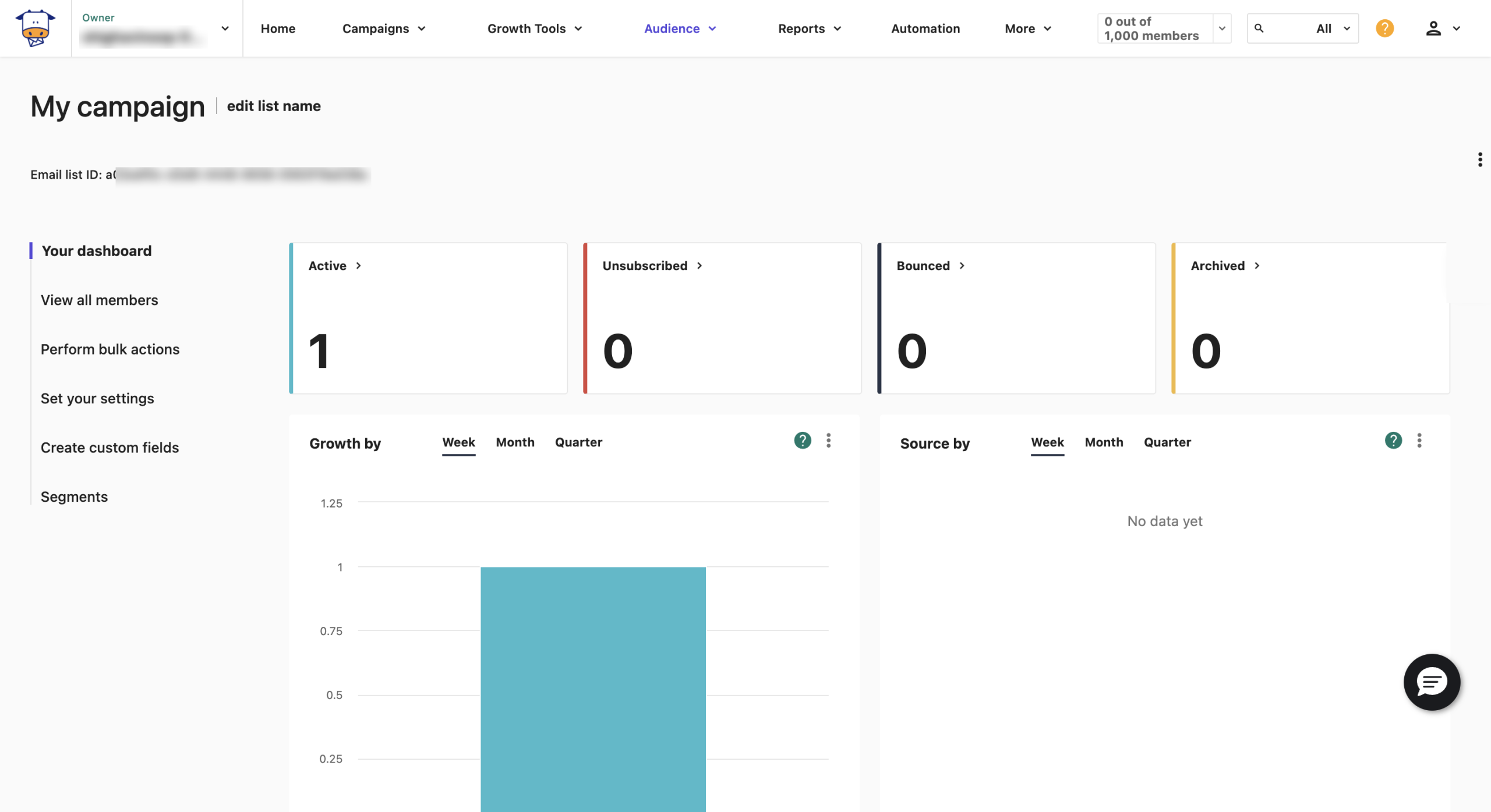
Moosend is the budget pick for businesses that need marketing automation without the budget to match. Starting at just $7/month, it delivers automation workflows, conditional logic, and behavioral triggers that competitors charge 3–5x more for.
Acquired by Sitecore in 2021, Moosend has maintained its indie-tool pricing while gaining enterprise-level infrastructure. The platform includes an AI-powered Audience Discovery feature that automatically segments subscribers based on behavior patterns.
Key Features
- Visual workflow builder with conditional logic branches
- AI Audience Discovery for automatic behavioral segmentation
- 100+ mobile-responsive templates
- Detailed analytics with device, browser, and geolocation breakdowns
- Full SPF alignment and DMARC guidance
✓ Pros
|
✗ Cons
|
Pricing
- Free trial: 30 days, 1,000 subscribers, unlimited emails
- Pro: From $7/mo
- At 10K contacts: $64–88/mo
✅ Choose Moosend if you need automation on a tight budget and don’t mind a smaller integration library.
❌ Skip it if you need a free plan to get started or rely on a large app ecosystem.
7. Sender — Best Free Plan for Small Businesses
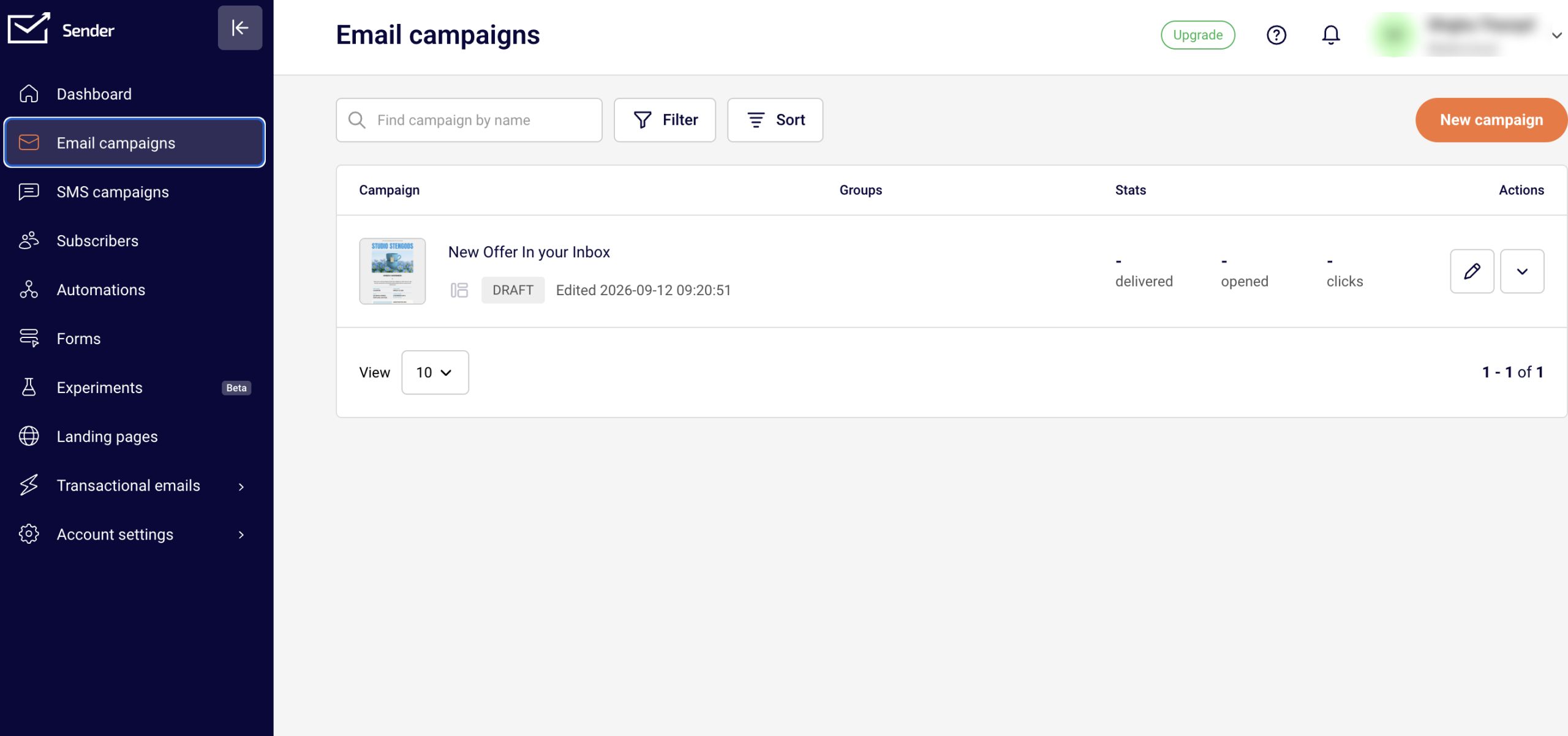
Sender offers what is arguably the most generous free plan in email marketing: 2,500 subscribers and 15,000 emails per month, with full automation included. For a small business or solo operator who doesn’t want to spend a cent until they’re ready to scale, Sender is hard to beat. For a deeper look at email strategy for smaller teams, see our small business email marketing essentials.
The platform includes 9 pre-made automation sequences (welcome, abandonment, re-engagement) ready to activate without building from scratch. The trade-off is that free-plan emails include Sender branding.
Key Features
- 2,500 contacts + 15,000 emails free
- 9 pre-built automation workflows ready to use
- Full automation on all plans, including free
- Drag-and-drop builder + HTML editor
- Domain authentication (SPF/DKIM)
✓ Pros
|
✗ Cons
|
Pricing
- Free plan: 2,500 subscribers, 15,000 emails/month
- Professional: From $7/mo
- At 10K contacts: ~$25/mo
Choose Sender if you’re starting out, need a generous free plan, and don’t mind the branding watermark.
Skip it if you need advanced analytics, A/B testing, or a landing page builder.
8. GetResponse — Best All-in-One Marketing Platform
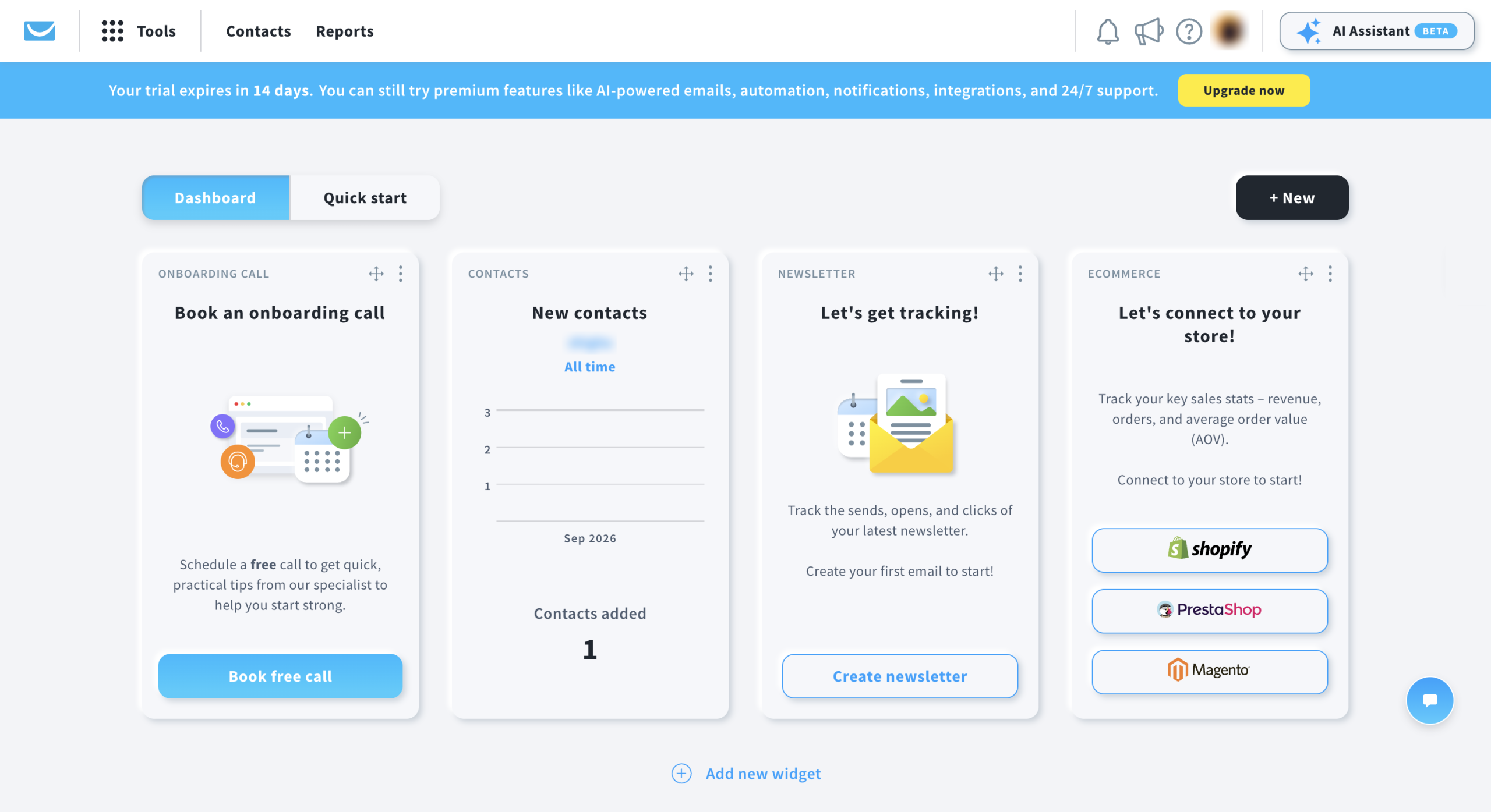
GetResponse is the Swiss Army knife of email marketing. Beyond standard email campaigns and automation, it includes built-in webinar hosting — a feature no other tool on this list offers. It also bundles a website builder, landing pages, sales funnels, and e-commerce tools into a single platform. If GetResponse isn’t the right fit, see our best GetResponse alternatives and competitors.
Two unique features stand out: “Perfect Timing” analyzes subscriber behavior to send emails at each individual’s optimal open time, and “Time Travel” delivers campaigns at the same local time across time zones.
Key Features
- Built-in webinar hosting (live and on-demand)
- “Perfect Timing” for individualized send-time optimization
- Website and landing page builder
- Sales funnel builder with conversion tracking
- Available in 11 languages
✓ Pros
|
✗ Cons
|
Pricing
- Free plan: 500 contacts, 2,500 emails/month
- Starter: $13.30/mo
- At 10K contacts: $79/mo
Choose GetResponse if you run webinars and want email, landing pages, and webinar hosting in one bill.
Skip it if deliverability matters more than feature breadth — the 65% test score is a red flag.
9. Drip — Best for Shopify & WooCommerce Stores
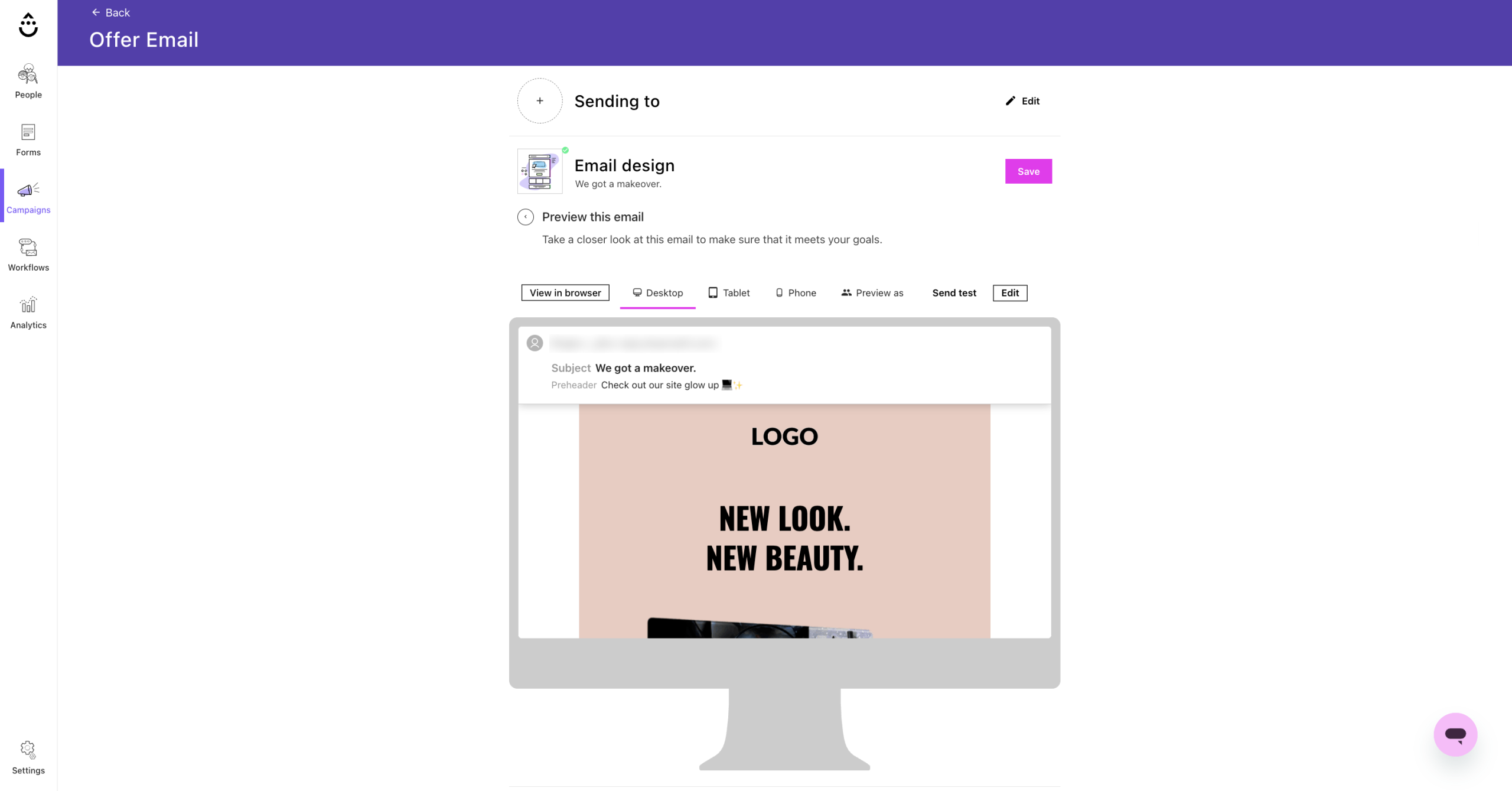
Drip is a premium e-commerce email tool that integrates directly with Shopify, WooCommerce, BigCommerce, and Magento. Unlike Omnisend, which covers multi-channel broadly, Drip goes deeper on behavioral automation — tracking every product view, cart addition, and purchase to trigger highly specific workflows.
Pre-built playbooks for welcome sequences, cart abandonment, post-purchase follow-ups, and win-back campaigns mean you can launch sophisticated automation in minutes. The visual workflow builder is widely considered one of the best in the industry.
Key Features
- Direct Shopify, WooCommerce, BigCommerce, Magento integration
- Pre-built e-commerce playbooks (welcome, abandonment, win-back)
- Visual workflow builder with behavioral triggers
- Revenue tracking tied to specific campaigns and automations
- Liquid template language for advanced personalization
✓ Pros
|
✗ Cons
|
Pricing
- Free trial: 14 days, 2,500 contacts
- Paid: From $39/mo for 2,500 contacts
- At 10K contacts: $154/mo
Choose Drip if you run a Shopify or WooCommerce store and want deep behavioral automation tied to revenue.
Skip it if you’re budget-conscious or don’t run an online store.
10. Constant Contact — Best for Nonprofits & Events
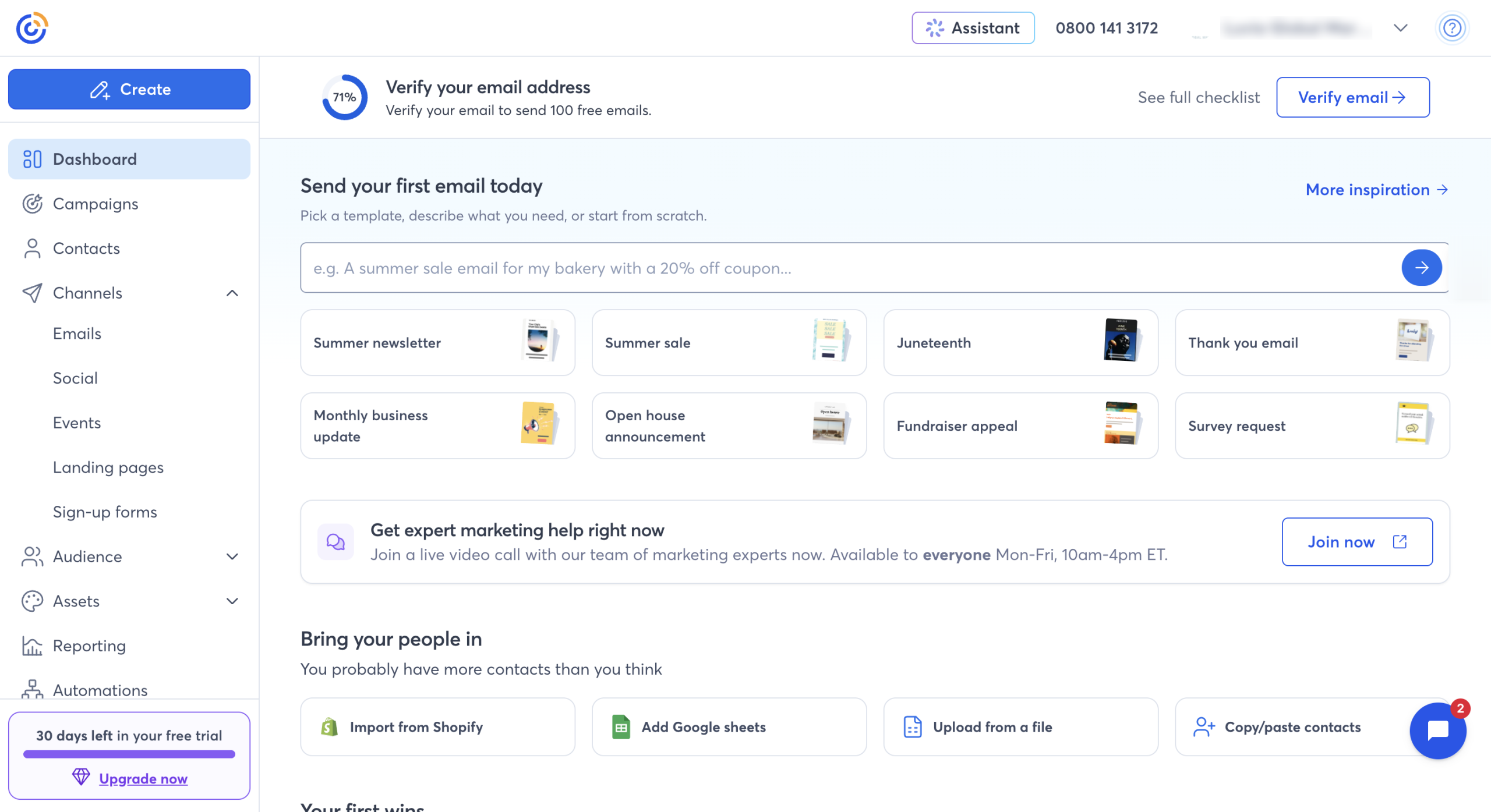
Constant Contact has been around since 1995, making it one of the oldest email marketing platforms still operating. Its core strength is simplicity: a massive template library, a drag-and-drop editor that anyone can use, and phone support that actually picks up. It also includes event management and ticketing — a unique feature for organizations that run events. If you’re comparing these two directly, see our in-depth Constant Contact vs Mailchimp comparison.
That said, Constant Contact is expensive for what you get. At 10,000 contacts, you’re paying $195/month — more than almost every other tool on this list — with automation that’s basic at best.
Key Features
- Event management and ticketing built in
- 500+ integrations
- Social media scheduling
- Large mobile-responsive template library
- Phone support (rare in this category)
✓ Pros
|
✗ Cons
|
Pricing
- Free trial: 60 days, no credit card
- Lite: $12/mo for 500 contacts
- At 10K contacts: $195/mo (or $335/mo for Email Plus)
Choose Constant Contact if you’re a nonprofit or event organizer who values phone support and simplicity over price.
Skip it if you need advanced automation or care about cost-efficiency at scale.
How We Tested These Mailchimp Alternatives
We evaluated each tool across five dimensions, weighted by what matters most when switching from Mailchimp:
- Deliverability (30% weight): We referenced independent deliverability tests from EmailToolTester, MailerCheck, and GlockApps alongside each tool’s published infrastructure (dedicated IPs, SPF/DKIM/DMARC support, warmup tools).
- Pricing & value (25%): We compared real pricing at 500, 5,000, and 10,000 contact tiers, including what features are available on free plans versus paid-only.
- Ease of use (20%): We tested each email editor for drag-and-drop functionality, template quality, and time-to-first-campaign.
- Automation capabilities (15%): We evaluated workflow builders, trigger options, conditional logic, and pre-built automation templates.
- Integration ecosystem (10%): We counted native integrations and checked for critical connections (Shopify, WooCommerce, WordPress, Zapier, CRM tools).
Disclosure: Mailercloud is our product. We’ve included it because we believe it genuinely competes on deliverability and pricing. We’ve been transparent about its limitations (smaller integration library, single-list contact restriction) alongside its strengths.
How to Switch from Mailchimp (Without Losing Subscribers)
The biggest fear most businesses have about switching email platforms is losing contacts, breaking automations, or tanking deliverability during the transition. Here’s the process we recommend, based on helping hundreds of businesses migrate:
Step 1: Export Your Mailchimp Data
Before you do anything, export everything from Mailchimp: your contact lists (with tags and segments), email templates, and automation workflows. Mailchimp makes this straightforward under Audience → All contacts → Export Audience. Download as CSV. Also screenshot your active automations — you’ll want to rebuild them on the new platform.
Step 2: Set Up Domain Authentication First
Before importing a single contact into your new tool, configure SPF, DKIM, and DMARC records. This is non-negotiable. Sending from a new platform without proper authentication will tank your deliverability from day one. Every tool on this list provides setup guides, and most offer support for the DNS configuration.
Step 3: Import and Segment
Import your CSV into the new platform. Most tools will automatically detect column mappings. Re-create your segments based on the tag/field data in your export. Resist the urge to import unengaged contacts — use this as an opportunity to clean your list. Remove anyone who hasn’t opened an email in the last 6 months.
Step 4: Warm Up Gradually
Don’t blast your entire list on day one. Start by sending to your most engaged 10–20% of subscribers, then expand over 2–3 weeks. This builds sender reputation on the new platform’s IP addresses. If your new tool offers dedicated IPs (Mailercloud, MailerLite, and GetResponse do), the warmup period is especially important.
Step 5: Run Both Platforms in Parallel
Keep Mailchimp active for 30 days after migration. This catches any triggered automations still running (like abandoned cart sequences) and gives you a fallback if something goes wrong. Once you’ve confirmed everything is working on the new platform, cancel Mailchimp.
Final Takeaway
Mailchimp is no longer the only game in town. With more affordable, powerful, and flexible email marketing tools available in 2026, you have plenty of options. If you came from Constant Contact rather than Mailchimp, we’ve also tested the top Constant Contact alternatives — the landscape is equally competitive with options that outperform on price, automation, and deliverability. From all-in-one platforms like Brevo and ActiveCampaign to lightweight tools like Mailercloud and Moosend, you can pick what fits your business goals.
Ready to make the switch? Try Mailercloud for free and experience the difference.
FAQ
What is the best free Mailchimp alternative?
Kit (formerly ConvertKit) has the largest free tier at 10,000 subscribers with unlimited emails, making it the best choice for creators building an audience. Sender is the strongest free plan for small businesses — 2,500 subscribers and 15,000 emails/month with full automation included. Brevo stores unlimited contacts free but caps you at 300 emails/day. Mailercloud’s free plan covers 1,000 contacts and 12,000 emails/month with automation and AMP emails included. Mailchimp’s free plan, by comparison, stops at 500 contacts and 1,000 emails/month
Is Mailchimp still worth it in 2026?
Mailchimp remains a solid choice if you need its extensive integration ecosystem (300+ tools) or use its e-commerce features with Shopify. However, its free plan is now limited to 500 contacts and 1,000 emails, and Standard pricing starts at $20/month — significantly more than alternatives like Mailercloud ($10/mo), Moosend ($7/mo), or Sender ($7/mo) for comparable features.
What is the cheapest Mailchimp alternative?
Moosend and Sender both start at $7/month for paid plans. Sender also offers the most generous free plan at 2,500 contacts and 15,000 emails/month. For the best balance of price and features, Mailercloud starts at $10/month with unlimited emails, automation, A/B testing and AMP emails included on every plan.
Can I migrate from Mailchimp without losing subscribers?
Yes. Every tool on this list supports CSV imports, which is how you export your Mailchimp audience. The key steps are: export your contacts with tags and segments, set up domain authentication (SPF/DKIM/DMARC) on the new platform first, import your cleaned list, and warm up gradually by sending to your most engaged subscribers first. Keep Mailchimp active for 30 days during the transition to catch any active automations.
Which Mailchimp alternative has the best deliverability?
Based on independent testing, Mailercloud leads with 99.4% deliverability, followed by MailerLite at 95.2% and Constant Contact at 91.7%. Deliverability depends on many factors including list hygiene, authentication setup, and content quality — but choosing a platform with strong infrastructure gives you a better starting point.
What is replacing Mailchimp?
There’s no single replacement — it depends on why you’re leaving. Businesses leaving over price typically move to Mailercloud, Moosend or Sender. Creators leaving over the 500-contact free cap move to Kit. E-commerce stores move to Omnisend or Drip. Teams that want SMS and email together move to Brevo.
What is the best Mailchimp alternative for e-commerce?
For e-commerce specifically, Omnisend and Drip are the strongest options. If you were previously on Klaviyo and looking to switch, our dedicated guide covers the best Klaviyo alternatives in 2026 with a full pricing and features breakdown. Omnisend offers purpose-built automations for cart abandonment, post-purchase sequences, and product recommendations with a free plan. Drip goes deeper on behavioral automation with direct Shopify, WooCommerce, and BigCommerce integrations, but starts at $39/month with no free plan. For e-commerce businesses that also need high deliverability on a budget, Mailercloud’s automation features and 99.4% delivery rate make it a strong contender at $10/month.

As a Marketing Director, I develop and implement marketing strategies, conduct market research, and manage a team of marketing professionals. With a successful track record of launching campaigns that drive revenue growth, I bring my marketing expertise to blog writing, creating engaging content that promotes the brand and its products/services.